1 Getting to know your computer
What’s in the box?
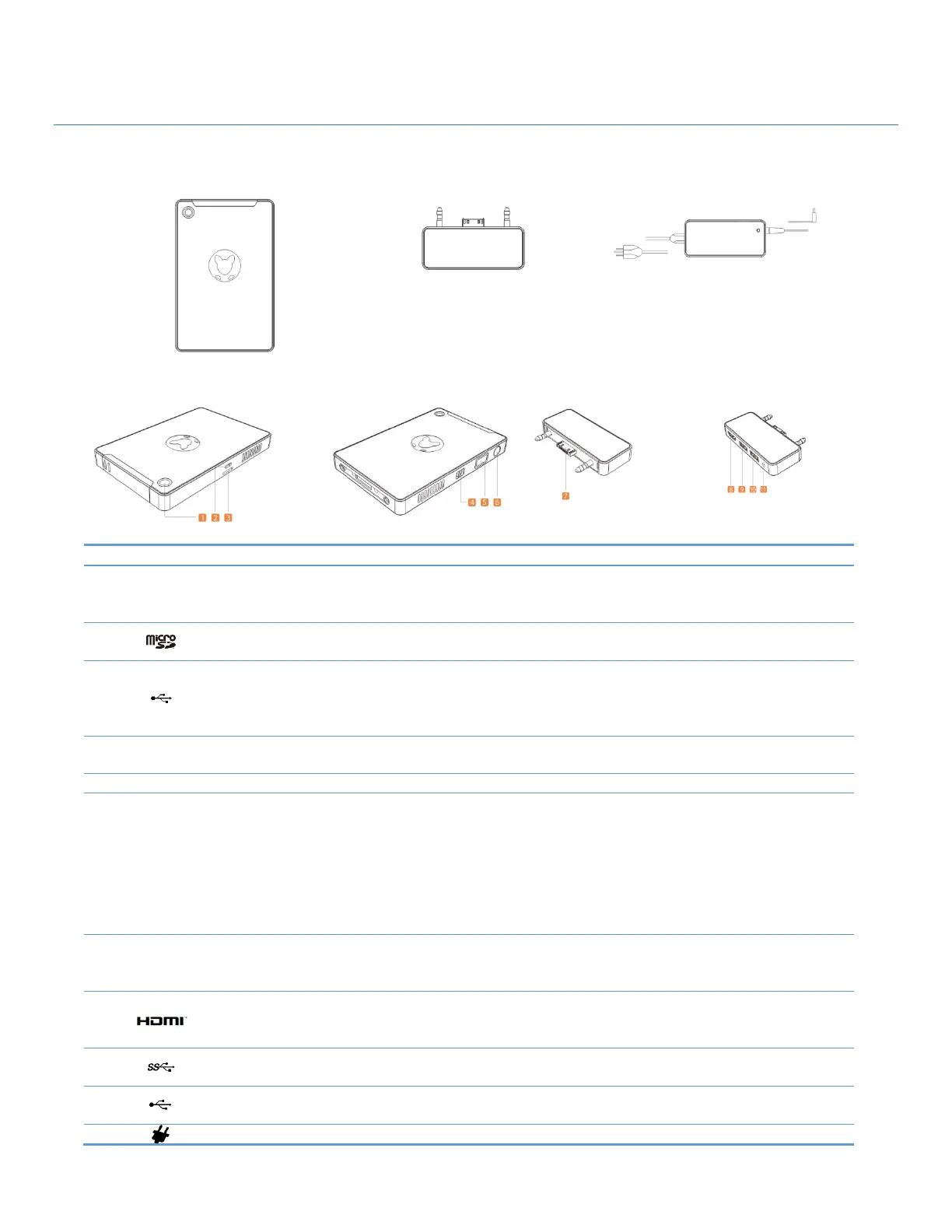
Component & Feature Illustrations
Powered on, and battery fully charged
Solid indicates battery charge mode, and blinking indicates a low
battery state.
Connect optional Micro SD memory cards to store, manage, share, or access
information.
Connect a Micro USB cable to charge the computer’s internal battery pack.
Notice: The Micro USB port on this system can only be used to trickle
charge the internal battery, and does not support data transfer.
Custom feature which allows you to use VNC control software to remotely
control your computer.
Allows login to Windows using biometric identification.
When the computer is off, press the button to turn on the computer.
When the computer is in Sleep Mode, press the button briefly to exit
Hibernation.
CAUTION: Pressing and holding down the power button results in the loss of
unsaved information. If the computer has stopped responding and
Windows® shutdown procedures are ineffective, press and hold the
power button down for at least 5 seconds to turn off the computer.
Extend the capability of your Kangaroo Mobile Desktop by connecting
Kangaroo compatible device extensions, such as the Kangaroo Dock, or
Kangaroo compatible battery and storage extenders.
Connects an optional video or audio device, such as an external monitor,
high definition television, any compatible digital or audio component, or a
high-speed HDMI device.
Connects optional USB 3.0 devices, such as a keyboard, mouse, external
drive, printer, scanner or USB hub.
Connects optional USB 2.0 devices, such as a keyboard, mouse, external
drive, printer, scanner or USB hub.
DC input for the AC adapter.


 To Next Page
 Loading...