Step 4: Attach TV to Wall Plate
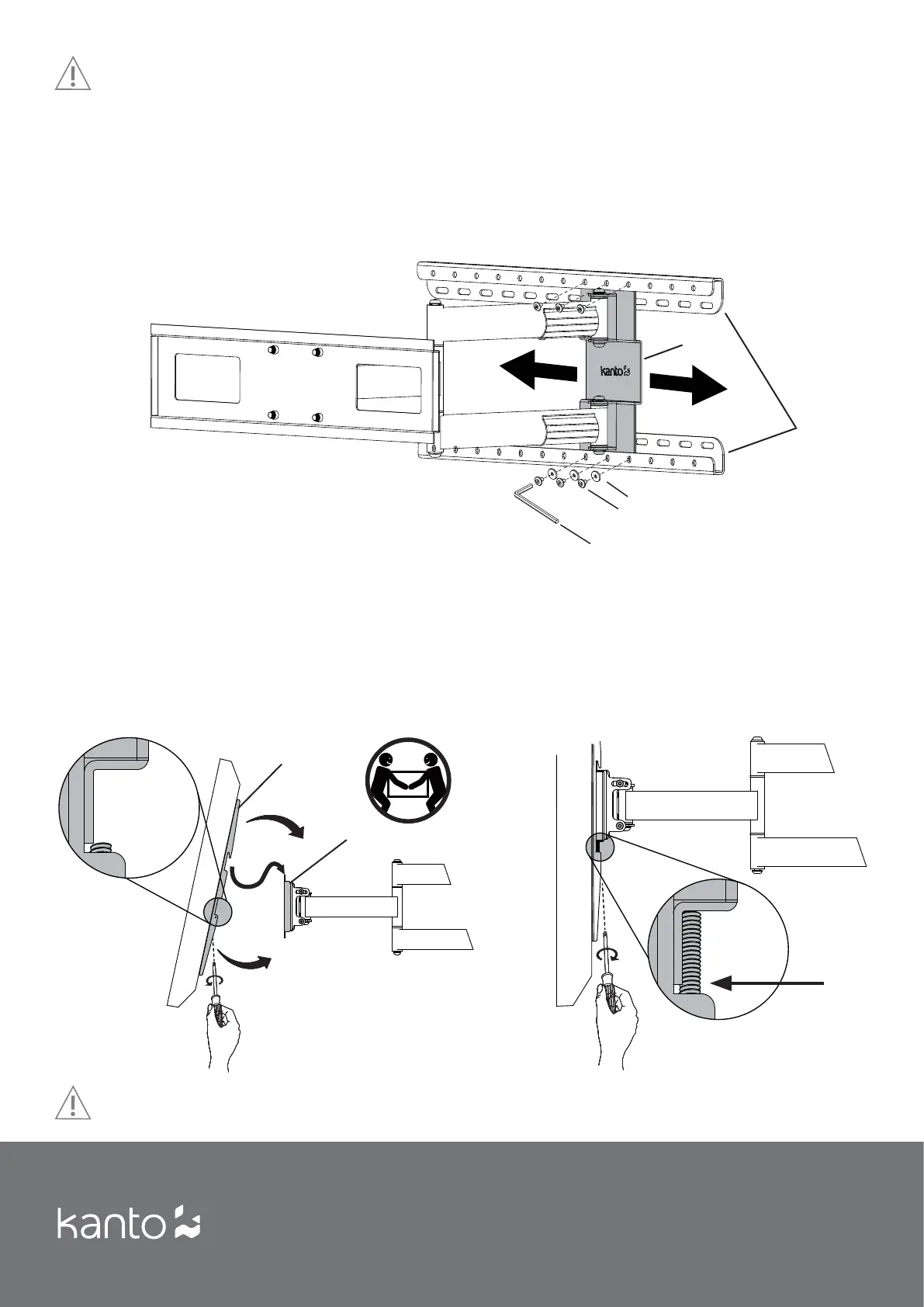
Ensure the safety screw on the Locking Bracket Arm is loosened, as shown in Diagram E. With the Pivot Plate fi rmly secured
to the Wall Plate, use two people to lift the TV into position and hook the TV Bracket Arms onto the Wall Plate, as shown in
Diagram E. Lower the TV until the Quick-Lock Bracket Arm locks into place on the Wall Plate.
Tighten the safety screw on the bottom of the Locking TV Bracket Arm using a Phillips screwdriver to secure the plate in
place, as shown in Diagram F.
CAUTION
Do not adjust pivot point while TV is mounted to the Wall Plate.
WARNING
Use two people to lift and position the TV onto the Wall Plate.
Diagram E
6
Diagram F
Step 3: Adjust Pivot Point
You can adjust the pivot point from side to side on the Wall Plate up to 20”. This fl exibility gives you the option to mount in
corners or pivot to allow viewing at diff erent angles.
Before you mount the TV to the Wall Plate, adjust the position of the pivot by removing the six screws that hold the Pivot
Plate to the Wall Plate, moving the Pivot Plate to its desired location, and re-attaching the six screws, as shown in Diagram
D.
Diagram D
Screws
Washers
Pivot
Plate
Wall
Plate
TV
Bracket
Arms
Saftey
Screw
Wall
Plate
4.1
4.2
4.3
N


 To Next Page