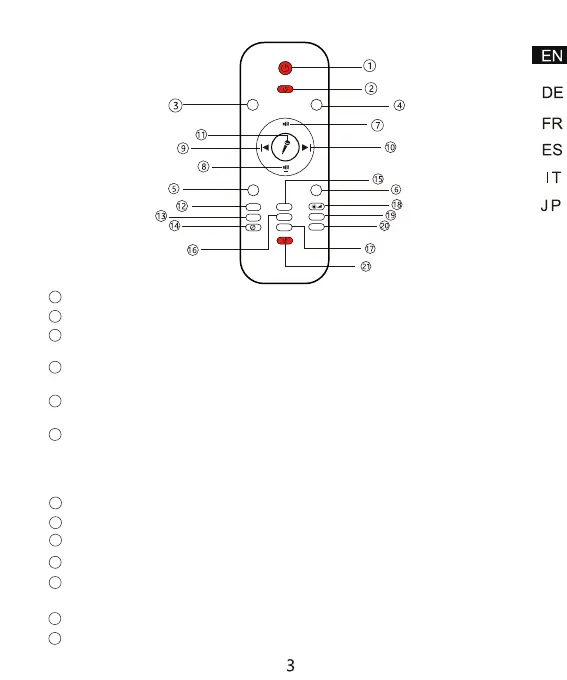
Control LED ocean wave light ON/OFF
1
Control Laser light ON/OFF
2
Press “R”, red light ON; Press again, red light OFF (at basic of light on at first
time)
3
Press “G”, green light ON; Press again, green light OFF (at basic of light on at
first time)
4
Press “B”, blue light ON; Press again, blue light OFF (at basic of light on at first
time)
5
Press “W”, white light ON; Press again, white light OFF (at basic of light on at
first time)
(Note: Four color RGBW buttons can be combined by two to form a double-color
projection)
6
Control device volume up
7
Control device volume down
8
Select playing previous song
9
Select playing next song
Voice control: Connect with Bluetooth or USB memory playing music, press
"Micro" icon, ocean wave and star light will fast-changing following music sound
10
11
R
B
S+
FADE
1
S-
H
W
G
LASER
MUSIC
LED
+
LASER
lgiht
FADE
1H
2
2H
Control ocean wave moving speed up (Pause--Slow--Medium--Fast)
Control ocean wave moving speed down (Fast--Medium--Slow--Pause)
12
13



 To Next Page