22 | EN
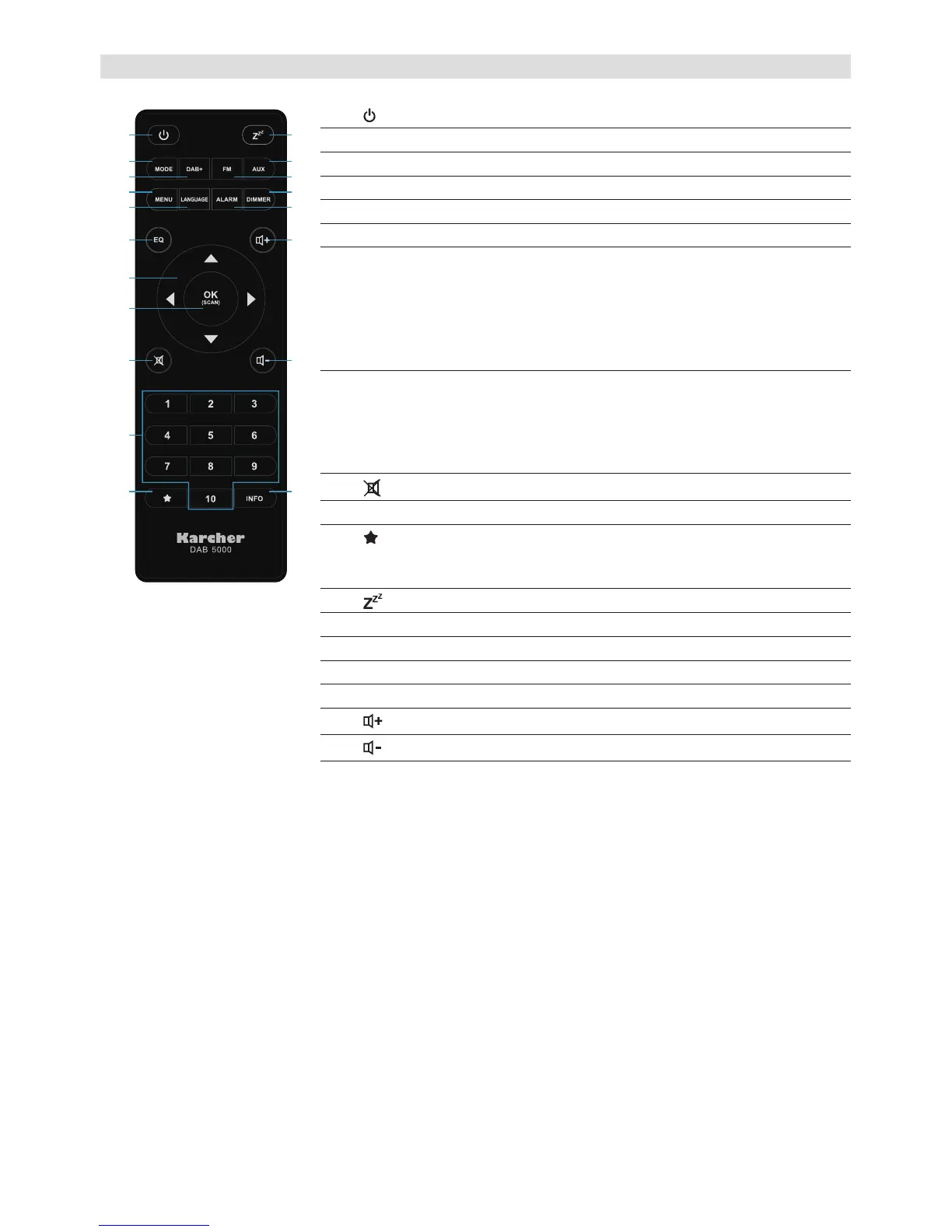
3. Remote Control
13
14
15
16
17
1
2
3
4
5
6
7
8
9
10
12
11
18
19
1.
Power
Press to switch the unit on/off (standby mode).
2. MODE Press to enter the mode selection.
3. DAB+ Press to switch to DAB+ mode.
4. MENU Press to enter the menu.
5. LANGUAGE Press to enter the OSD language selection.
6. EQ Press to enter the equalizer menu.
7. Arrow buttons DAB+ mode: ▲/▼ to scroll through the station
list, ► to select a station from the list.
FM mode: ▲/▼/◄/► to tune frequency.
Menu: ▲/▼ to scroll through menu options, ►
to enter menu options and change items, ◄ to
go back inside the menu.
8. OK / SCAN DAB+ mode: Press repeatedly to enlarge slide.
Press to select stations from station and preset
lists.
FM mode: Press to start auto scan.
Menu: Enter menu options and change items.
9.
MUTE
Press to mute the sound.
10. Number buttons Press to switch to a preset station.
11.
Short press to open preset list.
Long press to store the current station to the
preset list.
12.
SLEEP
Press repeatedly to set the sleep timer.
13. AUX Press to switch to AUX mode.
14. FM Press to switch to FM mode.
15. DIMMER Press to change display backlight brightness.
16. ALARM Press to enter the alarm settings menu.
17.
VOLUME+
Press to increase the volume.
18.
VOLUME-
Press to decrease the volume.
19. INFO Press repeatedly to cycle through different
infos broadcast by radio stations.


 To Next Page
 Loading...