26 | EN
time of 5, 10, 15 or 30 minutes. The alarm will stop and come on again after the set time. While the
snooze function is active the alarm symbol is ashing.
To cancel this function, press the Power button.
8. DAB+
Switch the unit on as described previously. It will start in the mode last listened to. Select DAB+ mode
if it isn’t already selected.
• By default the unit did a full scan upon rst installation. You
can do another full scan any time inside the Digital Radio
menu (press MENU and select “Full Scan”).
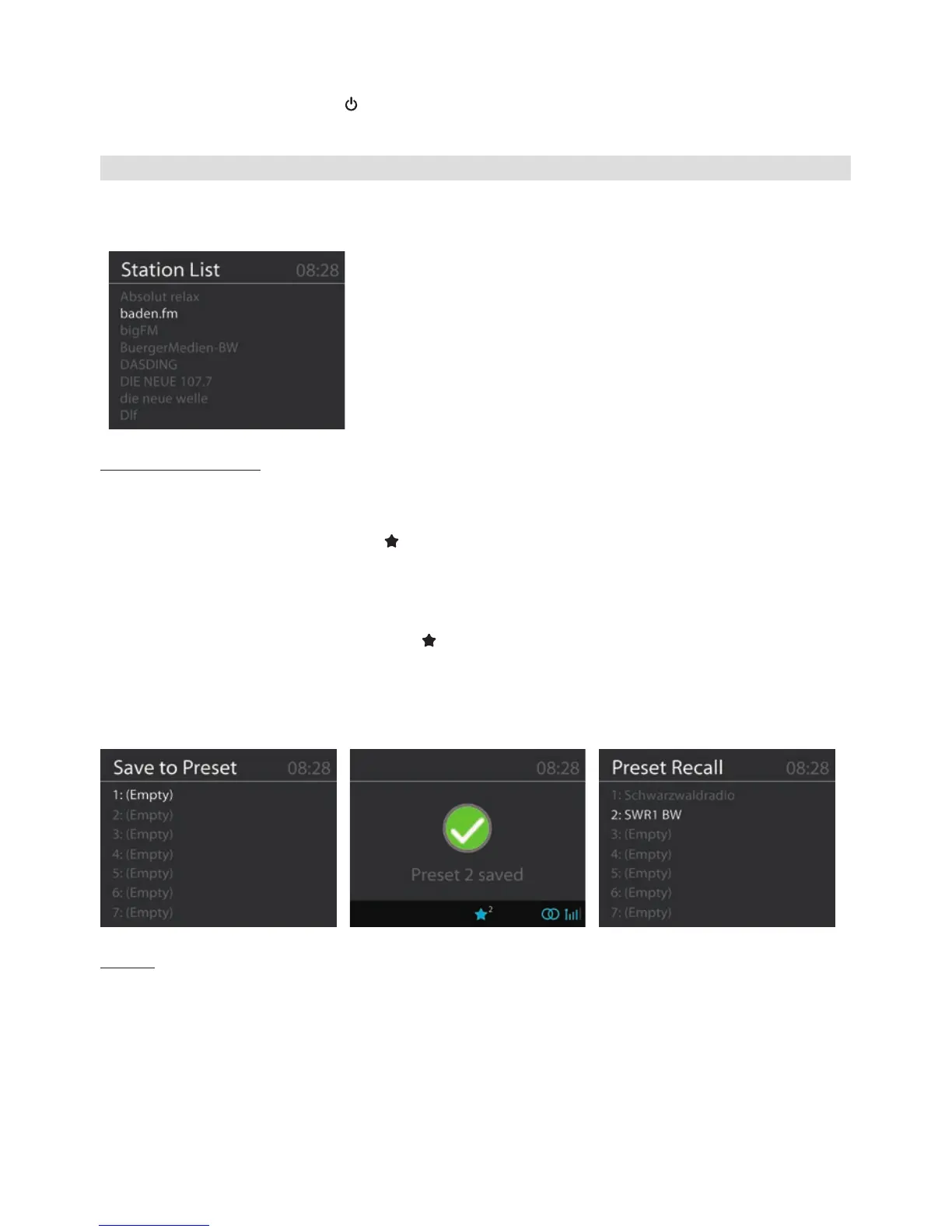
• You can view and scroll through the channel list by pressing
the ▲ or ▼ button on the remote control or the ▲/TUN-
ING+ / ▼/TUNING- buttons on the unit and then select a
desired station by pressing the OK button.
Radio Station Presets
This unit enables you to store up to 10 of your favorite radio stations:
1. Select a radio station which you would like to store.
2. Press and hold for 2 seconds the
button on the remote control or the PRESET button on the
unit to enter the preset menu.
3. Select the preset no. on which the station should be stored using the ▲/▼ buttons on the remote
control or the NAVIGATE knob on the unit.
4. Conrm by pressing the OK button.
5. To recall a stored frequency, press the button on the remote control or the PRESET button
on the unit once to view the preset list, select the desired station using the ▲/▼ buttons on the
remote control or the NAVIGATE knob on the unit and press OK to play that station.
Alternatively you can select the desired preset station directly by pressing the corresponding
Number button on the remote control.
Display
Content of the display depends on the broadcast of the radio station selected.
See chapter 4. Display about possible display information.


 To Next Page
 Loading...