English 15
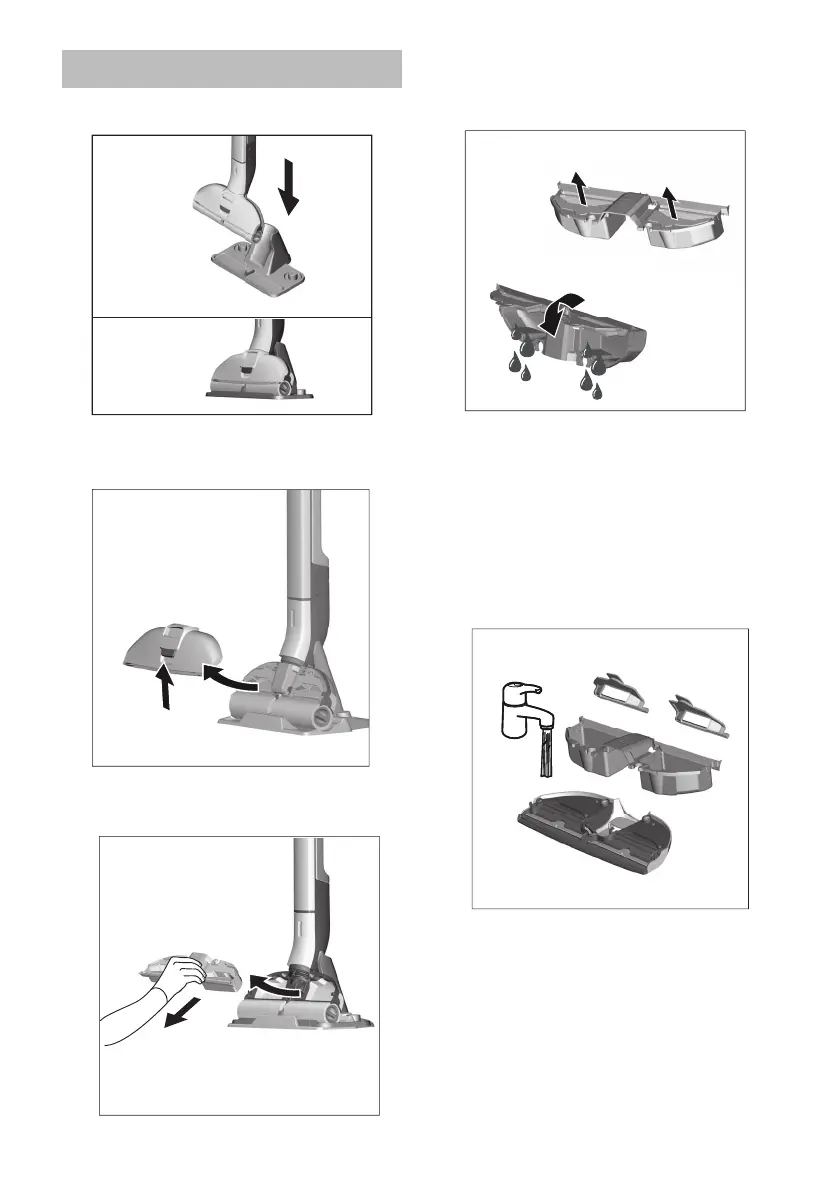
Place device into storage station.
Actuate the floor head cover latch.
Remove the floor head cover.
Remove the waste water tank from
the floor head.
Fold the flaps over the two waste
water
tank chambers.
Empty the waste water tank.
Clean the floor head cover and
waste
water tank with tap water, de-
pending on the degree of soiling.
The flaps of the two waste water
tank chambers can be removed
and cleaned separately.
Re-insert and close the flaps of the
two waste water tank chambers.
Emptying the waste Water tank



 To Next Page