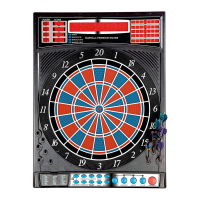
Electronic Dartboard Karella Premium Silver 8
Art.Nr. 8075.01
When play begins:
The ‘human’ player throws first. After 3 darts are thrown, go to the board to take darts out and press START
to change to the next player (CyberMatch). Watch as the CyberMatch opponent’s dart scores are registered on
the display. After the CyberMatch opponent completes his round, the board will automatically reset for the
“human” player. Play continues until one player wins. Good luck!
Electronic Dartboard Operation
1. Press the POWER or switch to ON position (|) to activate dartboard. A short musical introduction is played
as the display goes through power-up test.
2. Press GAME button until desired game is displayed – or press any of the QuickPick buttons.
3. Press DOUBLE button (optional) to select starting and/or ending on doubles or Master Out (used only in
301 - 901 games). This is explained in the game rules section.
4. Press PLAYER button to select the number of players (1, 2 ... 16). The default setting is 2 players. Or select
Cybermatch option by pressing CYBERMATCH button.
5. Press START/HOLD button (red) to activate game and begin play.
6. Throw darts: When all 3 darts have been thrown, a voice command will indicate “Remove Darts” and the
score will flash. The darts can now be removed without affecting the electronic scoring. When all darts are
removed from the playing surface press the START button to go to next player. Voice command will indicate
which player is up. Also, the player indicator lights will illuminate to show which player’s turn it is.
Game Content


 To Next Page
 Loading...