76
L’apparecchio incorpora un ricevitore bluetooth
per la riproduzione di brani provenienti da
smartphones o tables. Premete ripetutamente
il tasto INPUT (G) no ad attivare la funzione
bluetooth. Cercate l’apparecchio sul menù
bluetooth del vostro telefono e accoppiatelo. Da
ora potrete inviare audio al diusore cambiando
i brani sia dall’apparecchio sorgente che dal
diusore.
Grazie all’innovativa tecnologia TWS, è
possibile, acquistando 2 diusori
BM 863RM, collegarli tra loro senza li e fare
in modo che l’audio bluetooth venga trasmesso
dal primo al secondo diusore ottenendo di
fatto un eetto bifonico. Per fare ciò mettete
i due diusori in modalità bluetooth. Una volta
connesso il telefono al primo diusore, tenete
premuto per qualche istante il tasto (F) sull’altro
diusore no a visualizzare sul display la scritta
“t on”. Il secondo diusore si collegherà al primo
automaticamente riproducendo lo stesso audio.
Tenendo premuto nuovamente il tasto (F) sul
display apparirà la scritta “t o” e la funzione
TWS verrà disattivata.
La presa AUX (7) consente il collegamento di
qualsiasi sorgente audio tramite connettore jack
3,5mm.
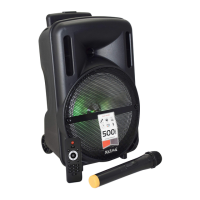
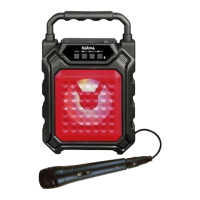
Potete usufruire del radiomicrofono in dotazione.
Agite sul tasto (13) per attivarlo e regolatene il
volume tramite il comando (5).
Se avete inserito una chiavetta USB o scheda
SD potrete registrare l’audio dei microfoni
semplicemente premendo il tasto REC (I).
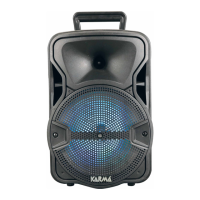
Il woofer frontale può essere illuminato da led
colorati che creeranno un simpatico eetto luce.
Per attivare/disattivare i led agite sul tasto (9).
The xture includes a bluetooth receiver to
play tracks from smartphones or tablets. Press
repeatedly the INPUT(G) button to activate the
bluetooh function. Scan for the device on the
bluetooth menu of your smartphone and pair it.
From now on you will be able to send audio to
the speaker and change the tracks both from the
source device and from the speaker.
Thanks to the new TWS technology, if you
buy two speakers BM 863RM, it is possible to
connect them wirelessly, so that bluetooth audio
is transmitted from the rst to the second one,
obataining as a matter of fact a biphonic eect.
To do that put the two speakers in bluetooth
mode. Once your smartphone is connected to
the rst speaker, press for some seconds the
button (F) on the other speaker, until the display
shows the indication “t on”. The second speaker
will be automatically connected to the rst and
play the same audio.
By pressing and holding again the button (F) the
display will show the indication “t o” and the
TWS function will be disabled.
The AUX (7) socket can be used to connect any
audio source through jack 3,5 connector.
If you have bought model BM 863RM you can
use the included wireless microphone. Press the
button (13) to activate it and adjust its volume
through the control (5).
By plugging in a USB key or a SD card you can
record the microphones’ audio just by pressing
the REC (I) button.
The front woofer can light on thanks to its
coloured leds that will create a nice light eect.
To enable or disable the leds use the button (9).


 To Next Page
 Loading...