c.9 Managing the automatic lighting (chronothermostat)
The automatic lighting function permits to weekly program the lighting and switching off of the
stove. Through this function, it is possible to set two daily lightings; it is also possible to avoid extra
programming, by memorizing the set data.
Press the “set” key twice to access the setting.
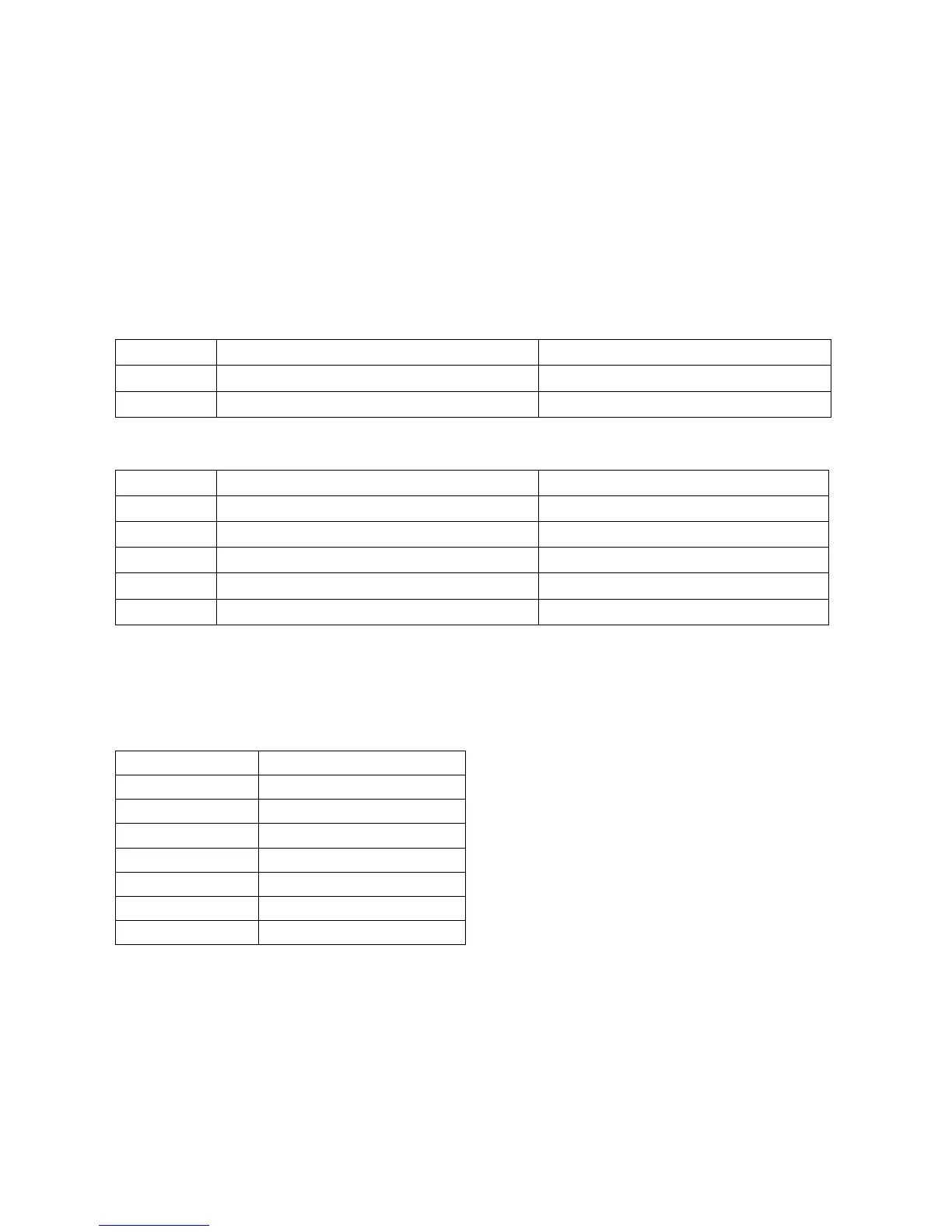
Clock set
UT1 Clock day OFF; Day1, Day2…Day7
UT2 Clock hours From 00 to 23
UT3 Clock minutes From 00 to 59
Chrono set
UT5 Start program 1 From 00:00 to 23:50, 10’ step
UT6 Stop program 1 From 00:00 to 23:50, 10’ step
UT7 Daily lighting/switching off Between on/off for 1 to 7 days
UT8 Start program 1 From 00:00 to 23:50, 10’ step
UT9 Stop program 1 From 00:00 to 23:50, 10’ step
UT10 Daily lighting/switching off Between on/off for 1 to 7 days
UT01: You need this setting to set the current day of the week or to unset the program, according
to the scheme reported below.
Day1 Monday
Day 2 Tuesday
Day 3 Wednesday
Day 4 Thursday
Day 5 Friday
Day 6 Saturday
Day 7 Sunday
OFF Unset chronothermostat
UT05/UT06: they indicate the starting and stopping time of the Program 1, if the UT01 setting is set
on the weekly mode (different from OFF)
UT07: it modifies the weekdays you wish the Program 1 to be on. By pressing the “2” key you run
over the days, and by pressing the “1” key you set or unset the program.



 To Next Page