5. Listen FM
1. open the App KBSOUND
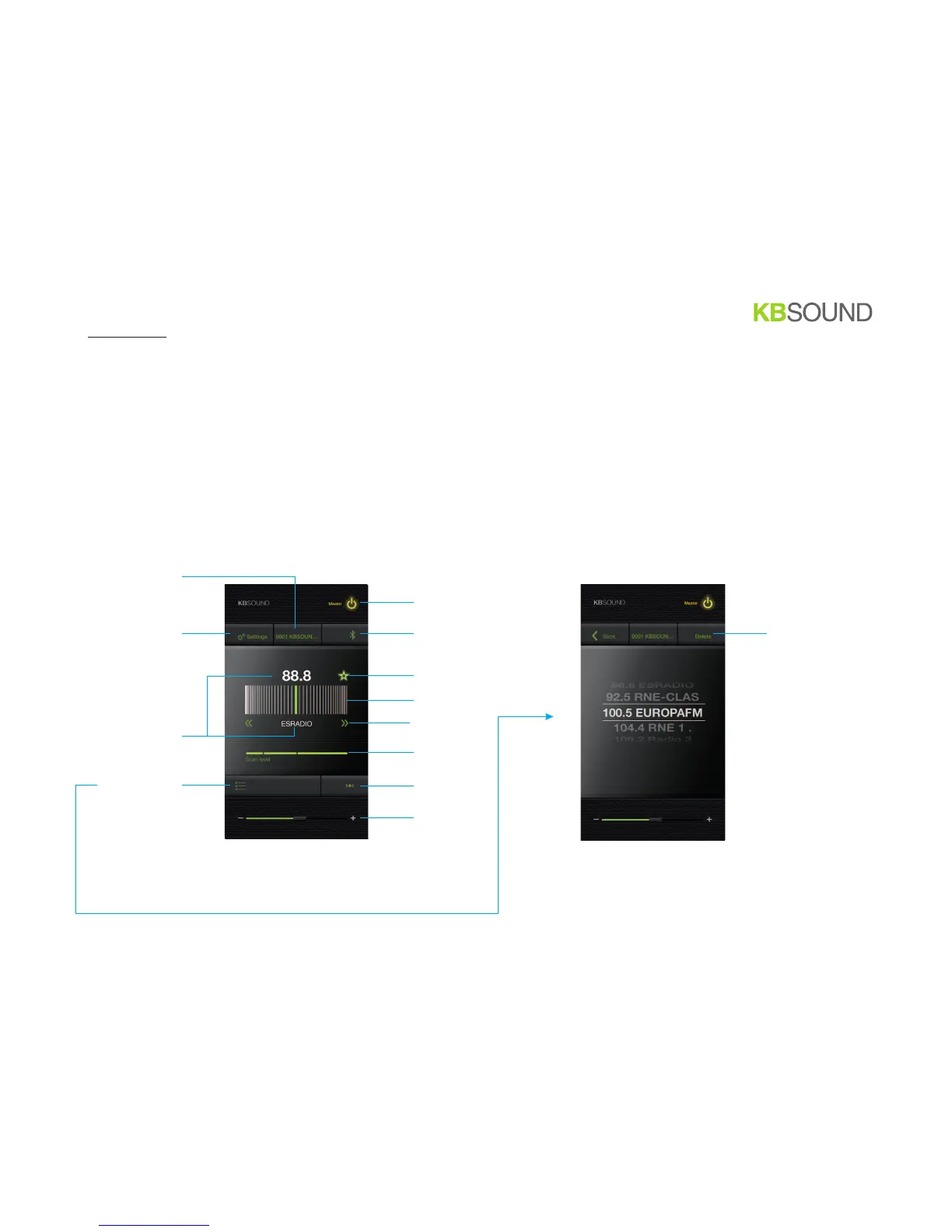
2. FM Screen permits to enjoy FM and save favorites FM station in the favorites list
ON / OFF
ideal mode
volume
jump to Settings Screen
(see annex)
FM Favorites Screen
Master Bluetooth ID
and jump to Bluetooth Naming Screen
add to favorites
manually dial
scan
FM sensitivity
for scan
FM Screen FM Favorites Screen
information about FM tuner station
(frequency and RDS)
BT
choose Bluetooth Streaming Audio
and jump to Bluetooth Streaming
Audio Screen
10/12
delete from favorites


 To Next Page