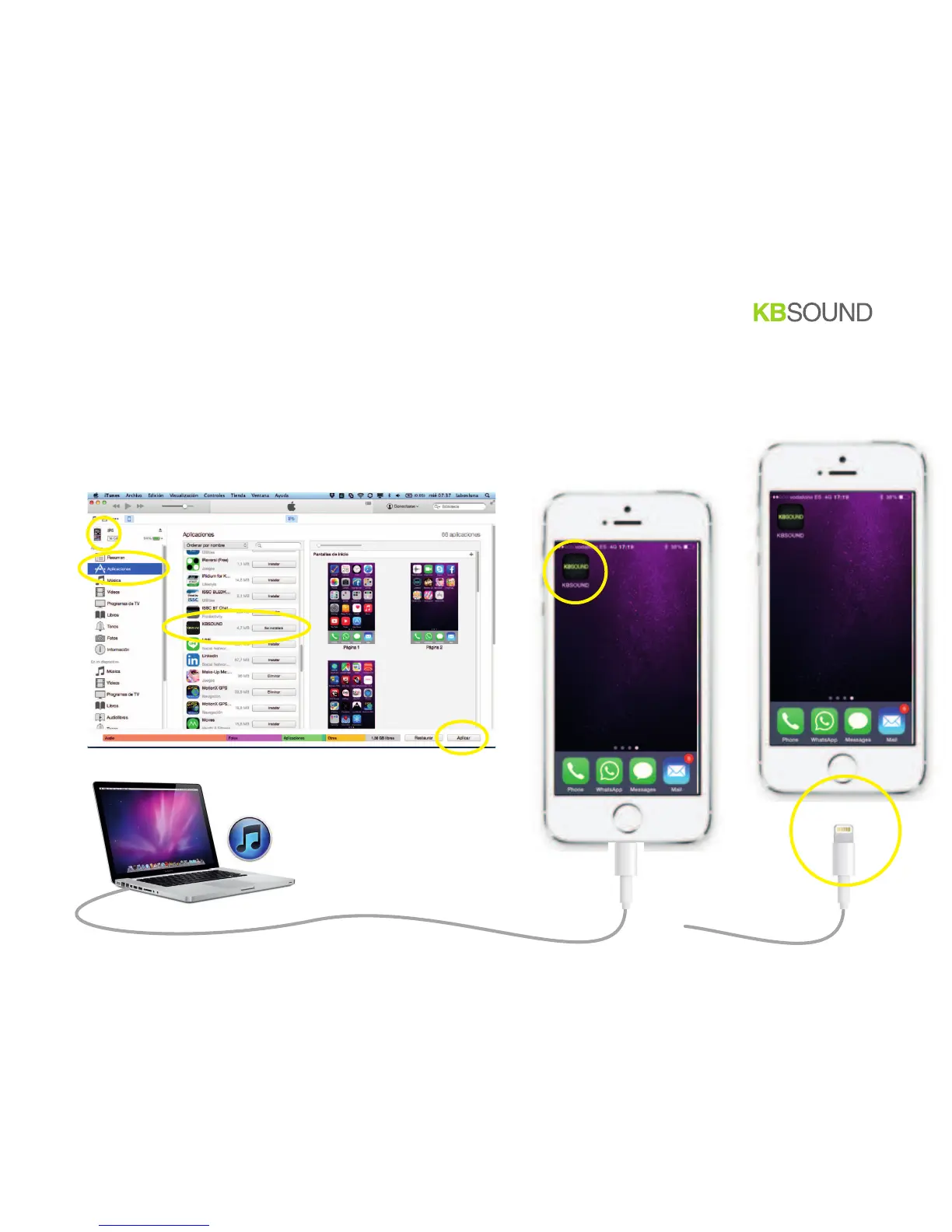
4.
connect the smartphone to the computer
6. in iTunes: select the smartphone
7. in iTunes: select Aplications
8. in iTunes: select the App KBSOUND to be installed to the smartphone
9. in iTunes: apply changes
10. when finish, be sure that the app KBSOUND has been installed in the smartphone
11.
in the smartphone: if the App is already installed in the smartphone, uninstall it
5.
IMPORTANT: disconnect the smartphone from the computer
BT
5/12


 To Next Page