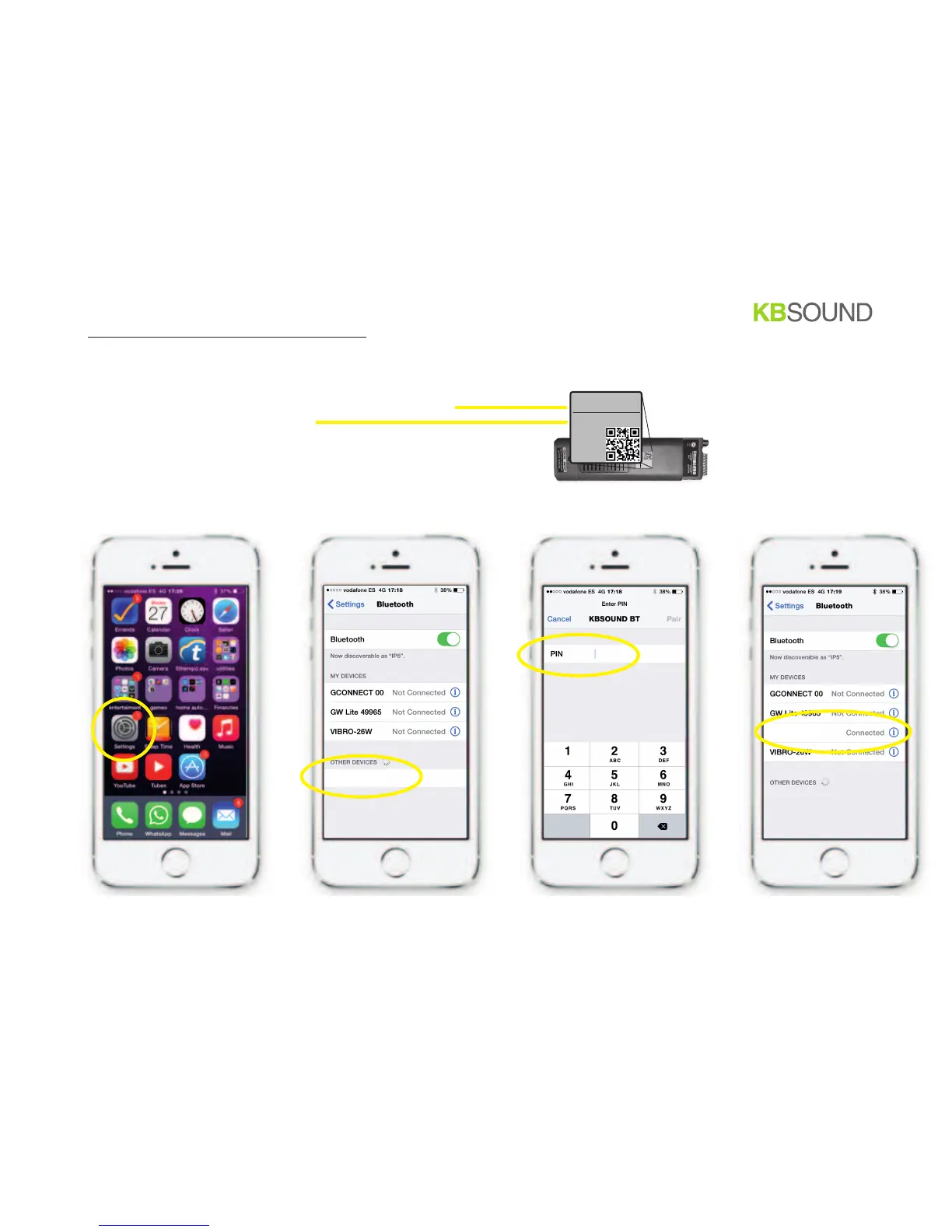
4.1. Bluetooth pairing and connection (IOS)
before operating the KBSOUND App it is necessary to be correctly paired and connected with the Master
1. go to IOS Bluetooth settings menu
2. select the Master Bluetooth ID (e.g. )
3. introduce the password (e.g. )
4. check that the Master is correctly
connected
0001 KBSOUND BT
1234
(e.g. )0001 KBSOUND BT
1234
BT
8/12
0001 KBSOUND BT
0001 KBSOUND BT
BLUETOOTH ID:
0001 KBSOUND BT
PASSWORD:
1234
BLUETOOTH ID:
0001 KBSOUND BT
PASSWORD:
1234
Master


 To Next Page