7 8
HOW TO OPERATE / CÁCH VẬN HÀNH
(Light on)
(Đèn sáng)
(Light on)
(Đèn sáng)
(Light on)
(Đèn sáng)
(Light on)
(Đèn sáng)
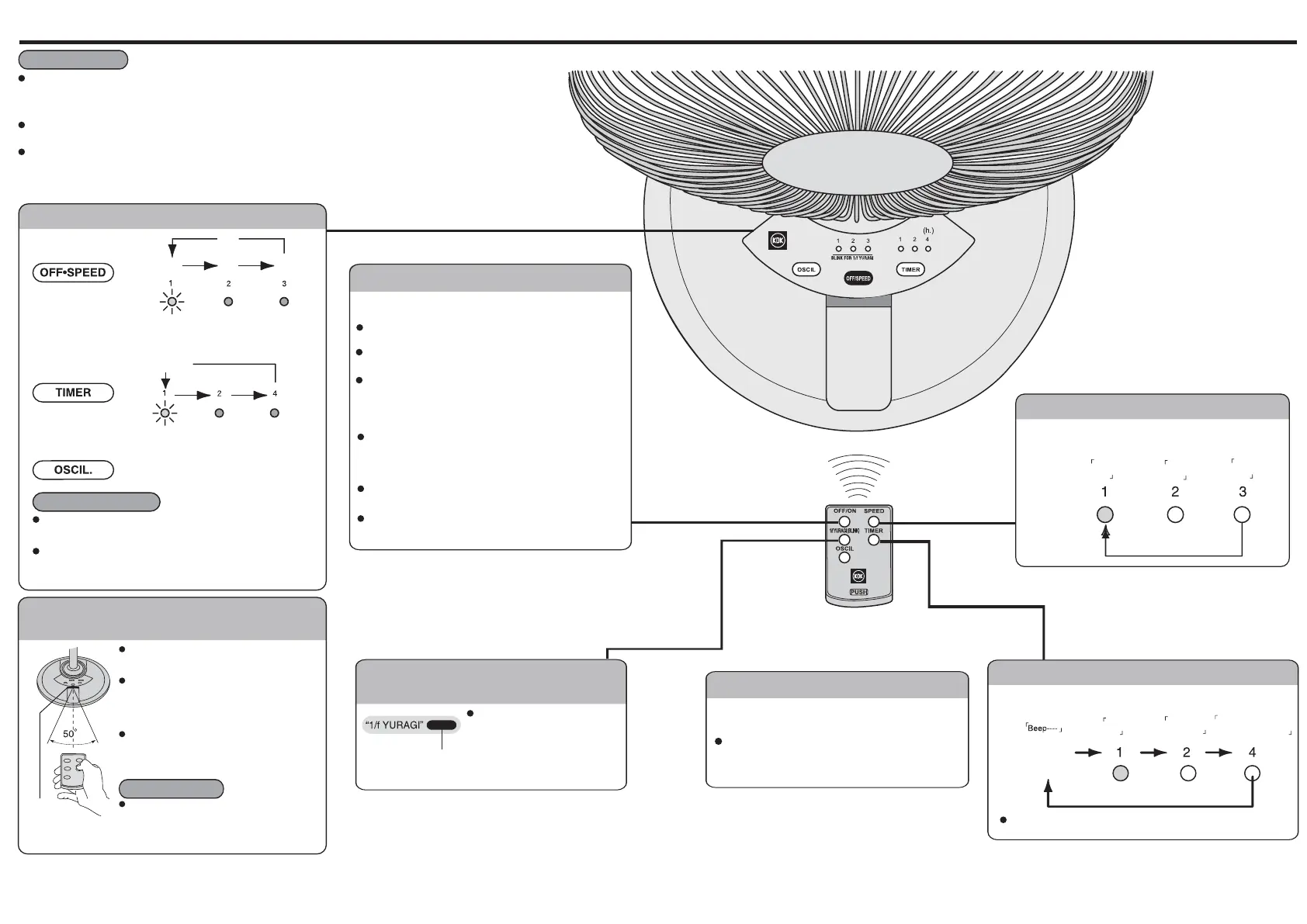
Press the button to change the fan speed or to turn it o as shown in the above diagram.
Bấm nút này để đổi tốc độ gió hoặc để tắt quạt như trong sơ đồ trên.
Using with air-conditioner can save energy.
Dùng cùng với điều hòa nhiệt độ có thể tiết kiệm điện hơn.
The speed is “Low” at the rst time after connecting to power supply.
Lần đầu cắm điện tốc độ quạt sẽ là “Chậm”.
Other buttons will not functioning when the fan is turned o.
Các nút khác sẽ không làm việc khi quạt tắt.
There will be a short “beep” when the fan is turned on and
a long “beep” when turned o.
Sẽ có tiếng “bíp” ngắn khi bật quạt và tiếng “bíp” dài khi tắt quạt.
When the fan is turned on by remote controller, it operates at
previously at mode.
Khi bật quạt bằng bộ điều khiển từ xa, nó sẽ chạy ở chế độ
trước khi bị tắt.
No memory function for “Timer”.
Không có chức năng nhớ cho “Timer” (“Đặt giờ”)
Memory will be cleared when the power supply is switched o.
Bộ nhớ sẽ bị xóa khi ngắt nguồn cấp điện.
Point the controller to the receptor.
Chĩa bộ điều khiển từ xa vào bộ nhận tín hiệu.
The controllable distance is about 4.5m from the fan
within 50 degree.
Khoảng cách điều khiển được là khoảng 4.5m từ
quạt, trong vòng 50 độ.
If remote control unit becomes ineective, replace
batteries.
Nếu bộ điều khiển từ xa không làm việc thì phải thay pin.
Keep receptor out of direct sunlight and strong articial
light. (diminishes remote control unit eectiveness.)
Không để nắng hay ánh đèn công suất cao chiếu
thẳng vào bộ nhận tín hiệu.
(khiến bộ điều khiển từ xa không làm việc.)
Press to toggle OFF/ON
Bấm để đổi trạng thái OFF/ON (TẮT/BẬT)
Memory function / Chức năng nhớ
Press this button to set the timer as shown in the above diagram
Bấm nút này để đặt giờ như trong sơ đồ trên.
Press this button to change wind speed.
Bấm nút này để đổi tốc độ gió.
Properly adjust wind speed and activate oscillation
can enhance the cooling eect.
Chỉnh tốc độ gió thích hợp và bật tuốc năng có thể
nâng cao hiệu quả làm mát.
Properly use of Timer can save energy and prevent
user from discomfort
Đúng cách sử dụng các Timer có thể tiết kiệm năng
lượng và ngăn cản người sử dụng từ khó chịu
Press to toggle the status of fan oscillation.
Bấm nút để đổi trạng thái tuốc năng của quạt.
“1/f YURAGI” function cannot be activated from control panel.
Không thể bật chức năng “1/f YUR
AGI” từ bảng điều khiển.
It is normal that the temperature of control panel is about 10˚ C higher than ambient
temperature. (There is a very low current ow through control circuit in standby mode).
Bảng điều khiển nóng hơn nhiệt độ xung quang khoảng 10˚C là bình thường.
(Có một dòng rất nhỏ chay qua mạch điều khiển ở chế độ dừng).
(Hours)
(Giờ)
Push
Ấn
(Cancel) / (Hủy)
Stop / Dừng
Slow / Chậm Middle / Trung Fast / Nhanh
Operate by Remote Controller Only
Chỉ thao tác được bằng Bộ Điều khiển Từ xa
Oscillation Button / Nút tuốc năng
TIMER BUTTON / NÚT TIMER (ĐẶT GIỜ)
Using Remote Controller /
Cách dùng Bộ Điều khiển Từ xa
Comfortable and natural breeze
generated through smooth increase
of air ow. (“1/f YURAGI”: lamp blink).
Gió nhẹ dễ chịu được sinh ra nhờ
tăng nhẹ luồng không khí
(“1/f YURAGI”: đèn nhấp nháy).
Use dierent combinations of speed, timer setting and
“1/f YURAGI” function to achieve most comfortable feeling.
Dùng các tổ hợp khác nhau giữa tốc độ, đặt giờ và chức
năng “1/f YURAGI
” để đạt cảm giác dễ chịu nhất.
Press to toggle the status of fan oscillation
Bấm để đổi trạng thái tuốc năng của quạt
Press this button to set the timer as shown below.
Bấm nút này để đặt giờ như minh họa dưới đây.
Indicating lamp will change accordingly as remaining time reduces
Đèn hiệu sẽ thay đổi theo giờ còn lại giảm đi.
There will be a short “beep” when turn on the fan and a
long “beep” when turn o.
Sẽ có tiếng “bíp” ngắn khi bật quạt và tiếng “bíp” dài khi
tắt quạt.
In order to save energy, disconnect this unit from power source if it will not be used for a long period.
(The fan consumes about 2W power even at “OFF” mode.
Để tiết kiệm điện, nên rút điện ra nếu không dùng quạt trong một thời gian dài.
(Quạt vẫn tiêu khoảng 2W điện ngay cả khi ở trạng thái “OFF” (“TẮT”).
When any of thee buttons is pressed, then fan will make a “beep” sound to indicate the change of operating mode.
Khi bấm bất kỳ nút nào trong 3 nút này quạt sẽ kêu bíp một tiếng để cho thấy đã đổi chế độ.
The fan may vibrate and make a loud noise if the supporting surface is not at or level. If this happens,
please move the fan a little bit or adjust its height until the vibration and noise stop.
Quạt có thể rung và gây ồn nếu nền không bằng phẳng.
Nếu có chuyện đó thì phải dịch quạt đi một chút hoặc chỉnh chiều cao cho đến khi hết rung và ồn.
Notice / Lưu ý
Notice / Lưu ý
Notice / Lưu ý
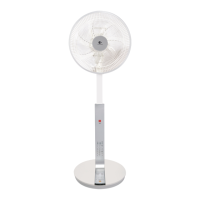
Control Panel / Bảng Điều Khiển
OFF/ON Button /
Nút OFF/ON (TẮT/BẬT)
SPEED Button / Nút SPEED
Beep
Bíp
Beep
Bíp
Beep Beep
Bíp Bíp
Beep Beep Beep Beep
Bíp Bíp Bíp Bíp
Receptor
Bộ nhận
tín hiệu
Cancel / Hủy
Beep
Bíp
Beep
Bíp


 To Next Page
 Loading...