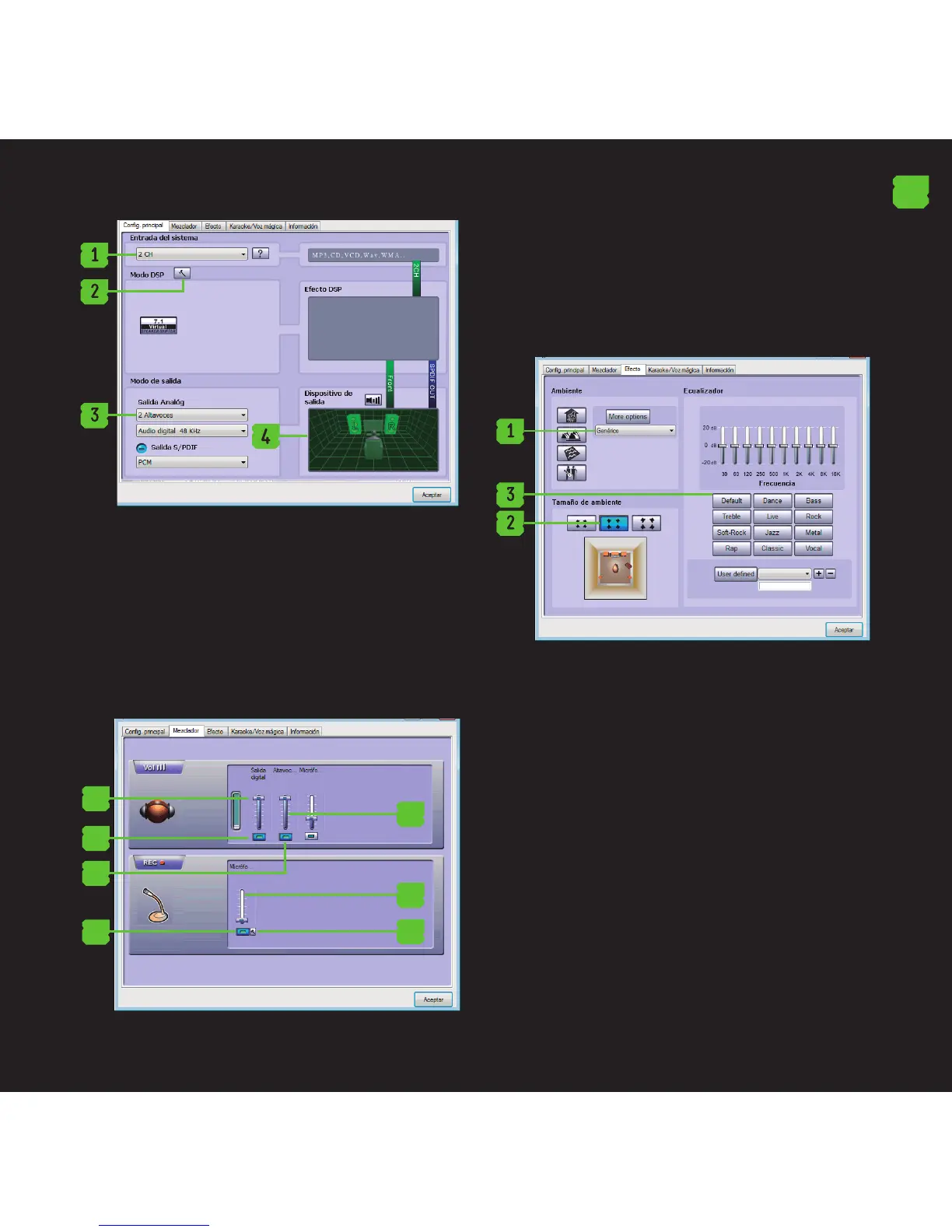
Mixer:
1. Volume Control
2. Switch on or o the sound
3. Microphone Volume Control
4. Switch the microphone on or o
5. Recording. Microphone Volume Control
6. Recording. Switch the microphone on or o.
7. Advanced settings of the microphone
1
2
4
3
5
7
6
Eect:
1. Environment: 23 modes for your choice:
2. Size: Small, Medium, Large for election
3. Equalizer: 12 kinds for your choice and dened
by the user.
EN
Karaoke / Magic Voice
1. Enable / disable and congure the microphone
echo
2. Enable / disable and congure the playback
speed
3. Enable / disable and congure the vocal cancel.


 To Next Page