
 Need help?
Do you have a question about the Keji KEJICOMBO and is the answer not in the manual?
This document is an instruction manual for the Keji Wireless Keyboard and Mouse, model number KEJICOMBO. It provides details on the product's features, installation, specifications, and warranty information.
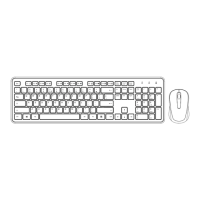
The Keji Wireless Keyboard and Mouse is a combo peripheral set designed for use with computers. It operates wirelessly, connecting to a computer via a USB nano receiver. The keyboard includes multimedia keys for quick access to various functions, while the mouse provides standard pointing and clicking capabilities. The devices are designed to enter a sleep mode automatically after a period of inactivity to conserve battery life.
Keyboard Multimedia Keys Function: The keyboard features dedicated multimedia keys, which are based on the Windows 10 system and may vary slightly on different brand devices and operating system versions.
Installation Guide:
Sleep Mode: If no keys are pressed on the keyboard or mouse within an 8-minute period, both devices will automatically enter sleep mode to conserve battery. To "wake up" the keyboard and mouse, press any key on the keyboard. Moving the mouse will not wake up the mouse from sleep mode.
The manual does not explicitly detail maintenance features beyond battery installation. However, the warranty information outlines conditions under which the product is covered, implicitly guiding users on proper care to maintain warranty validity.
Product Warranty (Valid for Australian Customers Only): Officeworks Ltd warrants that this product will be free from defects and work as intended for 12 months from the date of purchase by the original customer. If the product has defects or does not work as specified during the Warranty Period, Officeworks will, at its election and expense, repair or replace the product.
This warranty does not apply to:
To make a claim under this warranty, customers should return the product with their receipt or proof of purchase to their nearest Officeworks store or contact 1300 633 423. This warranty is in addition to any rights under the Competition & Consumer Act 2010, which includes entitlements to replacement or refund for major failures and compensation for foreseeable loss or damage, and repair or replacement for goods that fail to be of acceptable quality but do not amount to a major failure.
Manufacturing Information:
Trademark Information:
 General
| Brand | Keji |
|---|---|
| Model | KEJICOMBO |
| Category | Computer Accessories |
| Language | English |

 To Next Page