EasyManua.ls Logo

KeLi XK3101 - User Manual

KeLi XK3101
17 pages
Print Icon
To Next Page IconTo Next Page
Loading...
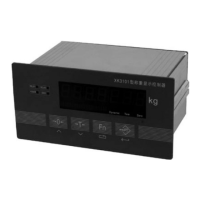
XK3101 (KM05 ) Weighing Transducer
User Manual
z Read the manual carefully before use
z Please take good care of this manual for future reference
www.kelichina.com Page 1 of 17
Question and Answer IconNeed help?

Do you have a question about the KeLi XK3101 and is the answer not in the manual?

Summary

General Description

Main Specifications

Details key technical specifications of the weighing transducer, including precision, resolution, and update rate.

Technical Specifications

Lists technical details such as excitation voltage, signal range, and relay contact capacity.

Power Supply Requirements

Environmental Conditions

Details the recommended working and saving temperature and humidity ranges for the transducer.

Outline Dimensions

Provides the physical dimensions of the weighing transducer in millimeters.

Installation Guide

Transducer Mounting

Explains panel installation and cabinet requirements for securely mounting the weighing transducer.

Transducer Connections

Guides on connecting the weighing transducer, including power supply and load cell signal inputs.

Power Supply Connection

Details how to connect the weighing transducer to the AV 220V power supply, including fuse information.

Load Cell Connection

Serial Port Connection

Explains RS232 and RS485 serial port connections, including wire definitions and socket types.

Analog Output Configuration

Relay Output Control

Explains the two-point relay output connection and touching points, noting relay capacity.

Display Panel Overview

Serial Port Data Format

Explains the data frame structure, baud rates, and data transmission for RS232 and RS485 interfaces.

Calibration Procedure

Calibration Parameter Confirmation

Details parameters like maximum weighing value and divisional reading for accurate calibration.

Calibration Steps

Provides a step-by-step guide for calibrating the weighing transducer, often requiring professional supervision.

Calibration Point Selection

Guides on selecting calibration points (two-point or three-point) based on indicator display.

Zero Point Calibration

Describes the process for calibrating the zero point of the weighing transducer.

Weighing Value Calibration

Details calibrating the weighing value using a standard poise, ensuring it's over 20% of max capacity.

Inputting Poise Value

Explains how to input the loaded poise value and adjust glittering bits during calibration.

Non-linearity Calibration

Covers calibration for non-linearity, especially when linearity is not good, using a second point of load.

Calibration Intermediate Step

Describes an intermediate step in calibration where the indicator displays a sequence of dashes.

Inputting Final Poise Value

Details inputting the maximum poise value and adjusting glittering bits for calibration.

Saving Calibration Results

Explains how to accept and save the calibrated results or choose temporary validity.

Analog Output Modes

Selecting Output Mode

Guides on choosing between 0-20mA, 4-20mA, 0-5V, or 0-10V analog output modes.

Analog Output Weight Range

Explains how to set the weight range for analog output, from zero to max or a custom section.

Setting Analog Output Bottom Value

Details setting the bottom value (AL) for analog output when using a custom weight range.

Setting Analog Output Top Value

Details setting the top value (AH) for analog output, ensuring it's higher than the bottom value.

Adjusting Analog Output Levels

Resetting Analog Output Levels

Explains how to reset the analog output bottom and top values to their original settings.

Indicator Parameter Selection

Accessing Parameter Menu

Details the button sequence required to enter the parameter selection menu.

Function F2 Parameter Details

Explains various F2 parameters like ADC speed, tare, zero clearing, auto zero-set, and dynamic testing.

ADC Transmitting Speed Rate

Specifies options for setting the ADC transmitting speed rate (7.5Hz to 60Hz).

Tare Function Setting

Details the parameter for enabling or prohibiting the tare function and its range.

Clear to Zero Setting

Explains parameters for clearing to zero, including prohibition or allowance with different ranges.

Auto Zero-Tracking Setting

Covers settings for automatic zero tracking, specifying tracking speeds.

Dynamic Testing Setting

Details parameters for enabling or disabling dynamic testing and its sensitivity levels.

Numeric Filter Selection

Explains how filter intensity affects stability and response time, with numbers indicating strength.

Auto Zero-Set on Power-On

Defines the auto zero-set range that is applied when the indicator is turned on.

Relay Output Modes

Weight Separate Relay Mode

Explains the logic for relay actions based on weight thresholds in separate selective mode.

Fixed Value Relay Mode

Details the logic for relay actions based on fixed value thresholds in fixed value mode.

Relay Output Setup

Guides on setting up the relay output, including comparative values and mode selection.

Disabling Relay Output

Recommends setting relay output to zero if the function is not used.

Serial Interface Setup

Serial Interface Setup Steps

Details the button sequences for configuring baud rate, mode, address, and data transmission.

Serial Interface Mode Selection

Guides on selecting between command mode and continuous transmit mode for the serial interface.

Serial Interface Address Setting

Explains how to set or amend the indicator's address for multi-indicator communication.

Serial Data Transmission Content

Details options for transmitting weight data or the number of divisions.

Serial Interface Assembly Options

Power-On Self-Test

Describes the self-test sequence upon power-on, including analog output mode display and initial readings.

Parameter Examination

Error Indicating Information

Lists and explains various error codes (E1-E5) related to overload, calibration, or hardware protection.

Indicator Maintenance

Provides guidelines for regular maintenance, cleaning, and environmental considerations for the indicator.

Regular Maintenance Schedule

Details the frequency and methods for routine cleaning and maintenance of the indicator.

Malfunction Resolution

Offers solutions for common malfunctions like no display, E1 errors, or persistent self-test indicators.

Troubleshooting: No Analog Output

Provides steps to diagnose and resolve issues related to the absence of an analog output signal.

Troubleshooting: No Serial Data

Guides on checking baud rate and transmit mode to resolve issues with serial interface data transmission.

Troubleshooting: Relay Not Acting

Offers solutions for relay output failures by checking comparative values and working modes.

Calibrating Head Information

Overview

The Keli XK3101 (KM05) Weighing Transducer is a versatile industrial control device that combines weight display and analog signal output. Manufactured by Keli Electric Manufacturing (Ningbo) Co., Ltd., it is designed for various industrial control applications requiring precise weight measurement and signal conversion.

Function Description

The KM05 acts as a weighing transducer, converting weight data into analog signals. It features a high-precision 24-bit A/D converter for signal acquisition and a 16-bit D/A converter for analog output. The device includes a 7-segment LED digital display (0.56 inch character height) and a 20-segment light pole display for visual feedback. It offers two-point (off) relay output, configurable for weight-selective or fixed-value modes. Isolated digital communication interfaces (RS232 or RS485) are available, and analog output modes can be set to 4-20mA, 0-20mA, 0-5V, or 0-10V.

Important Technical Specifications

  • Loading Capacity:

    • Excitation voltage: 5.0 VDC, capable of connecting up to 8 analog load cells (350Ω each).
    • Signal range: 1.5 ~ 40mV.
    • Zero signal range: -40 ~ 38.5mV.
    • Analog current output: Max 500Ω.
    • Analog voltage output: Min 10 KΩ.
    • Relay contact capacity: AC 7A / 250V, DC 12A / 120V.
  • Performance:

    • Full scale temperature coefficient: 5PPM/°C.
    • Zero temperature drift: 0.06 uV/°C.
    • Max. Sensitivity: 0.6uV/d.
    • Non-Linearity: ≤0.01%FS.
    • Drift of analog output (0mA or 4mA): 50PPM / °C.
    • Output drift (20mA or 24mA): 50PPM / °C.
  • Power Supply:

    • Voltage range: AC 187 ~ 242V.
    • Frequency: 49 ~ 51Hz.
    • Maximum power consumption: 6 watt.
    • Requires a good ground connection and should not share power with noisy electrical equipment.
  • Environmental Conditions:

    • Working temperature: -20℃ ~ 50℃, humidity 10% ~ 95% (non-condensing).
    • Saving temperature: -30℃ ~ 60℃, humidity 10% ~ 95% (non-condensing).
  • Main Specification:

    • Overload and short-circuit protection in the excitation loop for load cells.
    • High-precision, high-resolution Σ-Δ mode A/D converter with a maximum A/D pulse of 1,000,000.
    • Updating rates: 6.25, 12.5, 25, or 50 times/second.
    • Number of divisions: 1000 ~ 10000.
    • Division value range: 0.001 ~ 50.

Usage Features

  • Installation: The KM05 adopts panel installation and is housed in a small aluminum box. The hatch dimensions for cabinet installation are 150+0.5mm x 75+0.5mm. Mandrels on both sides must be removed before insertion into the cabinet and then re-fixed to ensure a secure installation.

  • Connections:

    • Power Supply: Uses AV 220V with a 0.5A fuse.
    • Load Cell: Connects via a 9-wire plug. It's crucial to ensure reliable connections and shield cable grounding. Avoid connecting/disconnecting wires while the indicator is electrified to prevent damage from static electricity. Thunder protection measures are recommended during the rainy season.
    • Serial Port: Supports RS232 and RS485 simultaneously for data transmission. Data format includes 1 start bit, 8 data bits, 1 stop bit, and no parity bit. Baud rates can be selected from 1200, 2400, 4800, or 9600. The default mode is continuous transmit, but it can be changed to command mode.
    • Analog Output: Can output either voltage or current, but not simultaneously. Connections are made via a 3-pin terminal block.
    • Relay Output: Provides two-point relay output with regularly open contacts, fetched out by a 4-wire in-out end.
  • Display Panel: Features four buttons:

    • →0← (Zero/Increase): Zero button, also used to increase values in set-up mode.
    • -T- (Tare/Return/Decrease): Tare button, also used to return or decrease values in set-up mode.
    • Fn (Function/Select): Function button, used to view parameters and as a selective button in set-up mode.
    • PT (Confirmation): Confirmation button.
  • Indicator Lights:

    • RELAY1/RELAY2: Indicate relay action.
    • POWER: Power supply indicator.
    • OVER: Overload or short circuit in load cell excitation loop.
    • Dynamic: Indicates unstable weight reading.
    • Tare: Tare indicator.
    • Zero: Zero indicator.
  • Calibration:

    • Requires professional technicians and, for commercial balances, supervision by a Legal Metrology Institution.
    • Involves confirming parameters like maximum weighing value, divisional reading, and divisional value.
    • Supports two-point (zero and one weighing point) or three-point (zero, weighing point 1, and weighing point 2) calibration for linearity improvement.
    • Includes steps for zero calibration and loading poise calibration.
    • If uV per division is less than 0.6 uV, the indicator displays "E4".
    • Incorrect operation during zero calibration can lead to capacity-proofread step.
  • Analog Output Modes:

    • Selectable modes: 0-20mA, 4-20mA, 0-5V, 0-10V.
    • Weight range for analog output can be set from zero to maximum weight, or any section in between.
    • Bottom and top values of the analog output can be adjusted or reset to original values.
  • Parameter Selection (F2 Menu):

    • F2.1 ADC Transmitting Speed Rate: 0=7.5Hz; 1=15Hz; 2=30Hz; 3=60Hz.
    • F2.2 Tare: 0=prohibition, 1=allowance (tare range 100%FS).
    • F2.3 Clear to Zero: 0=prohibition, 1=allowance (±4%FS), 2=allowance (±10%FS), 3=allowance (±20%FS).
    • F2.4 Auto Zero Tracking Range: 0=prohibition, 1=allowance (0.5d/second), 2=allowance (1d/second), 3=allowance (3d/second).
    • F2.5 Dynamic Testing: 0=prohibit, 1=allowance (sensitivity 0.5d), 2=allowance (sensitivity 1d), 3=allowance (sensitivity 3d).
    • F2.6 Numeric Filter: Adjustable intensity (higher number means stronger filter, longer stable time).
    • F2.7 Auto Zero-Set Range on Power On: 1=auto zero-set (±4%FS), 2=auto zero-set (±10%FS), 3=auto zero-set (±20%FS).
  • Relay Output Modes:

    • 1: No action of relay.
    • 2: Weight separate selective mode (e.g., weight ≤out 1 value, close; weight >out 1 value, cut).
    • 3: Fixed value mode (e.g., weight ≤out 1 value, cut; weight >out 1 value, close).
  • Serial Interface Setup (F3 Menu):

    • F3.1 Baud Rate: 0=1200, 1=2400, 2=4800, 3=9600.
    • F3.2 Mode: 0=command mode, 1=continuous transmit mode.
    • F3.3 Address: For multi-indicator communication.
    • F3.4 Transmit Data Type: 0=weight data, 1=number of division of weight data (for decimal or weights > 32767kg).
  • Power-on Self-Test: Displays numbers 0-9, then analog output mode (e.g., "0-20" for 0-20mA), and pre-set baud rate if in continuous transmit mode. Finally, it displays "--------" to catch zero.

  • Prompt Examinations: Pressing the [Fn] button in normal working mode cycles through parameters like relay comparative values (1PXXXXX, 2PXXXXX) and analog output bottom/top weight values (ALXXXXX, AHXXXXX).

Maintenance Features

  • Regular Maintenance: Minimal maintenance is required. Annual cleaning in a clean environment, or more frequently in dirty environments. Use a soft cloth for cleaning; avoid industrial solvents or scourers. Protect from dust and water.
  • Circuit Board Cleaning: If the interior circuit board needs cleaning, turn off the power, open the box, and use dry high-pressure air to blow off dust.
  • Malfunction Resolution:
    • No Display: Check power supply and fuse.
    • "E1" Display: Indicates overload or short circuit in the load cell excitation loop. Check load cell plug, signal wire, and junction box cable for damage or short circuits.
    • "--------" Display after Self-Test: Indicates unstable weight data or no load cell connection. Check load cell plug connection and voltage range.
    • No Analog Output: Check analog output mode, wire connections, and the 6.3 adjustment for bottom and top analog values.
    • No Serial Interface Data: Check if the baud rate matches the connected machine and if the serial interface is in continuous transmit mode.
    • No Relay Action: Check comparative values (out 1 and out 2) and the working mode of the relay.
  • Calibrating Head: A calibrating head is provided to safeguard hardware parameters. It connects to pins 7 and 8 of the D-type 9-wire plug, eliminating the need to open the device for parameter changes. If lost, users can make one based on the provided instructions.

KeLi XK3101 Specifications

General IconGeneral
BrandKeLi
ModelXK3101
CategoryTransducer
LanguageEnglish