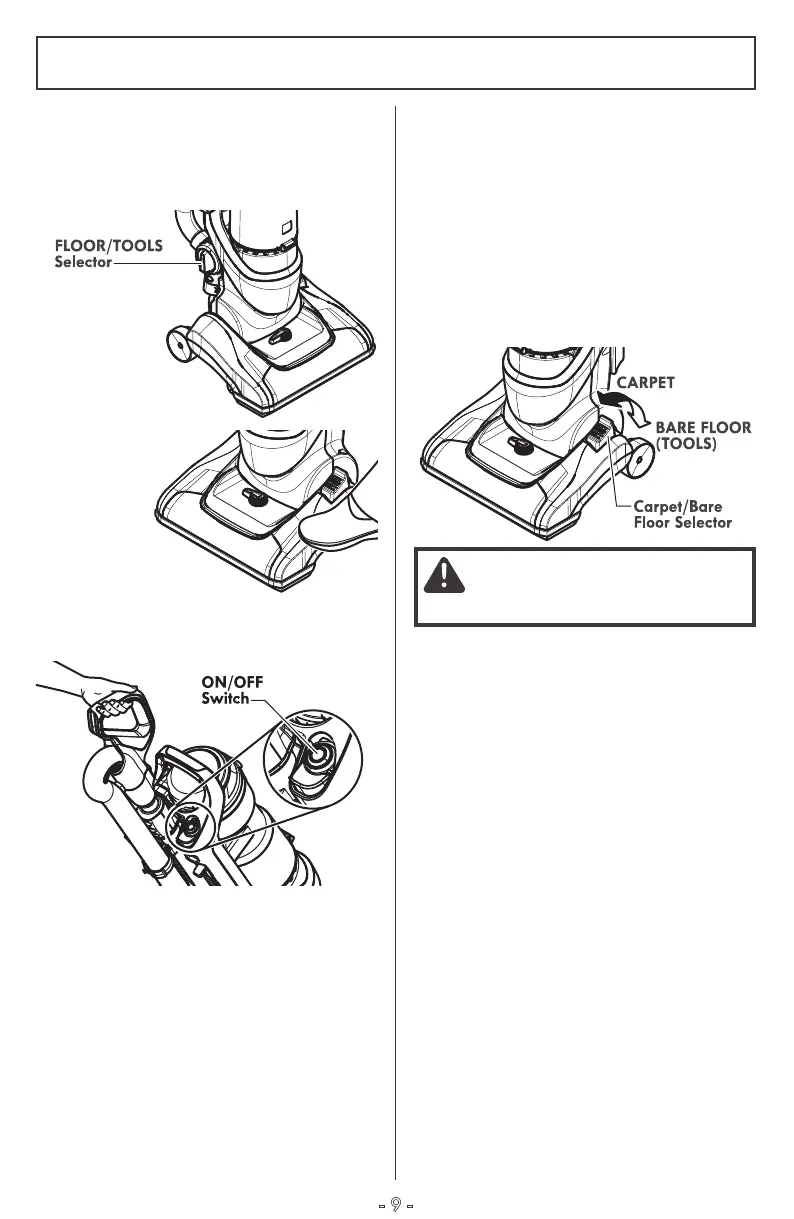
2.
Release the
handle by
placing foot
on the nozzle
and pull back
to change
handle
position.
CARPET/BARE FLOOR SELECTOR
The CARPET/BARE FLOOR selector should
be placed in BARE FLOOR (TOOLS) position
when using vacuum cleaner on bare floors
and when using tools. The agitator does not
rotate in the BARE FLOOR (TOOLS) position.
The Carpet/Bare Floor selector should be
placed in CARPET position when using
vacuum cleaner on carpeted floors.
UPRIGHT MODE
OPERATION MODES
3.
Press the ON/OFF button to turn the
vacuum cleaner on or off.
1.
When vacuuming floors, verify that the
FLOOR/TOOLS Selector is in the FLOOR
position.
- 9 -
CAUTION
Incorrect setting may damage floor.



 To Next Page