5. Insert the exhaust filter cover tabs into
the upper slots and lock the exhaust
filter cover into place by pressing the
lower part of the cover until a click is
heard.
NOTE:
Make sure the exhaust filter
cover is properly installed.
3. Wash with cold water only. DO NOT
use detergent or soap. Allow to air dry.
Allow parts to dry 24 hours before
putting back into vacuum cleaner.
NOTE:
DO NOT operate without
exhaust filter installed.
DO NOT wash in the dishwasher.
DO NOT install the filter if damp.
4. Reinstall the HEPA media exhaust filter
into the vacuum cleaner until a click is
heard.
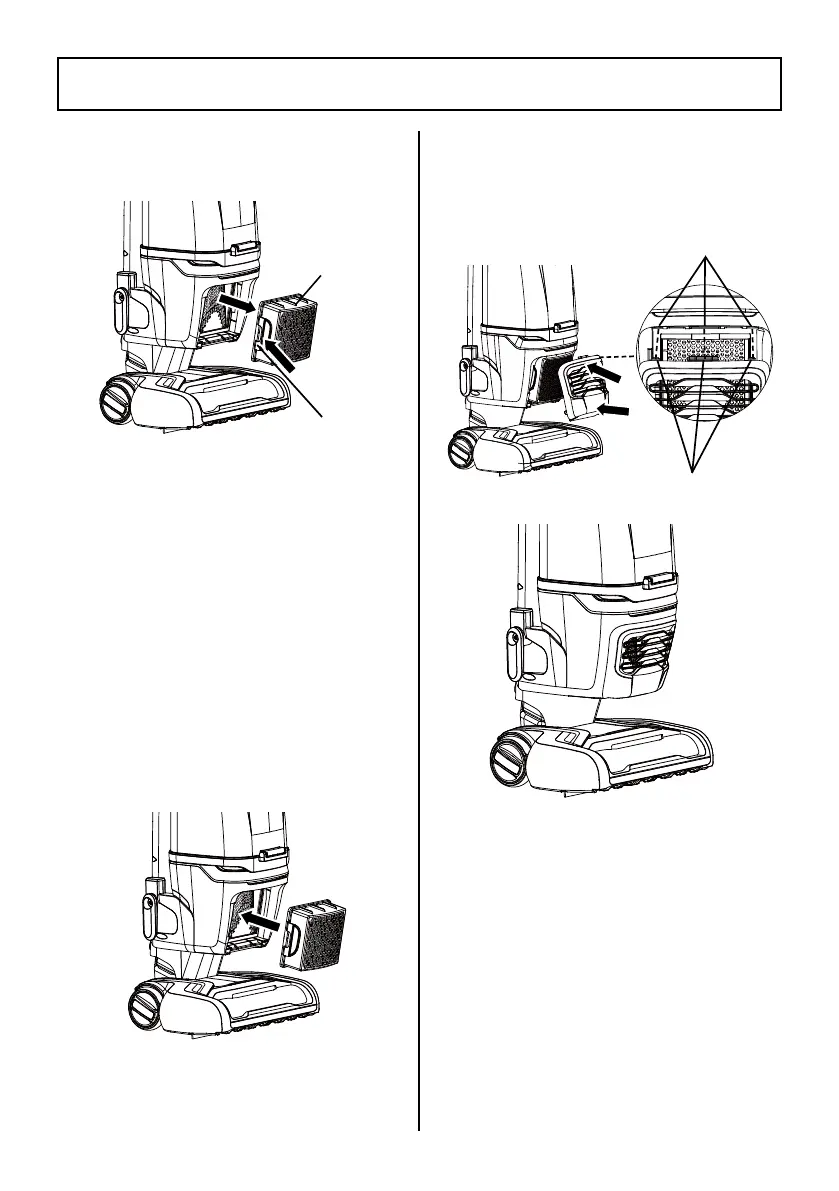
2. Press the release tab and remove the
HEPA media exhaust filter from vacuum
cleaner.
- 22 -
HEPA MEDIA EXHAUST FILTER CLEANING
HEPA
Media
Exhaust
Filter
I
II
Slots
Tabs
II
I
Release
Tab



 To Next Page