EasyManua.ls Logo

Kenmore KKUF14-W - User Manual

Kenmore KKUF14-W
17 pages
Print Icon
To Next Page IconTo Next Page
Loading...
Use & Care Guide
Customer Assistance
1-800-265-8456
www. koolatron.com
Convertible
Upright Freezer/Fridge
14 cu. ft.
KKUF14-W
Question and Answer IconNeed help?

Do you have a question about the Kenmore KKUF14-W and is the answer not in the manual?

Summary

Safety Warnings

Product Overview

Names of Components

Identifies the main parts of the appliance with numbered labels for easy reference.

Product Installation

Finding a Suitable Location

Guidance on selecting an appropriate, well-ventilated, and stable place for the appliance.

Dimensions and Clearances

Specifies necessary space around the appliance for optimal air circulation and performance.

Space Requirement Diagram

Illustrates required space when doors are open and closed, with detailed measurements.

Providing a Proper Power Supply

Details requirements for electrical connection, voltage, and grounding for safe operation.

Start to Use

Initial steps before operating the appliance, including waiting periods before loading food.

Operation Instructions

Control Panel

Explains the function of each button and indicator on the appliance control panel.

Set Temperature

Details temperature ranges for freezer and fridge modes and adjustment notes.

Lock Functionality

Instructions on how to manually lock and unlock the control panel for use.

Refrigerator;Freezer Mode

Guide on switching between freezer and refrigerator modes using the control panel.

Quick Freeze Feature

How to use the Quick Freeze function and its automatic turn-off conditions.

Temperature Display (°F VS °C)

Instructions for switching the temperature display between Fahrenheit and Celsius.

Return to Factory Default Settings

Procedure to reset the appliance controls to their original factory default settings.

Additional Features: High Temperature Alert

Information on high temperature alerts, including causes and how they are indicated.

Door Open Alert

Explanation of the door open alert, its activation, and how to turn it off.

Temp Out of Range Alert

Details on temperature alerts, possible causes like power failure, and how they resolve.

Error Codes

List of error codes, their meanings, causes, and recommended solutions.

Tips on Storing Food

Freezer Compartment Storage

Guidance on storing frozen food, including packaging, temperature, and shelf usage.

Cooling Compartment Storage

Tips for storing food in the refrigerator to reduce moisture and prevent freezing.

Cleaning and Maintenance

Defrosting

Information on the automatic defrosting function and manual defrosting methods.

Stop Using: Power Failure

Advice on how to manage food preservation during power outages.

Stop Using: Long-time Nonuse

Instructions for preparing the appliance for extended periods of non-use.

Stop Using: Moving

Steps for securing internal parts and safely moving the appliance.

Cleaning of Door Tray

Step-by-step guide on how to remove and clean the door trays.

Cleaning of Glass Shelf

Instructions on how to safely remove and clean the glass shelves.

Cleaning the Vegetable Drawer

Procedure for removing and cleaning the vegetable drawer.

Troubleshooting

Failed Operation

Possible reasons for appliance failure and checks to perform.

Odor Issues

Causes of odors and recommended solutions, including cleaning.

Long-time Operation of the Compressor

Reasons for continuous compressor operation, especially in warm conditions.

Light Fails to Get Lit

Troubleshooting steps if the internal light does not illuminate.

Door Cannot Be Properly Closed

Checks for issues preventing the door from closing securely.

Loud Noises

Common causes of unusual noises and how to address them.

Door Seal Fails to be Tight

Methods to restore the seal's tightness and prevent air leaks.

Water Pan Overflows

Causes of water pan overflow, often related to food quantity or door closure.

Hot Housing

Explanation of why the appliance housing may become hot during operation.

Surface Condensation

Reasons for condensation on exterior surfaces and door seals.

Abnormal Noise

Clarification of normal operational noises like buzzes and creaks.

Summary

Safety Warnings

Product Overview

Names of Components

Identifies the main parts of the appliance with numbered labels for easy reference.

Product Installation

Finding a Suitable Location

Guidance on selecting an appropriate, well-ventilated, and stable place for the appliance.

Dimensions and Clearances

Specifies necessary space around the appliance for optimal air circulation and performance.

Space Requirement Diagram

Illustrates required space when doors are open and closed, with detailed measurements.

Providing a Proper Power Supply

Details requirements for electrical connection, voltage, and grounding for safe operation.

Start to Use

Initial steps before operating the appliance, including waiting periods before loading food.

Operation Instructions

Control Panel

Explains the function of each button and indicator on the appliance control panel.

Set Temperature

Details temperature ranges for freezer and fridge modes and adjustment notes.

Lock Functionality

Instructions on how to manually lock and unlock the control panel for use.

Refrigerator;Freezer Mode

Guide on switching between freezer and refrigerator modes using the control panel.

Quick Freeze Feature

How to use the Quick Freeze function and its automatic turn-off conditions.

Temperature Display (°F VS °C)

Instructions for switching the temperature display between Fahrenheit and Celsius.

Return to Factory Default Settings

Procedure to reset the appliance controls to their original factory default settings.

Additional Features: High Temperature Alert

Information on high temperature alerts, including causes and how they are indicated.

Door Open Alert

Explanation of the door open alert, its activation, and how to turn it off.

Temp Out of Range Alert

Details on temperature alerts, possible causes like power failure, and how they resolve.

Error Codes

List of error codes, their meanings, causes, and recommended solutions.

Tips on Storing Food

Freezer Compartment Storage

Guidance on storing frozen food, including packaging, temperature, and shelf usage.

Cooling Compartment Storage

Tips for storing food in the refrigerator to reduce moisture and prevent freezing.

Cleaning and Maintenance

Defrosting

Information on the automatic defrosting function and manual defrosting methods.

Stop Using: Power Failure

Advice on how to manage food preservation during power outages.

Stop Using: Long-time Nonuse

Instructions for preparing the appliance for extended periods of non-use.

Stop Using: Moving

Steps for securing internal parts and safely moving the appliance.

Cleaning of Door Tray

Step-by-step guide on how to remove and clean the door trays.

Cleaning of Glass Shelf

Instructions on how to safely remove and clean the glass shelves.

Cleaning the Vegetable Drawer

Procedure for removing and cleaning the vegetable drawer.

Troubleshooting

Failed Operation

Possible reasons for appliance failure and checks to perform.

Odor Issues

Causes of odors and recommended solutions, including cleaning.

Long-time Operation of the Compressor

Reasons for continuous compressor operation, especially in warm conditions.

Light Fails to Get Lit

Troubleshooting steps if the internal light does not illuminate.

Door Cannot Be Properly Closed

Checks for issues preventing the door from closing securely.

Loud Noises

Common causes of unusual noises and how to address them.

Door Seal Fails to be Tight

Methods to restore the seal's tightness and prevent air leaks.

Water Pan Overflows

Causes of water pan overflow, often related to food quantity or door closure.

Hot Housing

Explanation of why the appliance housing may become hot during operation.

Surface Condensation

Reasons for condensation on exterior surfaces and door seals.

Abnormal Noise

Clarification of normal operational noises like buzzes and creaks.

Overview

This document is a Use & Care Guide for the Kenmore Convertible Upright Freezer/Fridge, model KKUF14-W, a 14 cu. ft. appliance.

Function Description

The Kenmore KKUF14-W is a versatile convertible upright appliance designed for household and similar applications. It can function as either a freezer or a refrigerator (fridge), offering flexibility for food storage needs. Its primary purpose is to store food at controlled temperatures, either frozen or refrigerated, and it includes features for efficient operation and maintenance. The appliance is suitable for use in various environments, including staff kitchen areas, farmhouses, hotels, motels, bed and breakfast establishments, and catering services.

Important Technical Specifications

  • Model: KKUF14-W
  • Capacity: 14 cu. ft.
  • Power Supply: 115 V, 60 Hz
  • Freezer Mode Temperature Range: 10 °F to -11 °F (-12 °C to -24 °C)
  • Fridge Mode Temperature Range: 35 °F to 46 °F (2 °C to 8 °C)
  • Defrost System: Automatic (air-cooling principle)
  • Refrigerant and Foaming Material: Flammable (cyclopentane foaming material)
  • Dimensions (in mm):
    • Width (A): 711
    • Overall Height (B): 1570
    • Depth (C): 750
    • Width (doors open 135°) (D): 1230
    • Depth (doors open 135°) (E): 1242
  • Ventilation Clearance: Minimum 100 mm from adjacent walls.
  • Electrical Connection: 3-prong (grounding) plug. Do not use extension cords or ungrounded (two prong) adapters.

Usage Features

The appliance features a control panel that automatically locks after 30 seconds of inactivity to prevent accidental activation. Users can unlock it by pressing and holding the "Lock" button for 3 seconds.

Convertible Mode: A key feature is its convertibility between freezer and refrigerator modes. This can be changed via the control panel:

  1. Unlock the control panel.
  2. Press and hold the "Freezer/Fridge" button for 3 seconds to switch modes. The panel will beep, and the indicator light will change accordingly.

Temperature Setting: The default temperature setting is 0 °F (-18 °C). Users can adjust the temperature within the specified ranges for freezer or fridge mode using the "Decrease temperature" and "Increase temperature" buttons. It is recommended to allow several hours for the temperature to stabilize after adjustments.

Quick Freeze Function: This feature rapidly lowers the temperature to quickly freeze foods.

  1. Unlock the control panel.
  2. Press the "Quick Freeze" button. A blue snowflake icon will illuminate. The Quick Freeze mode automatically turns off after 3 hours if the temperature falls below -13 °F (-25 °C), or after 24 hours if it does not reach -13 °F (-25 °C). It can also be manually exited by pressing the "Quick Freeze" button a second time.

Temperature Display (°F vs °C): The temperature display can be switched between Fahrenheit and Celsius:

  1. Unlock the control panel.
  2. Press and hold either the "Decrease temperature" or "Increase temperature" button for 3 seconds.

High Temperature Alert: The appliance alerts the user if it struggles to maintain a cold temperature. An LED on the control panel will illuminate, and a beep will sound.

  • In Freezer Mode: Alert activates if the interior temperature exceeds 18 °F (-8 °C) for 36 hours.
  • In Fridge Mode: Alert activates if the interior temperature exceeds 59 °F (15 °C) for 36 hours. The alert automatically turns off when the temperature returns to normal range, or it can be manually turned off by pressing any button on the control panel.

Door Open Alert: If the door remains open for more than 5 minutes, a "Door Open" alert is activated, indicated by an illuminating LED and an intermittent buzzer. Closing the door turns off the alert. Users should ensure no items block the door and that the appliance is level for proper closing.

Temp Out of Range Alert (Power Failure): An alert sounds if there is a temperature difference of at least 12.6 °F (7 °C) between the set temperature and the interior temperature 42 hours after the door is shut. This can be caused by power failure, a too warm or cold room, blocked ventilation, or door seal gaps. The alert turns off automatically when the temperature returns to normal or by pressing any button.

Energy Saving Tips:

  • Avoid placing the appliance near heat sources.
  • Ensure sufficient ventilation around the appliance.
  • Maintain the arrangement of drawers, shelves, and racks as shown in the illustration for optimal energy use.
  • Allow warm food to cool before placing it inside.
  • Defrost frozen food in the refrigerator to utilize its coldness.
  • Minimize door opening frequency and duration.
  • Ensure door seals are intact.

Maintenance Features

Defrosting: The refrigerator operates on an air-cooling principle, providing an automatic defrosting function. Any frost accumulation due to seasonal changes or temperature fluctuations can be manually removed by unplugging the appliance and wiping it with a dry towel.

Cleaning:

  • General Cleaning: Soft towels or sponges dipped in water and non-corrosive neutral detergents are recommended. The freezer should be cleaned with clean water and a dry cloth. The door should be left open for natural drying before reconnecting power. Avoid hard brushes, steel balls, wire brushes, abrasives, organic solvents, boiling water, acid, or alkaline items, as these can damage the surface and interior.
  • Door Tray Cleaning: Door trays can be removed by squeezing them with both hands and pushing upward. After washing, they can be reinstalled and adjusted to the desired height.
  • Glass Shelf Cleaning: Glass shelves have a backstop. To remove them, raise the shelves upward. They can then be cleaned and adjusted.
  • Vegetable Drawer Cleaning: To remove the vegetable drawer, pull it out completely until it stops, then lift it up and pull it out.

Moving the Appliance:

  1. Remove all food.
  2. Unplug the power cord and secure it.
  3. Tape down shelves and the door handle to prevent them from falling.
  4. Move the appliance carefully with more than two people, keeping it upright. The inclination during movement should not exceed 45°.
  5. After moving and installing, wait 2-3 hours before plugging it in and adding food.

Light Replacement: Any replacement or maintenance of the LED lamps must be performed by the manufacturer, its service agent, or a similarly qualified person.

Troubleshooting: The manual provides a troubleshooting guide for common issues such as failed operation, odor, continuous compressor operation, light failure, door not closing properly, loud noises, door seal issues, water pan overflow, hot housing, and surface condensation, along with possible causes and solutions. For unresolved issues, customers are advised to contact the after-sale service department.

Safety Warnings: The manual emphasizes safety warnings, including the risk of fire due to flammable materials (refrigerant and cyclopentane foaming material). It advises against storing explosive substances, keeping ventilation openings clear, and not damaging the refrigerant circuit. It also warns against child entrapment, recommending removal of doors and keeping shelves in place when disposing of old units. The appliance must be fixed in accordance with instructions to prevent instability.
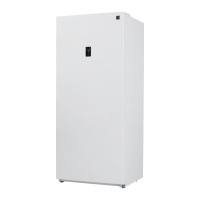
Kenmore KKUF14-W Specifications

General IconGeneral
BrandKenmore
ModelKKUF14-W
CategoryFreezer
LanguageEnglish

Related product manuals