EasyManua.ls Logo

Kenneth Cole VX3NE - User Manual

Default Icon
16 pages
Print Icon
To Next Page IconTo Next Page
Loading...
V X3NE
I NST RUC TION M A N U A L
Question and Answer IconNeed help?

Do you have a question about the Kenneth Cole VX3NE and is the answer not in the manual?

Overview

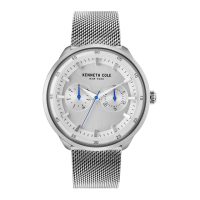
This document is an instruction manual for a Kenneth Cole VX3NE watch. The manual provides instructions in multiple languages, including English, Italian, German, French, Spanish, Simplified Chinese, Portuguese, Japanese, and Russian.

The watch features a main time display with hour, minute, and second hands, a day hand, a date hand, and a 24-hour sub-dial.

Function Description:

The watch is designed to display the current time, day of the week, and date. It also includes a 24-hour sub-dial for tracking time in a 24-hour format.

Usage Features:

  • Time Setting:

    1. Pull the crown out to position 3 (the outermost position).
    2. Turn the crown to set the hour and minute hands to the correct time.
    3. Ensure that the AM/PM setting is correct, as indicated by the 24-hour sub-dial.
    4. Push the crown back to position 1 (the normal operating position).
  • Day Setting:

    1. Pull the crown out to position 3.
    2. Turn the crown clockwise to advance the hour and minute hands until the day hand moves to the next day. The day hand cannot be set independently.
    3. To advance the day hand further, turn the hour hand back by approximately 4 hours, and then advance it again until the day hand moves to the next day.
    4. Repeat this procedure until the desired day of the week is displayed.
    5. Once the day is set, proceed to set the time.
    6. Push the crown back to position 1.
  • Date Setting (Quick Change):

    1. Pull the crown out to position 2 (the middle position).
    2. Turn the crown clockwise to quickly change the date.
    3. Push the crown back to position 1.
  • 24-Hour Sub-Dial Setting: The 24-hour hand moves in correspondence with the hour and minute hands. When setting the time, it is crucial to ensure that the 24-hour hand is set properly to reflect the correct AM/PM. For example, if the main hour hand is set to 2 o'clock in the afternoon, the 24-hour sub-dial should indicate 14.

  • Activating the Watch (Initial Setup):

    1. The watch may come with a crown stopper in place to preserve battery life.
    2. Pull the crown stopper sideways off the crown.
    3. Push the crown fully inside to position 1 to activate the watch.

Maintenance Features:

  • Water Resistance: The manual provides a table indicating different levels of water resistance:

    • Without any water resistant marking: Not water resistant.
    • 3 ATM / 30m: Suitable for everyday use. Splash/rain resistant. Not suitable for showering, bathing, swimming, snorkeling, or water-related work.
    • 5 ATM / 50m: Suitable for showering, bathing, and swimming in shallow water. Not suitable for snorkeling or diving.
    • 10 ATM / 100m: Suitable for recreational surfing, swimming, snorkeling, sailing, and water sports. Not suitable for diving.
    • 20 ATM / 200m: Suitable for professional marine activity and serious surface water sports.
  • Important Water Resistance Precautions:

    • Never use the pushers/bezels or set the time when the watch is underwater or wet.
    • After exposure to saltwater, the watch case and metal bracelet should be thoroughly rinsed with fresh water.
    • Always ensure the crown is in the normal position (position 1) and, if applicable, tighten screw-lock crowns completely to maintain water resistance.
  • General Care:

    • Avoid wearing or leaving the watch in hot and humid environments (e.g., baths or saunas), as this can impair its water resistance.

Important Technical Specifications (Implied):

  • Movement Type: Quartz (implied by the crown stopper for battery preservation).
  • Display: Analog with hour, minute, second, day, date, and 24-hour sub-dial.
  • Crown Positions:
    • Position 1: Normal operating position (watch runs).
    • Position 2: Quick date change.
    • Position 3: Time and day setting.

The manual emphasizes the importance of correct setting procedures to ensure accurate timekeeping and proper function of the day and date displays. It also highlights critical precautions regarding water exposure and crown handling to maintain the watch's integrity.

Kenneth Cole VX3NE Specifications

General IconGeneral
BrandKenneth Cole
ModelVX3NE
CategoryWatch
LanguageEnglish

Related product manuals