Need help?
Do you have a question about the Kensington H3000 and is the answer not in the manual?
Specifies the operating frequency range of the headset, from 2402 to 2480 GHz.
Details the maximum radio frequency output power, measured in dBm, for the headset.
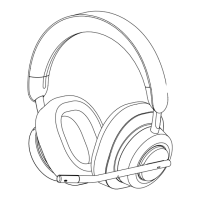
The Kensington H3000 Bluetooth® Headset is an over-ear audio solution designed for comfort, versatility, and productivity, catering to users who require high-quality audio and clear communication in various environments. This headset is engineered to provide a seamless audio experience, whether for professional calls, virtual meetings, or personal entertainment. Its design prioritizes user comfort for extended wear, making it suitable for long workdays or travel.
The H3000 Bluetooth® Headset serves as a comprehensive audio device, integrating several key functions to enhance the user's experience. At its core, it provides high-fidelity sound reproduction for listening to music, podcasts, or other audio content. Equipped with Bluetooth® connectivity, it allows for wireless pairing with a wide range of devices, including computers, smartphones, and tablets, offering freedom of movement without the constraints of cables.
A crucial aspect of the H3000 is its communication capability. It features a built-in microphone designed to capture clear voice audio, making it ideal for voice calls, video conferences, and online meetings. The microphone can be easily adjusted or muted, providing privacy and control during conversations. The headset also supports voice assistance, allowing users to interact with their device's virtual assistant for hands-free control and information retrieval.
The headset is designed for ease of use, with intuitive controls for managing audio playback, volume, and calls. These controls are typically located on the earcups, allowing for quick adjustments without needing to access the connected device. The H3000 also incorporates power management features, including indicators for battery status and charging, ensuring users are aware of their device's readiness.
The Kensington H3000 Bluetooth® Headset offers a rich set of usage features that enhance its adaptability and user convenience.
The primary mode of connection is Bluetooth®, enabling wireless pairing with compatible devices. The pairing process is straightforward, typically involving a short press of a button to enter pairing mode, indicated by a flashing LED. Once paired, the headset maintains a stable connection, allowing users to move freely within a reasonable range from their device. For devices without Bluetooth® or for a more stable connection, the H3000 often includes a USB-A or USB-C dongle. This dongle provides a dedicated wireless connection, ensuring reliable audio transmission and reception, particularly beneficial in busy wireless environments. The dongle can be plugged into a computer's USB port, and the headset automatically connects to it, simplifying the setup process.
Users have comprehensive control over their audio experience directly from the headset.
The H3000 is optimized for communication, offering features to manage calls efficiently.
The over-ear design of the H3000 is chosen for comfort during prolonged use.
The headset includes features to keep users informed about its power status.
The H3000 is designed with portability in mind.
Maintaining the Kensington H3000 Bluetooth® Headset is crucial for ensuring its longevity, optimal performance, and hygiene. The design incorporates several aspects that facilitate easy care and upkeep.
The headset is designed for convenient charging, typically via a USB-C port.
Regular cleaning helps maintain the headset's appearance and hygiene.
Proper storage protects the headset from damage and extends its lifespan.
While not explicitly detailed in all user manuals, many advanced headsets benefit from firmware updates.
By adhering to these maintenance guidelines, users can ensure their Kensington H3000 Bluetooth® Headset remains in excellent condition, providing reliable audio and communication for years to come.
 General
| Control type | Buttons |
|---|---|
| Headset type | Binaural |
| Product type | Headset |
| Certification | FCC, IC, CE, UKCA, RCM, Japan MIC, Sound Pressure Test, China SRRC, Taiwan NCC, Canada NRCan, US DoE, US CEC, CB, EU RoHS/REACH/WEEE, CA Prop 65, ACCO RSL. |
| Plug and Play | Yes |
| Product color | Black |
| Wearing style | Head-band |
| Operating keys | Bluetooth pairing, Mute, Play/pause, Volume +, Volume - |
| Volume control | Button |
| Control unit type | On-ear control unit |
| Country of origin | China |
| Recommended usage | Gaming |
| Designed for children | No |
| Microphone type | Boom |
| Microphone frequency | 100 - 10000 Hz |
| Microphone sensitivity | -41 dB |
| USB connector | USB Type-C |
| Wireless range | 30 m |
| Bluetooth version | 5.2 |
| Bluetooth profiles | A2DP, AVDTP, AVRCP, HFP |
| Connectivity technology | Wireless |
| Storage temperature (T-T) | -10 - 45 °C |
| Operating temperature (T-T) | 5 - 40 °C |
| Operating relative humidity (H-H) | 5 - 95 % |
| Mac operating systems supported | Mac OS X 11.0 Big Sur, Mac OS X 12.0 Monterey, Mac OS X 13.0 Ventura |
| Mobile operating systems supported | Android 11.0, Android 12.0, iOS 14, iOS 14.5, iOS 15 |
| Windows operating systems supported | Windows 10, Windows 11 |
| Battery voltage | 5 V |
| Battery capacity | 550 mAh |
| Battery recharge time | 1.5 h |
| Continuous audio playback time | 60 h |
| Impedance | 32 Ω |
| Driver unit | 40 mm |
| Ear coupling | Supraaural |
| Headphone frequency | 20 - 20000 Hz |
| Headphone sensitivity | 110 dB |
| Package type | Box |
| Package depth | 80 mm |
| Package width | 215.5 mm |
| Package height | 236 mm |
| Package weight | 823 g |
| Cables included | USB Type-C to USB Type-A |
 Weight and Dimensions
| Depth | 85 mm |
|---|---|
| Width | 210 mm |
| Height | 191 mm |

 To Next Page