This document is a multi-language instruction guide for the Kensington Master Keyed Combination Laptop Lock. It provides instructions for setting and resetting the combination, as well as for locking and unlocking the device. The guide also emphasizes the importance of registering the combination for security purposes and provides contact information for technical support in various regions.
Function Description:
The Kensington Master Keyed Combination Laptop Lock is a security device designed to protect laptops from theft. It combines the convenience of a user-settable combination lock with the added security of a master key system, making it suitable for individual users and managed environments like offices or schools. The lock features a cable that can be secured to a stationary object, and a locking mechanism that attaches to a compatible security slot on a laptop.
Important Technical Specifications:
While specific technical specifications like cable length, material, or lock dimensions are not explicitly detailed in this manual, the illustrations suggest a standard laptop security slot compatibility (likely Kensington Security Slot). The lock mechanism appears to be a four-digit combination dial, allowing for 10,000 possible combinations (0000-9999). The "Master Keyed" aspect implies that an administrator can unlock the device with a master key, even if the user's combination is unknown or forgotten. This feature is crucial for IT departments managing multiple devices.
Usage Features:
- Combination Setting and Resetting: The manual provides clear, step-by-step visual instructions for setting and resetting the lock's personal combination.
- Initial Setup/Reset:
- The user must first align the dials to the default "0000" or the current combination.
- A tool (like a pen or paperclip, as depicted) is inserted into a reset button/port on the side of the lock.
- While the tool is pressed, the lock head is rotated 90 degrees.
- The user then sets their desired new four-digit combination by rotating the dials.
- Finally, the lock head is rotated back 90 degrees, and the tool is removed, securing the new combination.
- Locking the Laptop:
- The lock head is inserted into the laptop's security slot.
- The lock head is then pushed in firmly until it clicks into place, securing the laptop.
- For maximum security, the user is advised to scramble the combination dials after locking the laptop to prevent unauthorized access to the combination.
- Unlocking the Laptop:
- The user aligns the dials to the correct four-digit combination.
- Once the correct combination is set, the lock head can be pulled out of the security slot, releasing the laptop.
- Master Key Functionality: The "Master Keyed" feature, while not explicitly detailed in terms of user operation, implies that an authorized administrator can use a physical key to unlock the device independently of the combination. This is highlighted by the statement "Key is managed by your lock administrator" in multiple languages. This feature is particularly useful in corporate or educational settings where IT staff may need to access or relocate locked devices without knowing individual user combinations.
Maintenance Features:
- Combination Registration: A prominent feature emphasized throughout the manual is the importance of registering the combination. The manual includes a dedicated page with a large "!" symbol and text in multiple languages urging users to "IMPORTANT! REGISTER YOUR COMBINATION!" This is crucial for recovery if the user forgets their combination. The registration process is directed to
register.kensington.com, where users likely input their lock's serial number (implied by the "#" symbol on the registration page) and their chosen combination.
- Security Best Practices: The manual advises users to "turn all dials to a random configuration after securing the lock to your laptop" for "maximum security." This practice ensures that the set combination is not visible or easily guessed by others after the laptop is locked.
- Technical Support: The manual provides extensive contact information for technical support in numerous countries across Australia, Europe, North America, and South America. This indicates a commitment to customer service and support for any issues encountered with the lock. The contact details include phone numbers for specific regions and a general international toll number, ensuring users can get assistance regardless of their location.
In summary, the Kensington Master Keyed Combination Laptop Lock is a versatile security solution offering user-settable combinations and master key override capabilities. Its user-friendly design for combination setting and locking/unlocking, coupled with strong recommendations for combination registration and scrambling, aims to provide robust laptop security. The comprehensive technical support information further enhances its appeal as a reliable security product.

 Need help?
 General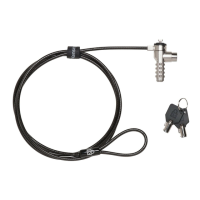

 To Next Page