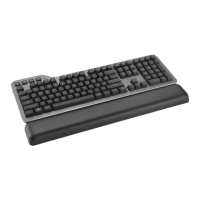
The Kensington MK7500F QuietType™ Pro Silent Mechanical Keyboard is a versatile wireless keyboard designed for professional use, offering both Bluetooth and 2.4GHz connectivity options. This manual provides comprehensive instructions for setup, usage, and maintenance, ensuring users can maximize the keyboard's features across various operating systems.
Function Description:
The MK7500F is a full-size mechanical keyboard engineered for quiet operation, making it suitable for environments where noise reduction is critical. It supports multi-device connectivity, allowing users to seamlessly switch between up to three Bluetooth-enabled devices (BT1, BT2, BT3) and one 2.4GHz device. The keyboard features a dedicated power switch for turning it on/off and a mode switch to select between Bluetooth and 2.4GHz wireless modes. For 2.4GHz connectivity, a USB-A dongle is provided, which can be stored within the keyboard itself when not in use. The keyboard is designed to work with both Windows and macOS operating systems, offering specific key functions tailored to each.
Important Technical Specifications:
- Connectivity: Bluetooth (BT1, BT2, BT3) and 2.4GHz wireless via USB-A dongle.
- Wireless Range: Up to 10 meters (33 feet) for both Bluetooth and 2.4GHz connections.
- Power: Requires a minimum of 5V/1A (5W) USB power for charging. The keyboard features a battery indicator with three levels: 15%~100%, <15%, and charging status.
- Compatibility: Windows and macOS.
- Key Type: QuietType™ Pro Silent Mechanical.
- Backlighting: Adjustable backlighting with levels from 0% to 100% (0, 25, 50, 75, 100).
Usage Features:
- Multi-Device Switching:
- To switch between Bluetooth channels (BT1, BT2, BT3), press the "Fn" key and then the "Pause" key. The current channel will be displayed by an indicator light.
- To enter Bluetooth pairing mode for a specific channel (e.g., BT1), press and hold "Fn" + "Pause" for more than 3 seconds until the indicator light flashes for 30 seconds. During this time, search for "Kensington MK7500F" on your device and connect.
- 2.4GHz Connectivity:
- Ensure the keyboard is in 2.4GHz mode using the mode switch.
- Remove the USB-A dongle from its storage compartment in the keyboard.
- Plug the USB-A dongle into an available USB-A port on your computer.
- The keyboard should automatically connect within a 10-meter range.
- Charging:
- Connect the provided USB cable to the keyboard's charging port and to a USB power source (minimum 5V/1A).
- The battery indicator lights will show the charging status.
- Operating System Mode Switching:
- For Windows mode, press "Fn" + "P".
- For macOS mode, press "Fn" + "O".
- Multimedia and Function Keys:
- Fn + F6: Back (Previous track)
- Fn + F7: Play/Pause
- Fn + F8: Forward (Next track)
- Fn + F9: Mute Speaker
- Fn + F10: Decrease Volume
- Fn + F11: Increase Volume
- Fn + F12: Adjust Backlight Brightness (cycle through 0%, 25%, 50%, 75%, 100%)
- Dedicated Function Keys (Windows/Mac specific):
- Mute On/Off: Toggles audio mute.
- Camera On/Off: Activates/deactivates camera.
- Answer Call: Accepts an incoming call.
- End Call: Ends an active call.
- Calculator (Windows only): Opens the calculator application.
- Search: Opens the search function.
- Show Desktop: Minimizes all open windows to show the desktop.
- Screen Shot: Captures a screenshot.
- Kensington Konnect™ Software: To customize keyboard functions and personalize settings, download the Kensington Konnect™ software from www.Kensington.com/Konnect. This software is required for certain advanced features, particularly for Windows.
Maintenance Features:
- Battery Management: The keyboard includes a battery indicator to help users monitor power levels and recharge as needed. Regular charging with the specified 5V/1A USB power source ensures optimal performance.
- Dongle Storage: The integrated storage compartment for the 2.4GHz USB-A dongle helps prevent loss and keeps the setup tidy.
- Cleaning: While not explicitly detailed in the manual, general keyboard maintenance would involve regular cleaning to remove dust and debris from between keys and on the surface to maintain optimal performance and hygiene.
The Kensington MK7500F is designed for users seeking a high-performance, quiet, and versatile mechanical keyboard that can adapt to multiple devices and operating systems, enhancing productivity in various professional settings.

 Need help?
 General


 To Next Page