6
8
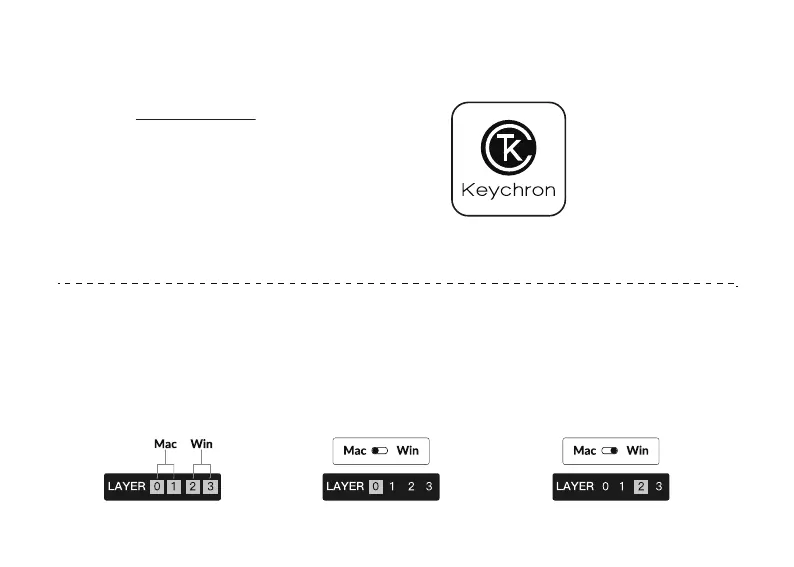
The Layers
There are four layers of key settings on the
keyboard. The layer 0 and layer 1 are for the
Mac system. The layer 2 and layer 3 are for
the Windows system.
If your system toggle is switched
to Mac, then the layer 0 will be
activated.
If your system toggle is switched to Windows, then
the layer 2 will be activated. Remember that if you
are using it in Windows mode, please make changes
to the layer 2 instead of the top layer (the layer 0).
This is a common mistake people are making.
7
The Keychron Launcher App
Please visit launcher.keychron.com to access the Keychron online
launcher app. This app enables users to remap keys, adjust key
actuation points, assign multiple commands to a single key, enter
game controller mode, and more.
If it cannot recognize your keyboard, please reach
our support to get instruction.
*The online launcher App can only run on the latest version of Chrome, Edge, and Opera browsers yet.
*The online launcher App only works when the keyboard is connected by wire to the computer.


 To Next Page