11 FactoryReset
0
Troubleshooting? Don't know what's going on with the keyboard?
1. Down Oad the right firmware and QMK Toolbox from our website.
2. Unplug the power cable and switch the keyboard to Cable mode.
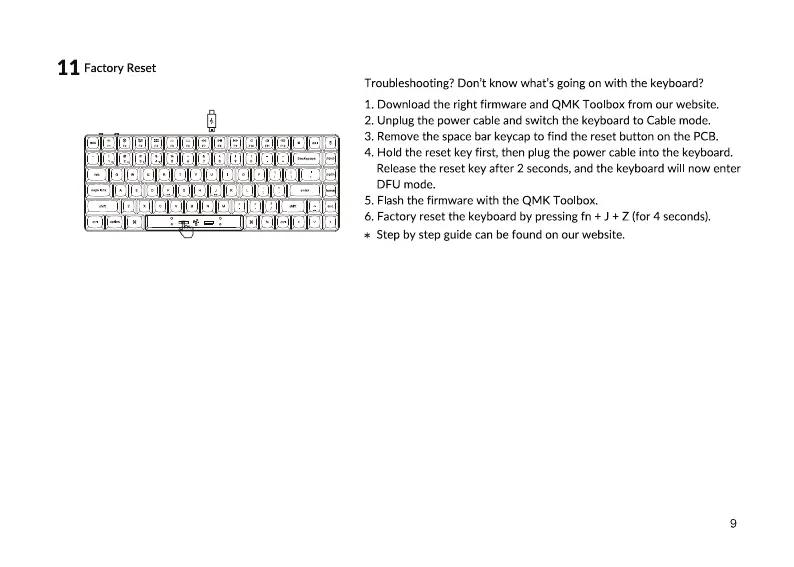
3. Remove the space bar keycap to find the reset button on the PCB.
4. Hold the reset key first, then plug the power cable into the keyboard.
Release the reset key after 2 seconds, and the keyboard will now enter
DFU mode.
5. Flash the firmware with the QMK Toolbox.
6. Factory reset the keyboard by pressing fn + J + Z (for 4 seconds).
Step by step guide can be found on our website.
*
9


 To Next Page