7
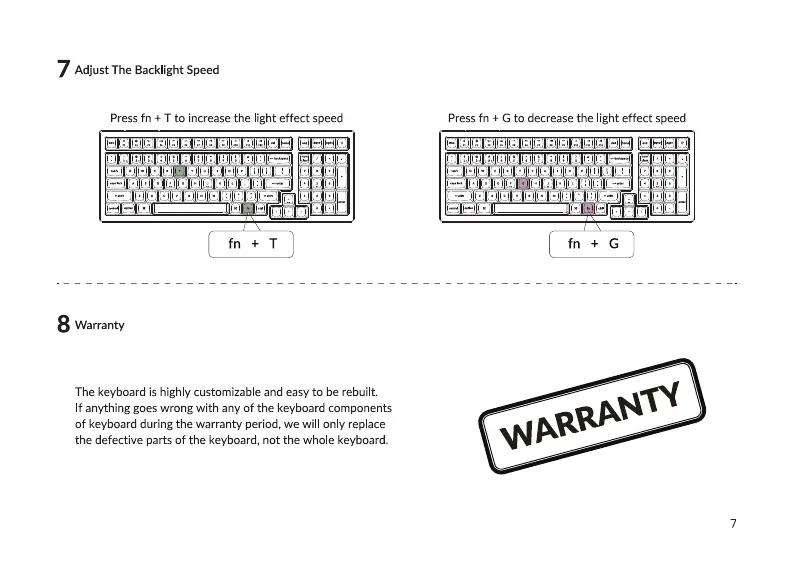
Adjust The Backlight Speed
Press fn + T to increase the light effect speed Press fn + G to decrease the light effect speed
•g gag goal
fn + G
8 Warranty
The keyboard is highly customizable and easy to be rebuilt.
If anything goes wrong with any Of the keyboard components
of keyboard during the warranty period, we will only replace
the defective parts of the keyboard, not the whole keyboard.



 To Next Page