EasyManua.ls Logo

Keychron K7 - Keyboard Operations; Factory Reset

Keychron K7
64 pages
Print Icon
To Next Page IconTo Next Page
To Previous Page IconTo Previous Page
Loading...
7
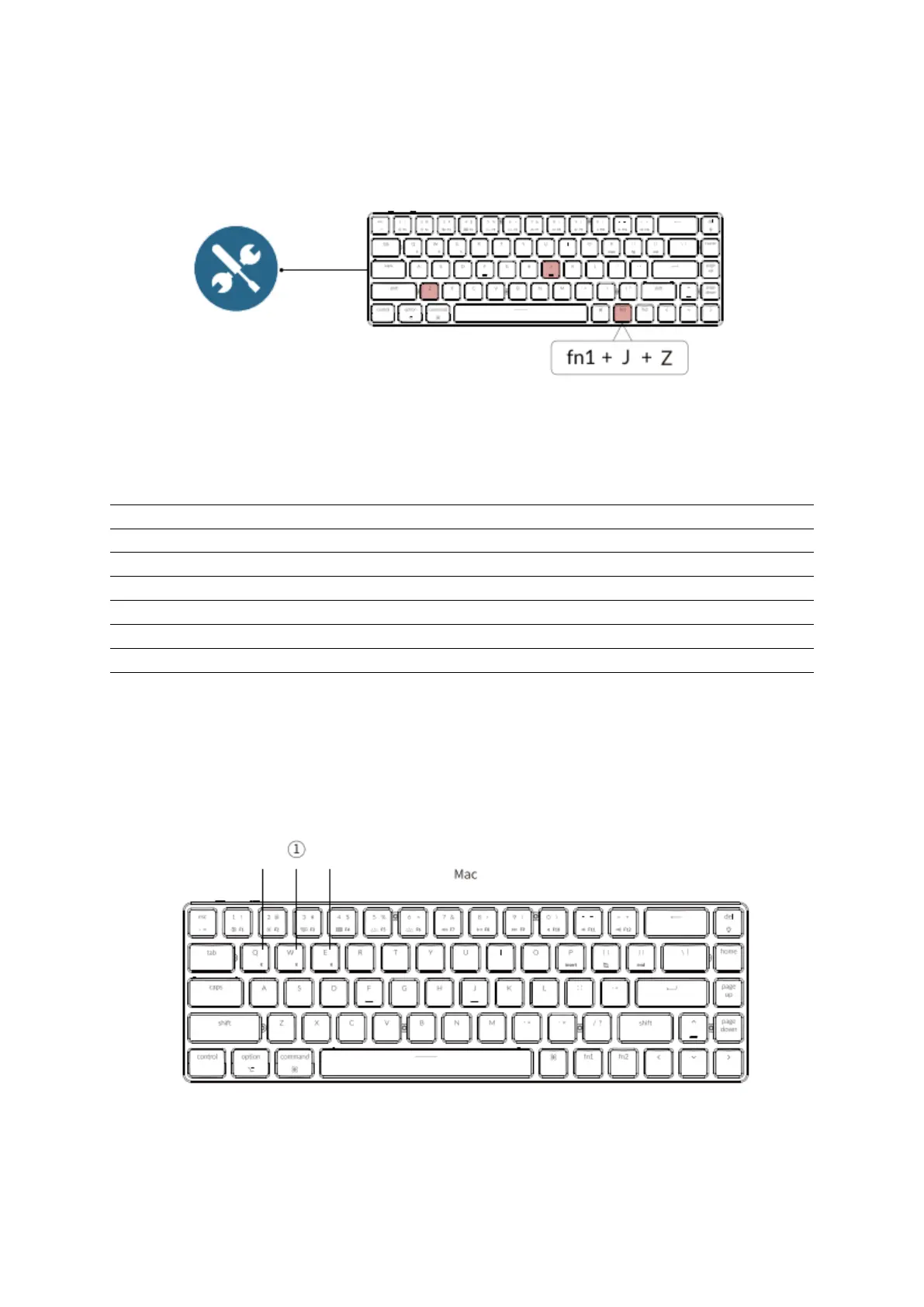
Factory Reset
Trouble shooting? Don’t know what’s going on with the keyboard? Try factory reset by
pressing fn1 + J + Z (for 4 seconds)
K7 Bluetooth Mechanical Keyboard Specifications
Number of keys
68
Switch type
Mechanical / Optical Switch
Battery
1550 mAh
Charging time
Around 3 hours
Charging port
USB Type-C
Mode
Bluetooth / Wired
Bluetooth operating distance
Within 10 meters (open space)
Name of Bluetooth device
Keychron K7
Operating Environment
-10 to 50°C
Technical specifications can be subjected to change without notice we apologize for any
inconvenience caused.
K7 Bluetooth Mechanical Keyboard Overview

Other manuals for Keychron K7

Related product manuals