Switch TOThe Right System
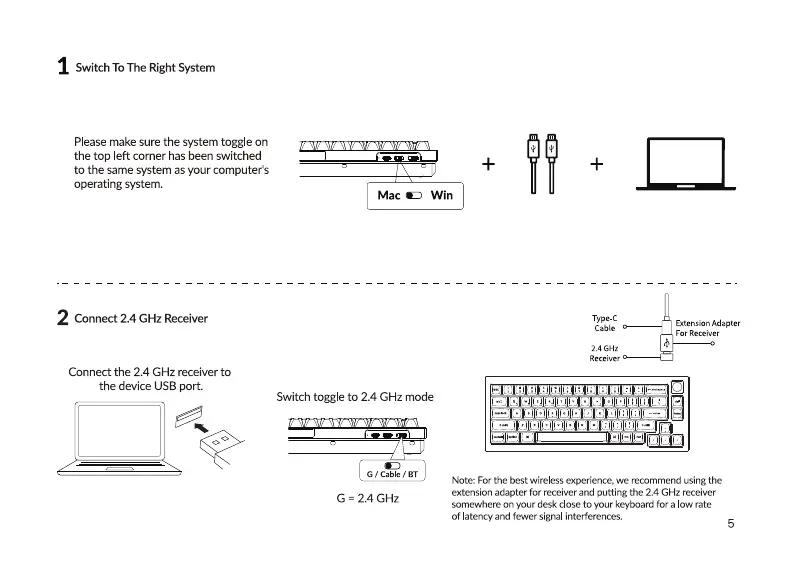
Please make sure the system togg e on
the top left corner has been switched
to the same system asyour computer's
operating system.
2 Connect2.4GHzReceiver
Connect the 2.4 GHz receiver to
the device USB port.
Mac Win
Switch togge to 2.4 GHz mode
G/ Cable/ BT
Type-c
ExtensionAdapter
Cable
For Receiver
2.4 GHz
Receiver
Note: Forthe best wireless experience,we recommend using the
extension adapter for receiverand putt•ng the 2.4 GHz receiver
G 2.4 GHz
somewhere on your desk close to your keyboard for a low rate
of latency and fewer signa interferences.
5


 To Next Page