6
Multimedia key and function key
To trigger a multimedia key (e.g., Play), press fn1 and one of the keys between ESC and
BACKSPACE keys.
To trigger a function key (e.g., F1), press fn2 and one of the keys between ESC and
BACKSPACE keys.
Backlight
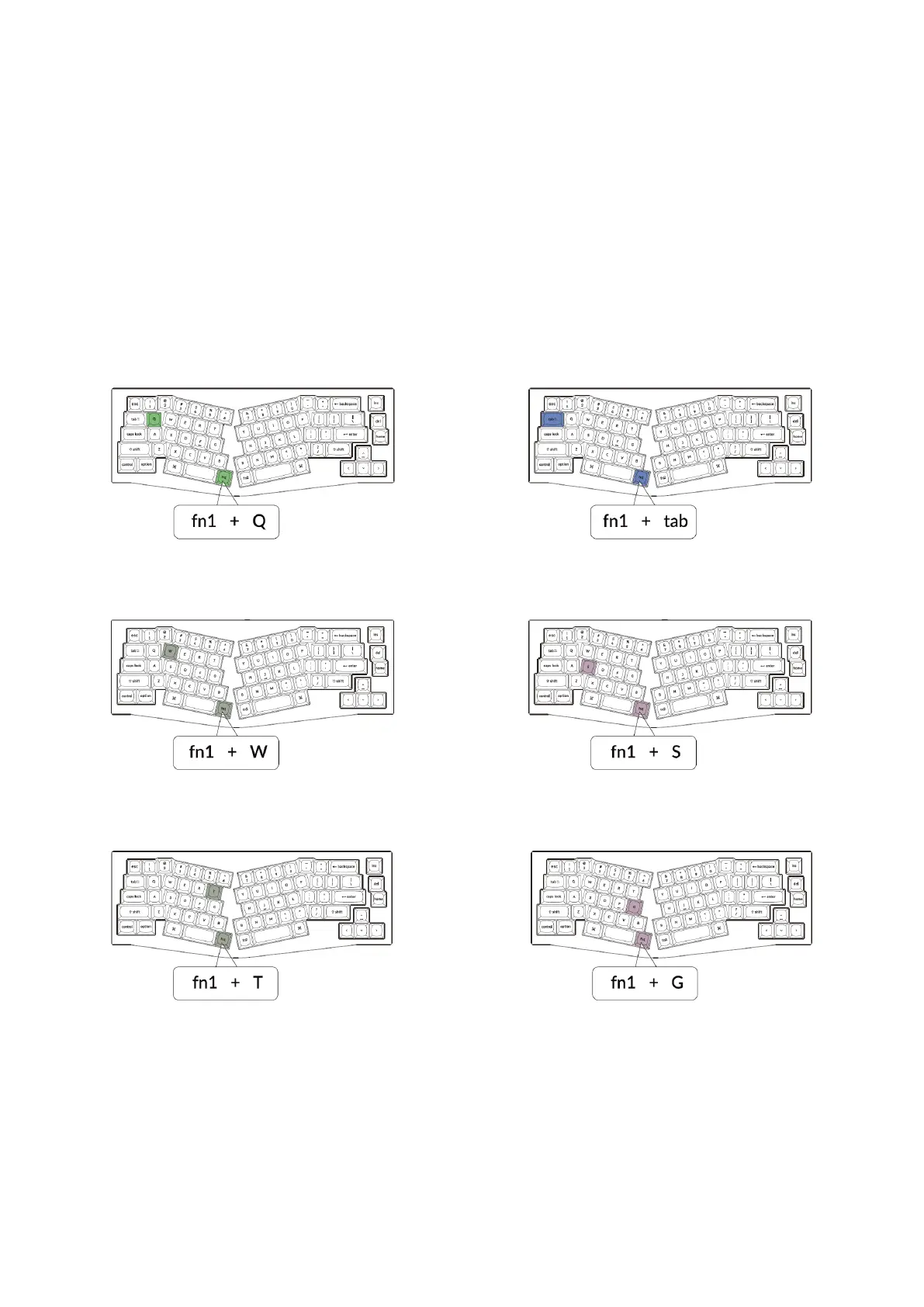
Press fn1+Q to change the lighting effect. Press fn1+TAB to turn the backlight on/off.
Press fn1+W to increase the backlight brightness. Press fn1+S to decrease the backlight
brightness.
Press fn1+T to increase the light effect speed. Press fn1+G to decrease the light effect
speed.


 To Next Page