keyestudio
www.keyestudio.com
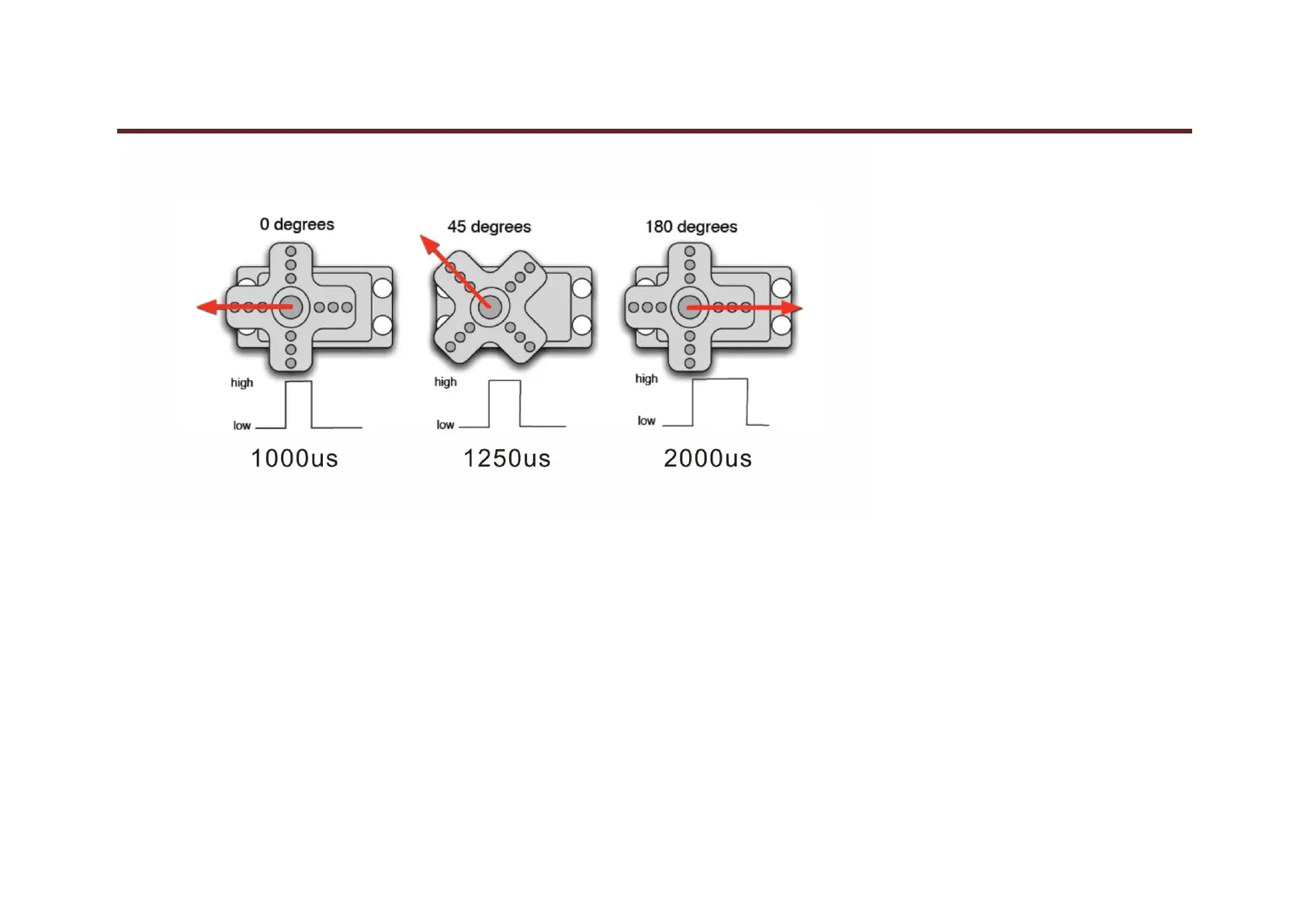
After some basic knowledge, let's learn how to control a servomotor. For this experiment, you only need a servomotor and several jumper wires.
Connection & sample program
There are two ways to control a servomotor with Arduino. One is to use a common digital sensor port of Arduino to produce square wave with different duty cycle
to simulate PWM signal and use that signal to control the positioning of the motor. Another way is to directly use the Servo function of the Arduino to control the
motor. In this way, the program will be easier but it can only control two-contact motor because for the servo function, only digital pin 9 ang 10 can be used. The
Arduino drive capacity is limited. So if you need to control more than one motor, you will need external power.
Connection Diagram:



 To Next Page