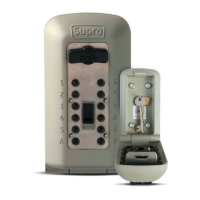
Code Change Guide - C500 KeySafe
Questions? Give us a call on 01905 770 333
Testing your combination
With the C500 still open, making sure the word OPEN is the correct way up on the OPEN
dial. If it is not, turn the OPEN dial counter-clockwise until it is the correct way up. On the
front of the C500, pressing only the buttons in your combination, press each button in until it
clicks. If you press the wrong button, push down on the clear button and enter your code
again.
Turn the OPEN dial clockwise 180° to open. If the combination is set correctly, the OPEN
handle will turn fully and the locking bolt will retract. If not, push down the CLEAR button and
check to ensure you have entered the correct code. Refer to "Setting your combination" if
you continue to experience difficulty.
Opening and closing your C500
Press down on the CLEAR button.
Enter the combination. If you enter an incorrect combination, press down on the CLEAR
button and re-enter the combination.
Turn the OPEN dial clockwise 180° to open. When you turn the handle, the combination will
clear.
Note: The open dial is designed so it cannot be forced open. If an incorrect code is entered
and the handle is forced, the handle will unlatch from the locking mechanism and turn freely
without opening. To reset the handle, turn it all the way back to the locked position (OPEN is
the correct way up) where it will snap back into place.
To relock, close the lid and turn the OPEN dial counter-clockwise 180° back to the locked
position.
Click here or scan below for our instruction video


 To Previous Page
 Loading...