Program the RN Control Board
In this set of procedures you will input the IP address of the router, endpoint or PC/server
with the Keyscan Reverse Network Communication Manager at the host location depending
on the network configuration. This allows the control board to initiate communication back
to the host location. This must be the same control board that was jumpered for reverse
network communication on page 5. Ensure the board has firmware version 7.95/8.75.
Steps to Program the Control Board with a Host-Location IP Address
1. Ensure that the access control board has power.
1. Do one of the following steps depending on the PC109x version of control board:
J16 Jumpers - Remove the jumpers from J16—pins F & G. And then place a
jumper on J6 momentarily to reset the control board and then remove the
jumper.
S2 DIP Switches – Turn S2 – switches 7 and 8 OFF. And then press and release
the S1 switch.
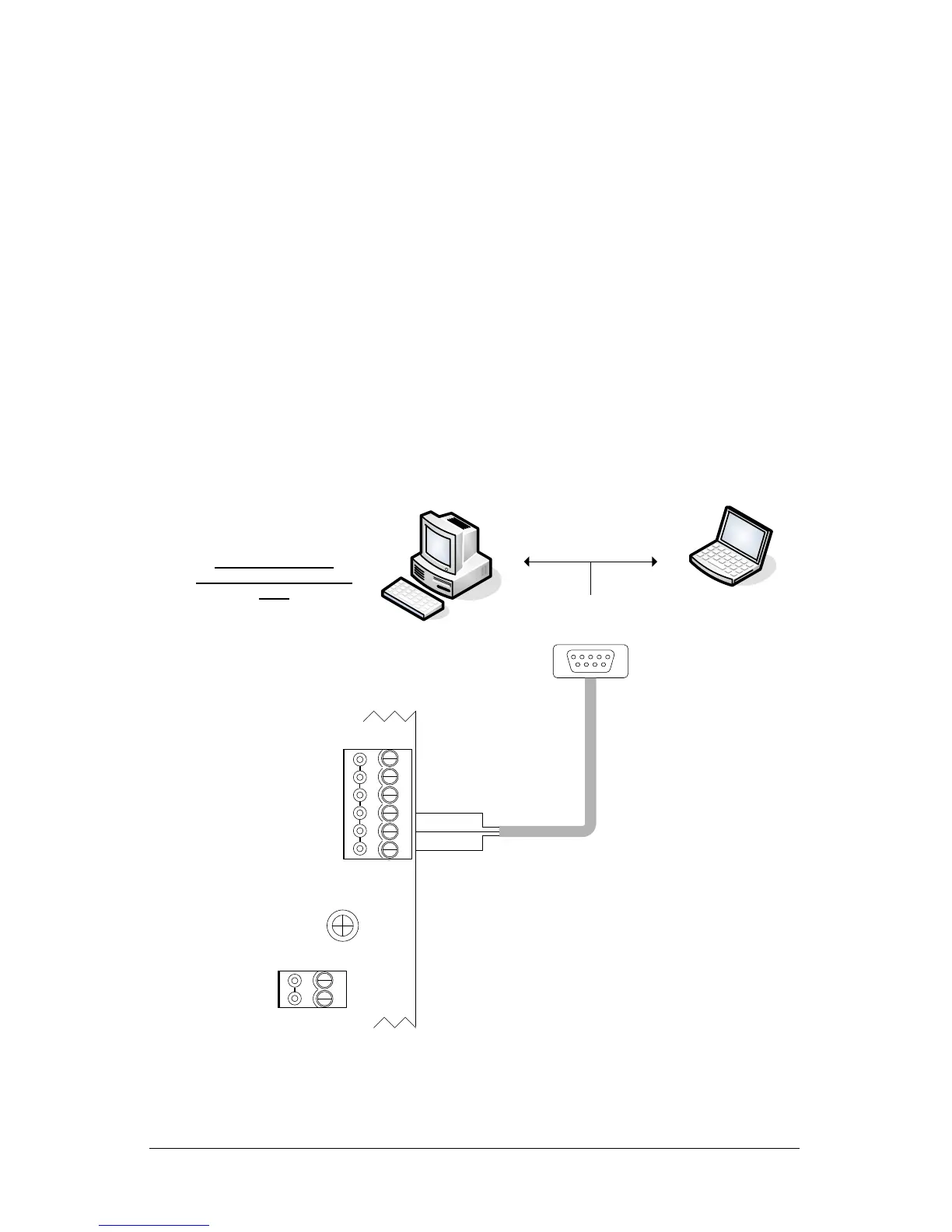
2. Connect the 3 loose wires from the serial programming cable to the communication
terminal block—TB4—as shown below.
You can also remove the terminal block from TB4 in the lower right corner of the
access control board, make the connections and then re-mount the terminal
block.
to Com Port on PC or laptop
Isolate and tape unused wires.
`
This is a temporary
programming connection
only.
GND
RS-232 (COM4)
Control Board
(PC 109x)
Green
Black
TD
RD
DCD
DTR
CTS
Red
IOCB (COM1)
RX
TX
KI-00399E-10-13
Control Board
S2 - DIP switches 7 & 8 = OFF (PC1097 or later)
or
J16 – pins F & G = OFF (PC1094 & PC1095)
3. From the PC or laptop with the NETCOM Program Tool Utility main screen open, select
the Keyscan Hyper Terminal button.
Continued on the next page….


 To Next Page
 Loading...