Audio system
535
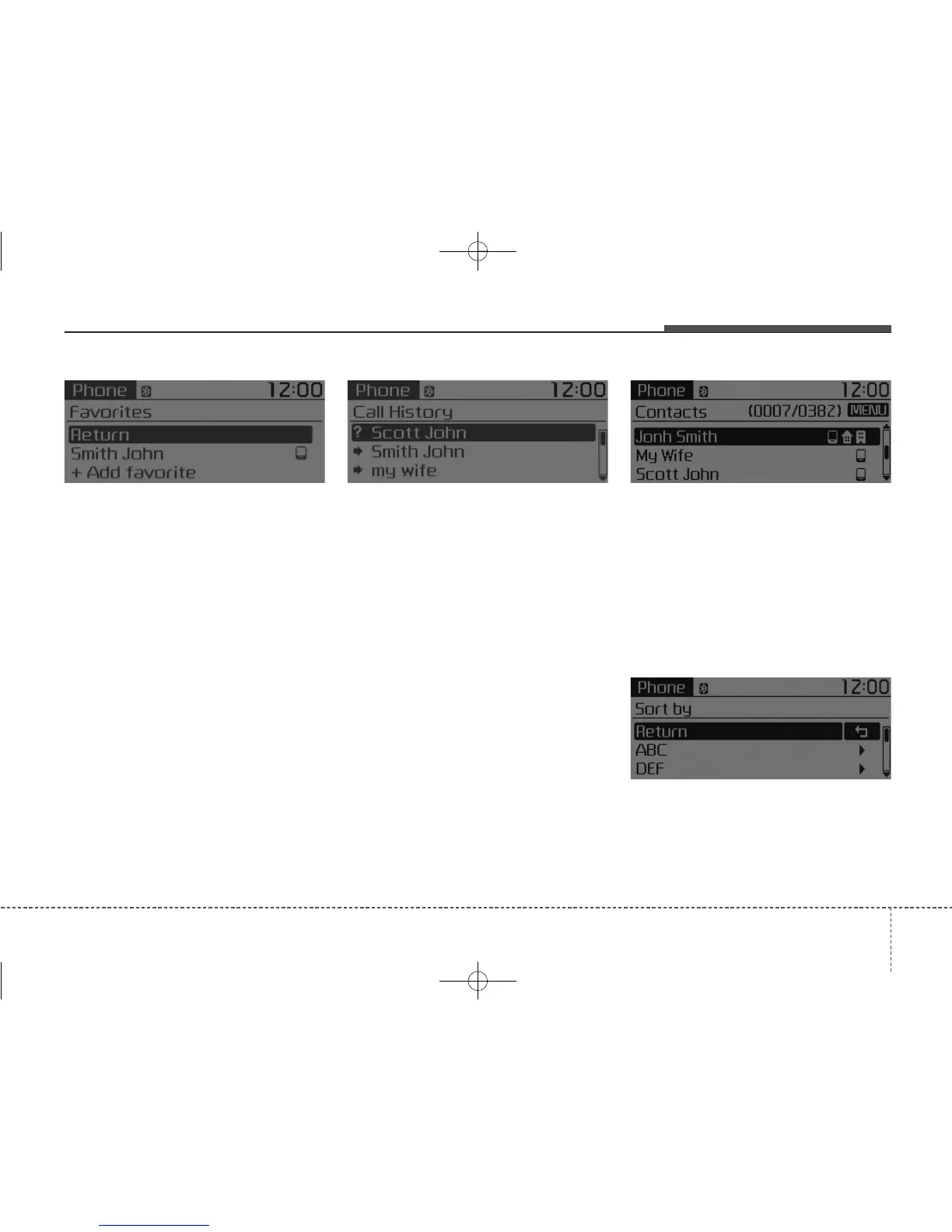
Favorites
Press the [PHONE] button
Select
[Favorites]
• Saved favorite contact : Connects
call upon selection.
• To add favorite : Downloaded con-
tacts can be saved as favorite.
• To save Favorite, contacts should
be downloaded.
• Contact saved in Favorites will not
be automatically updated if the
contact has been updated in the
phone. To update Favorites, delete
the Favorite and create a new
Favorite.
Call History
Press the [PHONE] button
Select
[Call History]
A list of incoming, outgoing and
missed calls is displayed.
• Call history may not be saved in
the call history list in some mobile
phones.
• Calls received with hidden caller ID
will not be saved in the call history
list.
• Calling through the call history is
not possible when there is no call
history stored or a
Bluetooth
®
Wireless Technology phone is not
connected.
• Up to 50 received, dialed and
missed calls are stored in Call
History.
• Time of received/dialed calls and
call time information are not stored
in Call History.
Contacts
Press the [PHONE] button
Select
[Contacts]
The list of saved phone book entries
is displayed.
NOTE:
Find a contact in alphabetical
order, press the [MENU] button.



 To Next Page