Audio system
725
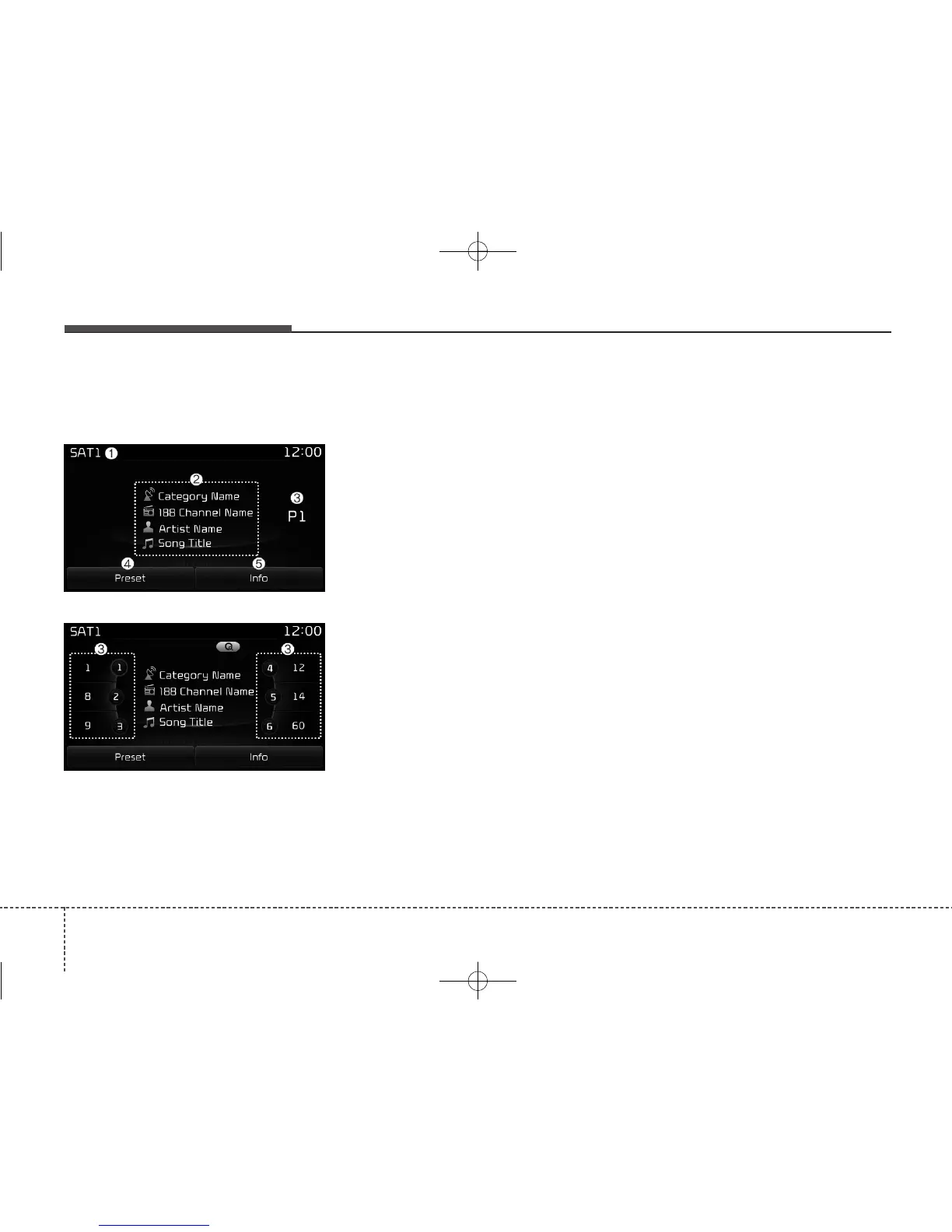
SiriusXM Radio Mode
Radio Mode Display Controls
(1) Mode Display
Displays current operating mode.
(2) Channel Information
Displays the category, channel num-
ber, channel name, artist and title
information.
(3) Preset
Displays current playing preset
number [1] ~ [6].
(4) Preset Display
Displays saved presets.
(5) Info
Displays detailed information about
the current broadcast.
Using SiriusXM Satellite Radio
Your Kia vehicle is equipped with a 3-
month trial subscription to SiriusXM
so you have access to over 140
channels of music, information, and
entertainment programming.
Activation
In order to extend or reactivate your
Sirius Select subscription, you will
need to contact SiriusXM Customer
Care at 1-800-643-2112. Have your
12-digit RID (Radio Identification
Number) / ESN (Electronic Serial
Number) ready. To retrieve the RID /
ESN, turn on the radio, press the
[RADIO] button, and tune to channel
zero.
Please note that the vehicle will need
to be turned on, in Sirius mode, and
have an unobstructed view of the sky
in order for the radio to receive the
activation signal.



 To Next Page