Audio system
805
MENU : USB
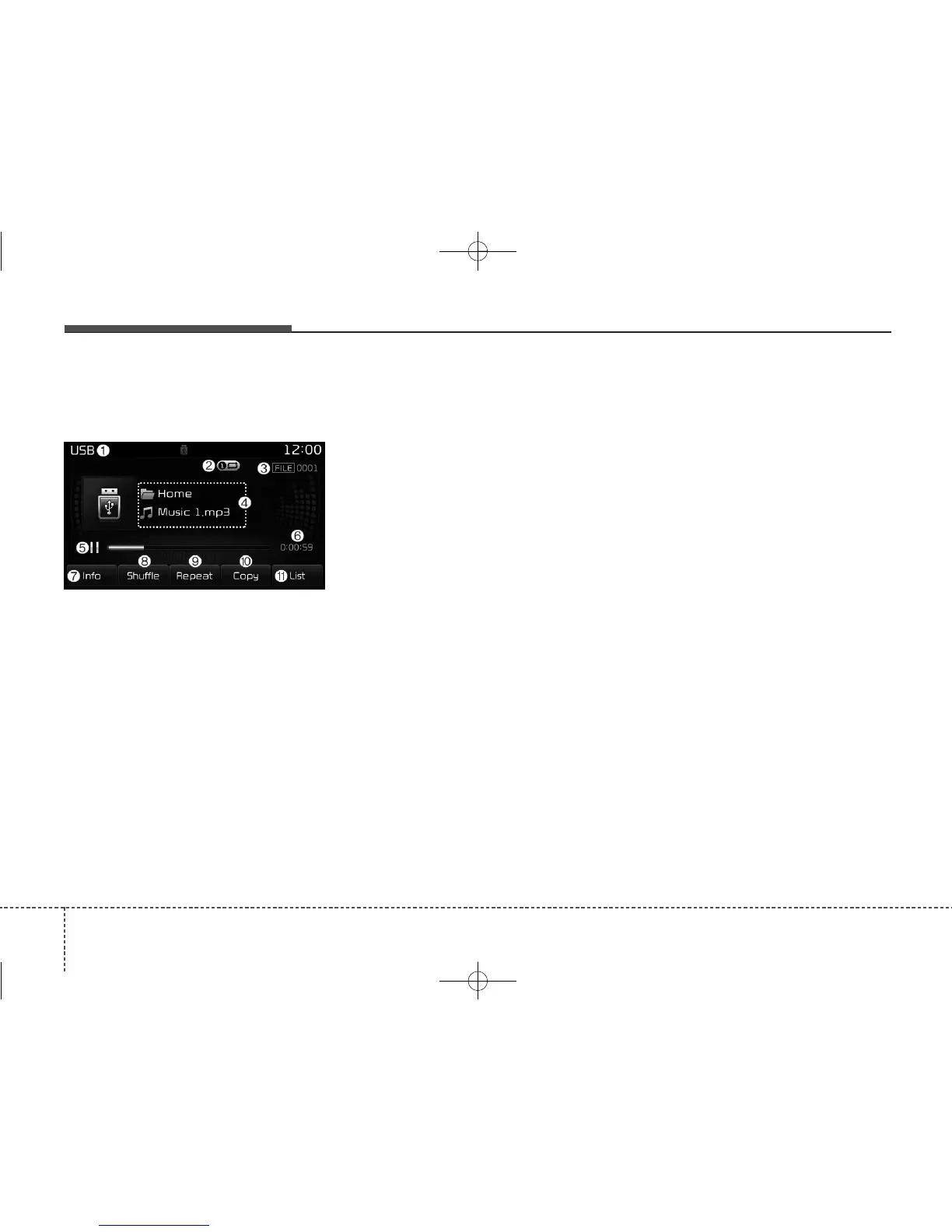
USB Mode Display Controls
(1) Mode
Displays current operating mode.
(2) Operation State
From Repeat/Shuffle/Scan, displays the
currently operating function.
(3) File Index
Displays the current file number.
(4) File Info
Displays information about the cur-
rent file.
(5) Play/Pause
Changes the play/pause state.
(6) Play Time
Displays the current play time.
(7) Info
Displays detailed information for the
current file.
When the ‘Folder File’option is set as
the default display within Display
setup, the album/artist/file informa-
tion are displayed as detailed file
information.
When the ‘Album Artist Song’ opti-
on is set as the default display, the
folder name/file name are displayed
as detailed file information.
The title, artist and album info are
displayed only when such informa
tion are recorded within the MP3 file
ID3 tag.



 To Next Page