9
5
5
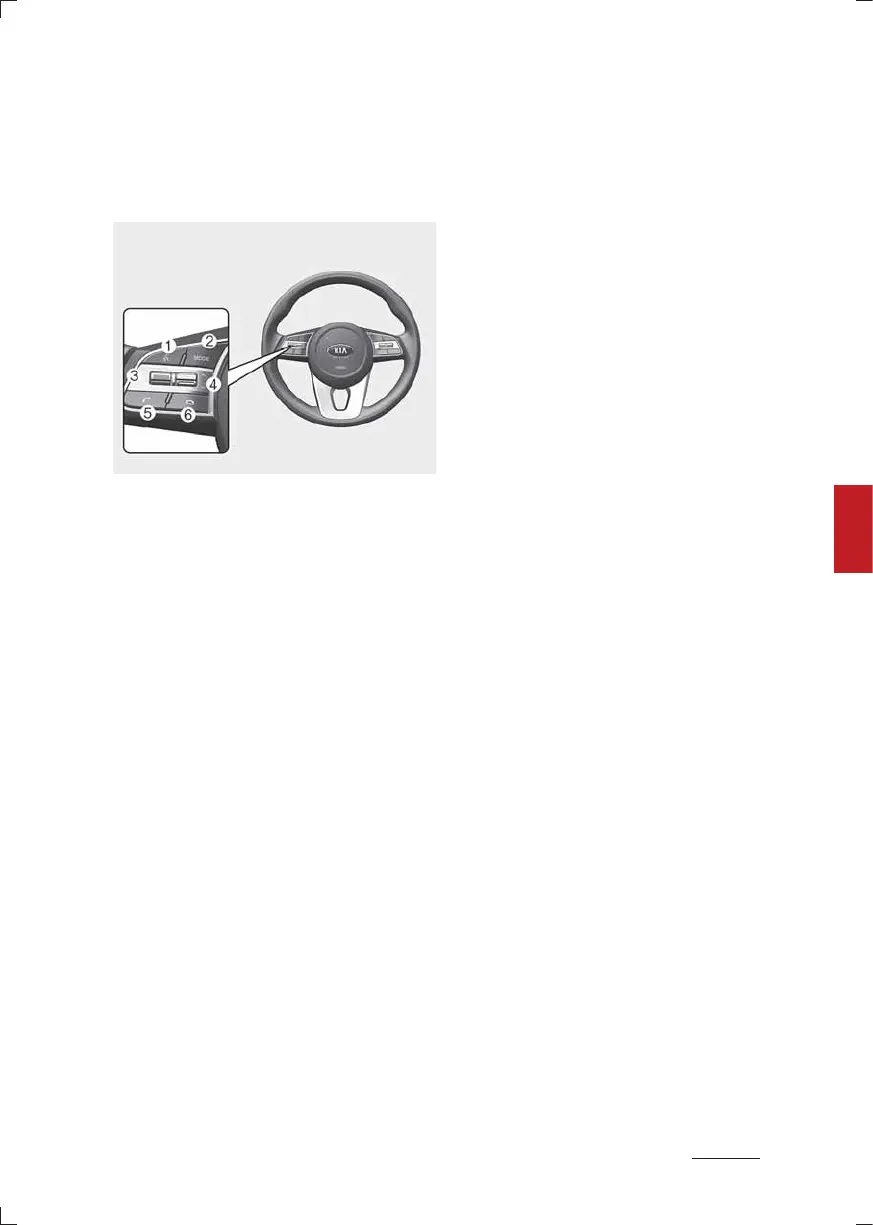
Infotainment system Audio (Without Touch Screen)
System layout 䳍 steering wheel
remote control
Bluetooth equipped model
* The system's actual appearance
and layout may differ depending
on the vehicle model and specifica
tion.
1. MUTE button
䳜 Press to mute or unmute the
system.
䳜 During a call, press to mute or
unmute the microphone.
䳜 While playing media, press to
pause or resume playback. (if
equipped)
2. MODE button
䳜 Press to switch between radio
and media modes.
䳜 If no media is connected, each
time this is pressed, it toggles
between the radio modes (FM
▶ AM ▶ FM).
䳜 Press and hold to turn the sys
tem on or off.
3. Volume lever
䳜 Push up or down to adjust the
volume.
4. Up/Down lever
䳜 Change the station/track/file.
䳜 While listening to the radio,
push to listen to the previous/
next saved radio station.
䳜 While listening to the radio,
push and hold to search for a
station.
䳜 While playing media, push and
hold to rewind or fast forward
(except for the Bluetooth audio
mode).
䳜 While playing media push to lis
ten to the previous/next song.
5. Call/Answer button
䳜 Press to start connecting a
mobile phone via Bluetooth.
䳜 After a Bluetooth phone con
nection is made, press to access
your call history. Press and hold
to dial the most recent phone
number. When a call comes in,
press to answer the call.
䳜 During a call, press to switch
between the active call and the
held call. Press and hold to
switch the call between the
system and the mobile phone.
䳜 In 3-way call, swaps between
calls.
6. Call end button
䳜 When a call comes in, reject the
call.
䳜 During a call, end the call.



 To Next Page
 Loading...










