FAMILIAR WITH THE MACHINE
1
2
3
4
5
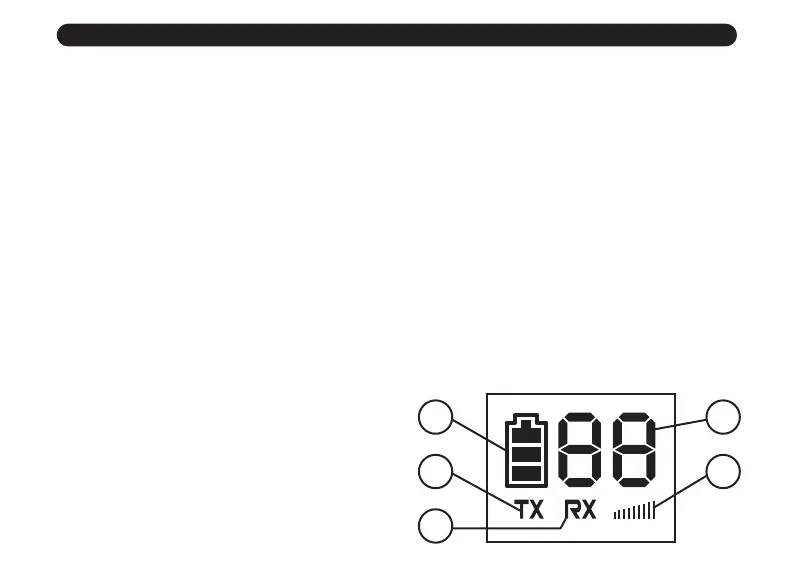
1. BATTERY LEVEL AND CHARGING INDICATOR
The icon represents the current battery level. When charging, the battery
level jumps back and forth from 1 grid to 3 grids. (No display when power off
and charging)
2. TX
When the screen displays this symbol, it represents is in the transmitting state,
and the signal strength icon is display same time.
3. RX
When the screen displays this symbol, it represents is in the receiving state,
and the signal strength icon is display same time.
4. CHANNEL NUMBER: DISPLAY CURRENT CHANNEL
Note: The radio will enter power-saving mode after 10 seconds of standby,
then the screen will be turned off, this moment, the green is flicker.
5. SIGNAL STRENGTH ICON


 To Next Page