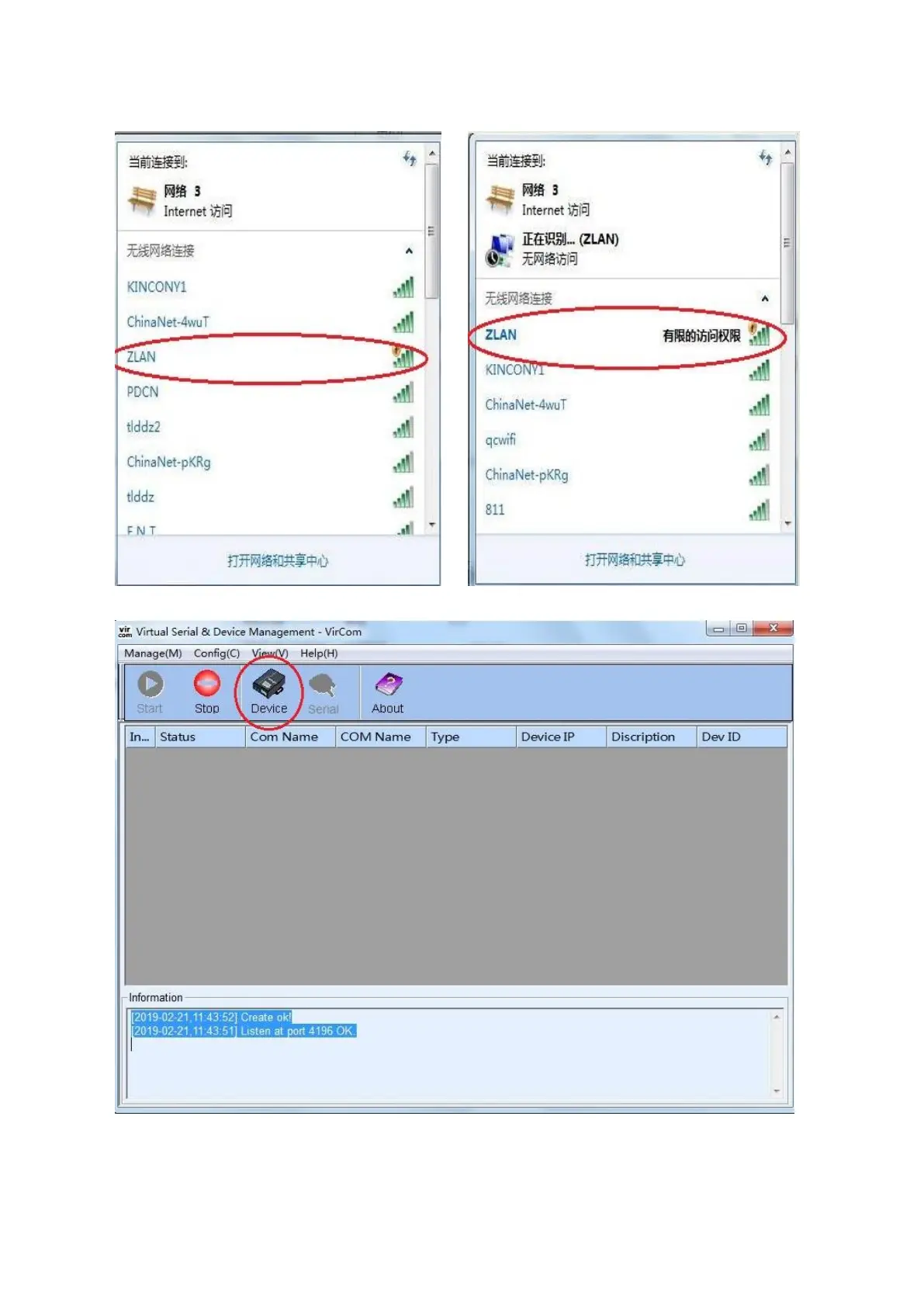
Secondly: Configure the Wi-Fi, and get the device into internet
1. the device is with AP mode and “ZLAN” for SSID as default, so just search the wireless signal from your
computer to find the “ZLAN” and click to connect. See below pictures
2. After connecting, open the network configuration tool, see below picture and click the “Device” button
Then open the “Device management” window as below, see the information row of the device;
Double click the row


 To Next Page