14
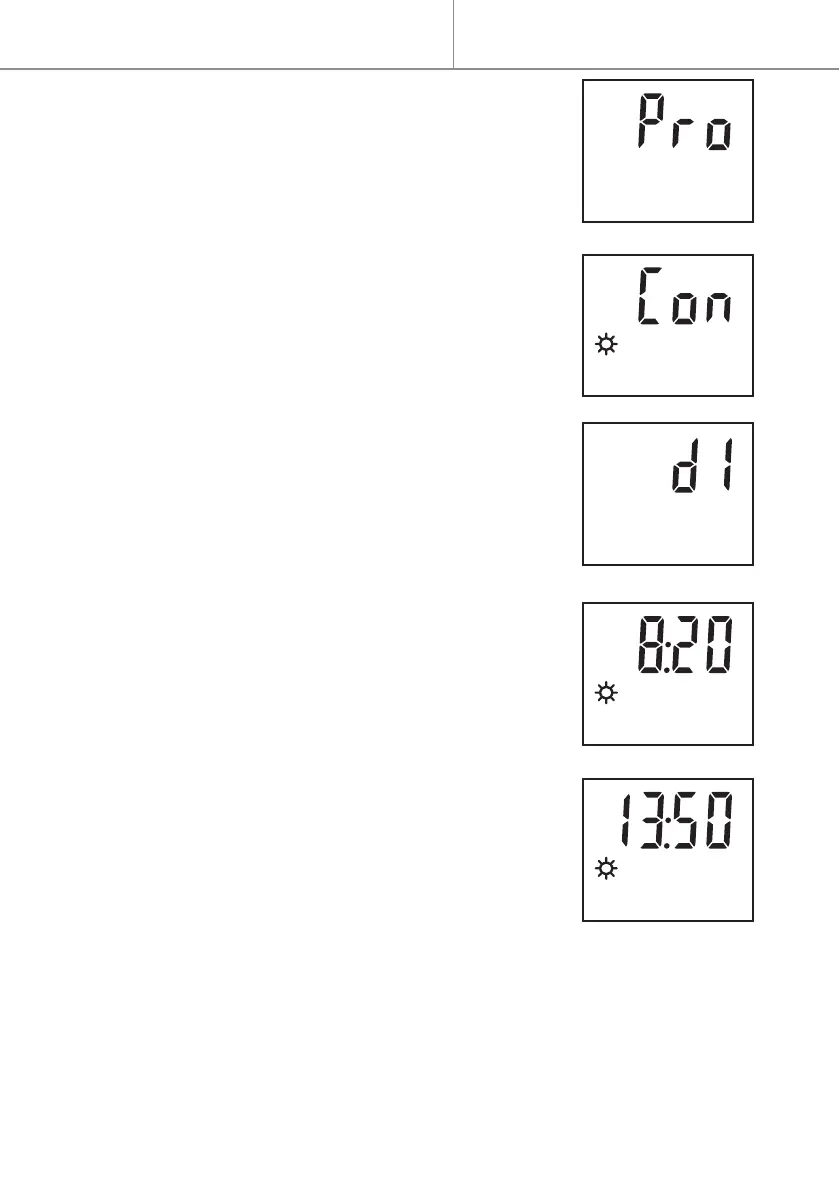
- Press MENU, then + to access the Pro menu.
- Press OK-boost to enter this menu.
- Press + or - to select the programme number (Pr1,
Pr2, Pr3, Pr4, Pr5, Pr6, Ec1, Ec2 or Ec3).
- Press OK-boost to validate.
- (OnlyforPr1 à Pr6)Press + or - to select programme
operating mode ; Comfort (Con) or Boost (bSt).
- Press OK-boost to validate.
- Press + or - to select the day(s) of programme activa-
tion or inactivation (not); Monday, Tuesday, Wednes-
day, Thursday, Friday, Saturday, Sunday (d1 ... d7),
from Monday morning to Sunday evening (1-7), from
Saturday morning to Sunday evening (6-7), from
Monday morning to Friday evening (1-5).
- Press OK-boost to validate.
- Press + or - to set the hour of start time of the pro-
gramme.
- Press OK-boost to validate.
- Press + or - to set the minutes of the start time in
blocks of 10 minutes.
- Press OK-boost to validate.
- In the same way, press + or - to set the end time of
the programme.
Theendtimeisonlyprogrammablebetweenthestart
timeandmidnight.
TheBoostfunctionislimitedtoamaximumof2hours.
- Press OK-boost to validate (Pro mode is selected by default).
- Press the MENU button to exit the menu without validating the latest mod-
ications.
Quick start


 To Next Page