EasyManua.ls Logo

Kinyo R-565 - System Connection Procedures; Connecting Subwoofer to Satellite Speakers; Connecting Subwoofer to Control Unit; Connecting Audio Signal to Control Unit

Kinyo R-565
9 pages
Print Icon
To Next Page IconTo Next Page
To Previous Page IconTo Previous Page
Loading...
A
CONNECTING
SUBWOOFER
TO
SATELLITE
SPEAKERS
:
1
Connsci
RCA
jacics
of
the
right
rear
surrourv]
speaker
to
the
right
rear
surround
charrrel
RCA
socket
of
the
subwoofer.
2
Connect
RCA
jacks
of
the
right
speaker
to
the
rigni
chanrrel
RCA
socket
of
the
subwoofer
3
Connect
RCA
jacks
of
the
ieflrear
surround
speaker
(o
the
left
rear
surround
channel
RCA
socket
of
the
subwoofer
J
Connect
RCA
jacks
of
the
left
speaker
to
the
left
channel
RCA
socket
of
the
subwoofer
b
Connect
RCA
jacks
of
the
center
speaker
to
the
center
channel
RCA
socket
of
the
subwoofer
B.
CONNECTING
SUBWOOFER
TO
CONTROL
UNIT
:
Plug
one
end
of
the
G9
cable
into
the
G9
socket
at
the
back
of
the
SUBWOOFER
and
the
other
end
into
the
RCA
socket
at
the
back
of
the
CONTROL
UNIT
as
Indicated
on
the
diagram
C.
CONNECTING
AUDIO
SIGNAL
TO
CONTROL
UNIT
;
LUsa
the
G9
cable
for
audio
signal
irrpul
Conrrect
one
end
of
the
G9
cable
to
the
audio
source
arid
the
other
end
to
the
control
unit.
2.Use
ihe
RCA
cable
lo
input
analog
stereo
audio
signals.
D.
CONNECTING
POWER
TO
THE
SYSTEM
:
1
Use
the
DC
power-supply
cable
lo
connect
the
subwoofer's
DC
power
out
pul
to
the
DC
power
Input
of
the
control
unit.
(The
power
source
specifications
requiremeni
of
the
control
unit
is
DC
12V
SOOmA.)
2.Connect
Ihe
subwoofer’s
AC
plug
lo
Ihe
elecincel
wan
outlel
directly.
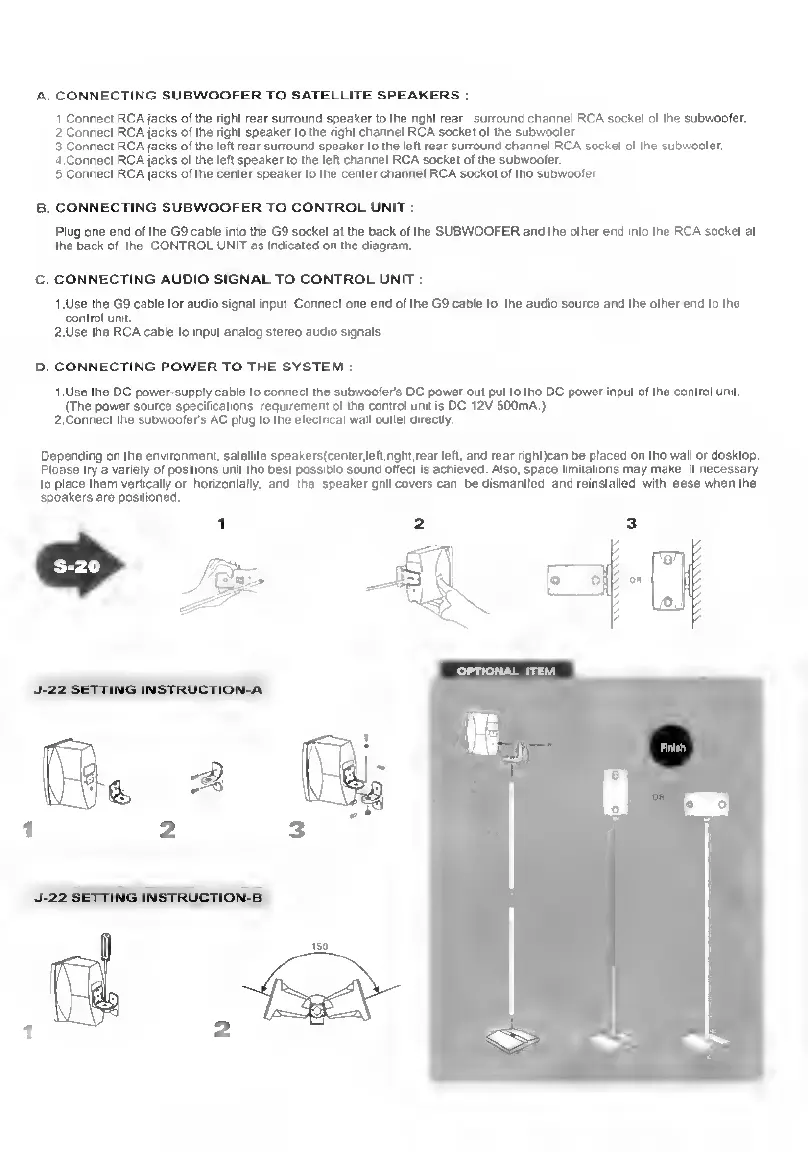
Depending
on
the
environment,
satellite
speakersicenier.left.nghl.reer
left,
er>d
rear
righijcan
be
placed
on
the
wall
or
desktop.
Please
try
a
variety
of
positions
unit
Ihe
best
possible
sound
ellacl
is
achieved
Also,
apace
limitations
may
make
it
necessary
to
place
them
vertically
or
horizontally,
and
the
speaker
gnil
covers
can
bedismantM
end
reinstalled
with
ease
when
the
speakers
are
positioned.
12
3