EasyManua.ls Logo

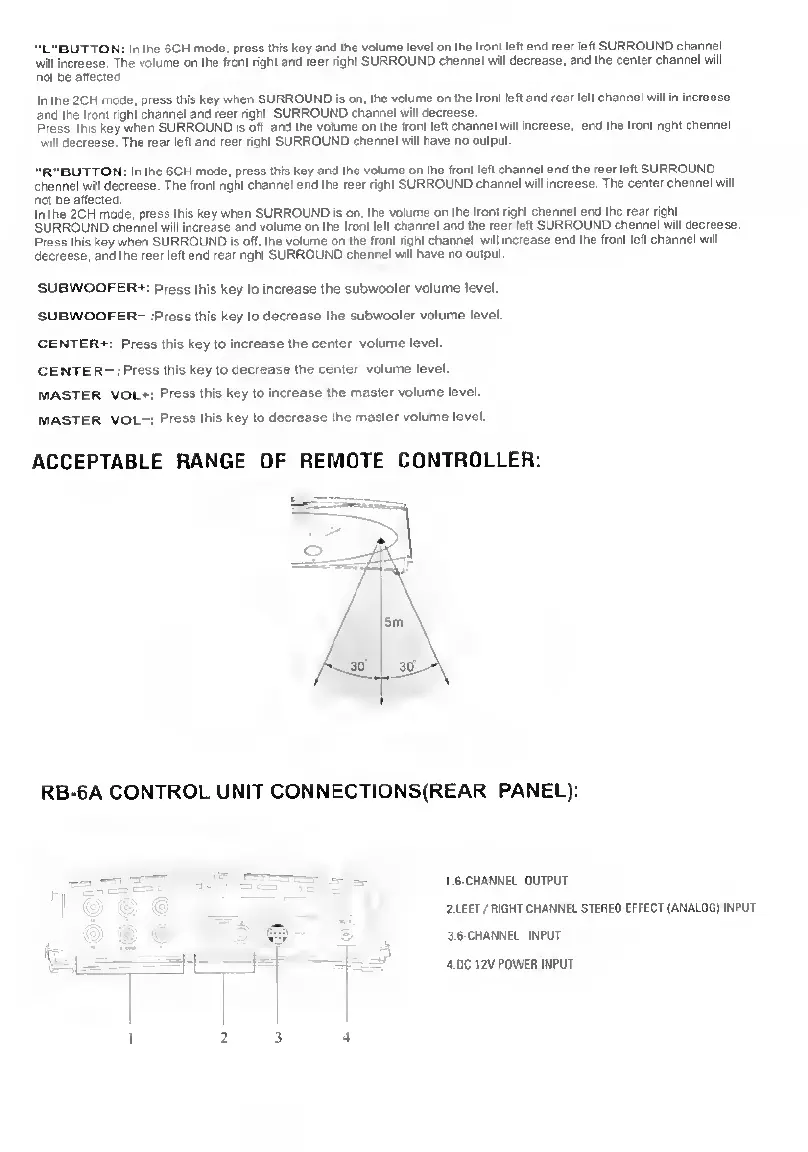
Kinyo R-565 - Remote Controller Range and Control Unit Connections; Rear Panel Connections

Kinyo R-565
9 pages
Print Icon
To Next Page IconTo Next Page
To Previous Page IconTo Previous Page
Loading...
'L"BUTTON:
Ir
the
6CH
mode,
press
this
key
and
the
volume
level
on
the
from
left
and
rear
left
SURROUND
charnel
will
increase.
The
volume
on
the
from
righl
and
rear
right
SURROUND
cttannel
will
decrease,
and
the
center
channel
will
not
be
affected
Ir
the
2CH
mode,
press
this
key
when
SURROUND
is
on.
the
volume
on
the
front
left
and
rear
left
channel
will
in
Increase
and
Ihe
front
nght
channel
and
rear
right
SURROUND
channel
will
decrease.
Press
this
key
when
SURROUND
is
off
and
the
volume
on
the
front
left
channel
will
increase,
and
the
front
right
dnannel
will
decrease.
The
rear
left
and
rear
right
SURROUND
channel
will
have
no
output.
"R-'BUTTON:
In
theSCH
mode,
press
this
key
and
the
volume
on
the
front
left
channel
and
the
rear
left
SURROUND
channel
will
decrease.
The
front
lighl
channel
and
the
rear
right
SURROUND
channel
wit
increase.
The
center
channel
will
net
be
affected.
In
Ihe
2CH
mcde,
press
this
key
when
SURROUND
is
on.
the
volume
on
the
from
nghi
channel
and
Ihe
rear
right
SURROUND
channel
will
increase
and
volume
on
the
front
letl
channel
and
the
rear
left
SURROUND
channel
will
decrease.
Press
this
key
when
SURROUND
Is
off.
the
volume
on
die
front
right
channel
wdl
increase
and
me
front
left
channel
will
decrease,
and
the
rear
left
and
rear
nght
SURROUND
channel
wdc
have
no
oulput.
SUBWOOFER*t
Press
this
key
to
increase
the
subwoofer
volume
level.
SUBWOOFER-
tpress
this
key
to
decrease
Ihe
subwoofer
volume
level.
CENTER-1-:
Press
this
key
to
increase
the
center
volume
level.
CENTER—:Press
this
key
to
decrease
Ihe
center
volume
level.
MASTER
VOL-n
Press
this
key
to
increase
Ihe
master
volume
level.
master
VOL-i
Press
this
key
to
decrease
the
master
volume
level.
ACCEPTABLE
RANGE
OF
REMOTE
CONTROLLER:
RB-6A
CONTROL
UNIT
CONNECTIONS(REAR
PANEL):
1
'•
'
-
2.LEFT
/
RIGHT
CHANNEL
STEREO
EFFECT
(ANALOG)
INPUT
''
.
»
1
*
-tv
-L
I
3.6-CHANNEL
INPUT
I
2
3
4