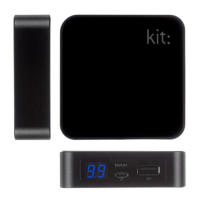
Charging the Power Bank:
1. Connect one end of the charging cable to
the Power Bank at the Input port and the
other end into a suitable USB mains
charger, in-car charger, PC or Mac
2. The LED will increase from 00 to 99
step-by-step
3. Remove the charging cable when nished
Using the Power Bank:
• Press (don’t hold) the Power Button to
display remaining power level
• Connect the USB cable to the Output port
• Connect a suitable micro USB, mini USB
or Apple 30-pin connector to the cable,
depending on which device you wish
to charge


 To Next Page