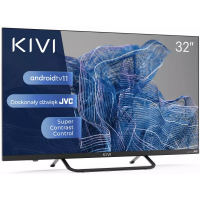
Need help?
Do you have a question about the Kivi 32H750NB and is the answer not in the manual?
Important safety guidelines for TV usage and installation.
Proper procedures for safely moving the television.
Guidelines on when not to use the TV and how to use it safely.
Instructions for cleaning the TV screen and body.
Explanation of screen variations and when to seek support.
Information on responsible disposal of the electronic equipment.
Instructions and recommendations for installing the TV antenna.
Description of the remote control functions and key assignments.
Important notes regarding remote control compatibility and features.
Guidelines for using the remote control and battery management.
Information on the pointer feature, its limitations, and speed adjustment.
Details on compatible devices and available connection ports on the TV.
Instructions on how to connect a CI module for conditional access.
Steps for selecting the country and connecting to a Wi-Fi network.
Guide to selecting TV modes and configuring the TV tuner.
Instructions for pairing the remote control and connecting an Android device.
Guide to navigating the main screen and accessing features.
Steps for scanning and managing TV channels.
Details on cable scanning modes and managing signal sources like HDMI/CEC/ARC.
Explanation of auto power off, shutdown timer, and no signal power off.
Settings for sound styles, equalizer, speakers, and digital output.
Options for adjusting picture mode, brightness, color, and other visual settings.
Reminder about connecting Bluetooth remote controls.
Overview of the KIVI Media Launcher interface and its categories.
Instructions for playing media files and accessing internal storage.
Information on compatible game controllers and input devices.
Steps to resolve issues with unstable or missing TV signal reception.
Solutions for problems where sound is not played through external speakers.
Caution regarding the use of the web browser for media playback.
Information on how to find complete troubleshooting instructions via QR code.

 To Next Page

 General