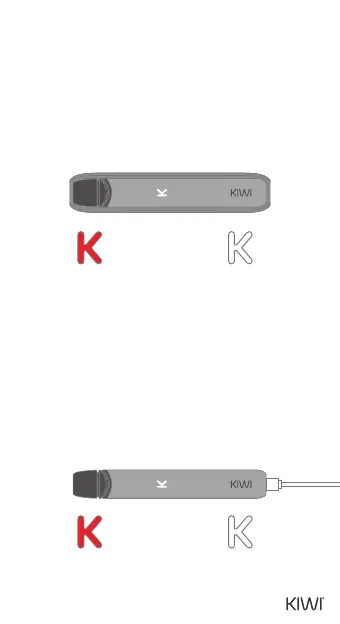
CHARGING THE PEN WITH THE
POWERBANK
CHARGING THE PEN WITH THE
USB-C CABLE
The indication of the Powerbank charging the
Pen is as follows:
0% to 10% power: red LED lights up
10% to 100% power: white LED lights up
Fully charged: LED light turns o
The indication for USB-C power-on is the current
power level indicator ashing three times and
vibrating once.
The USB-C charging indication is as follows:
0% to 10% power: red LED lights up
10% to 100% power: white LED lights up
Fully charged: LED light turns o
0-10% power:
Red LED lights up
10-100% power:
White LED lights up
0-10% power:
Red LED lights up
10-100% power:
White LED lights up
05


 To Next Page