English
User Manual
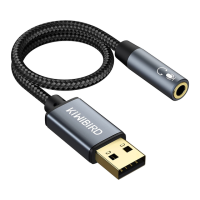
USB to 3.5mm Jack Audio Adapter
Model No.: U2JA3-G/U2JA4-B/U2JA5-B1
Kindly Reminder:
• It does NOT work with the USB port of TV, Amplifier, CD Player, Car, Projector, PS3, Xbox, Nintendo Switch.
• Only support 4-pole TRRS microphone (TRRS plug has 3 black rings), not for TS or TRS microphone. It does NOT work
with the headset with separated headphone and microphone 3.5mm jacks.
• Inline volume and remote control on iPhone earphones, beats, Bose Apple standard earphones will be disabled.
• Most operating systems support multiple audio outputs, but only one can be activated at a time. Always select the
right audio output through the operating system's built-in audio control panel.
• Always audio output, microphone Input
Configuration of Audio Output Instructions:
Windows:
• Step1: Left-click on the sound icon in the taskbar;
• Step2: Select playback device - headphones (Realtek USB2.0 Audio Device);
• Step3: Adjust the volume on the computer and in the application.
Mac OS:
• Go to System Preferences > Sound > Output or Input > Select a device for sound output > Headphones USB.


 To Next Page

 General