OPERATING INSTRUCTIONS
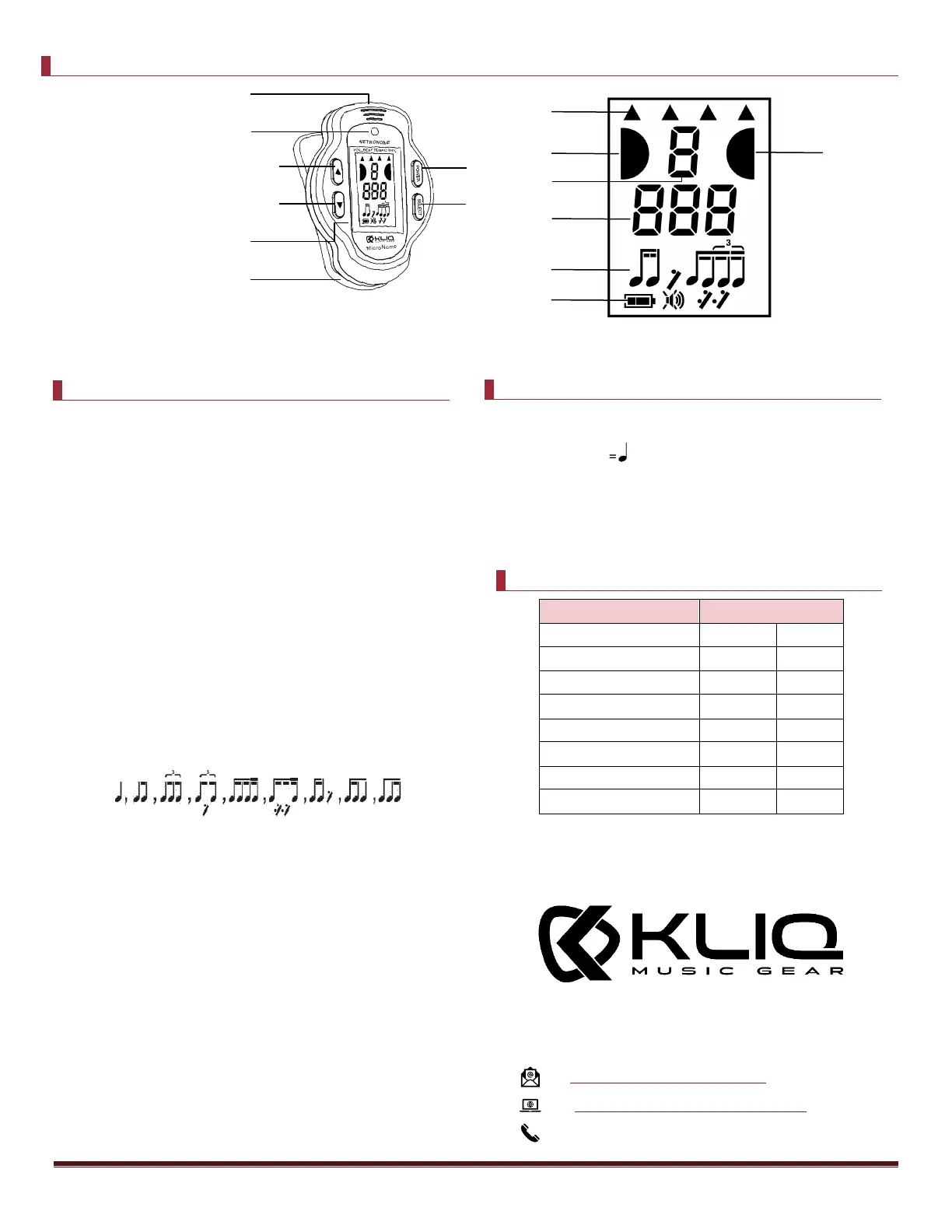
1. Press and hold POWER/PLAY button (Button 1) to
turn on metronome.
2. Select beat. Press SELECT (Button 2) and move
the cursor to “BEAT.” Then press UP Button
(Button 3) or DOWN Button (Button 4) to select
the beat you want. The beat options are 0, 1, 2,
3, 4, 5, 6, 7, 8, 9. *
3. Select tempo. Press SELECT (Button 2) and move
the cursor to “TEMPO.” Then press UP Button
(Button 3) or DOWN Button (Button 4) to select
the tempo you want. The tempo ranges from 30
bpm to 260bpm. (See quick tempo range guide to
the left for assistance) *
4. Select rhythm. Press SELECT (Button 2) and move
the cursor to “RHY.” Then press UP Button
(Button 3) or DOWN Button (Button 4) to select
the beat you want. The rhythm options are: *
5. Select volume. Press SELECT (Button 2) and move
the cursor to “VOL.” Then press UP Button
(Button 3) or DOWN Button (Button 4) to select
the beat you want. The volume levels are: Mute,
Low, Medium, High. *
6. Press and hold POWER/PLAY button (Button 1) to
start the metronome, the guide light will be lit
red with the tempo set, and the two cursors on
either side of the beat number will also flash
from left to right according to the tempo.
7. Press and hold POWER/PLAY button (Button 1) to
PAUSE the metronome.
8. Press and hold POWER/PLAY button (Button 1) to
turn off metronome. If not in use it will power off
after 3 minutes of being idle.



 To Previous Page
 Loading...