EasyManua.ls Logo

Knight 1500 - User Manual

Knight 1500
8 pages
Print Icon
To Next Page IconTo Next Page
Loading...
knightgroup.co.nz
Tools Required: Powered Screwdriver
Assembly Instructions
Ergoplan Desk 1500/1800
Question and Answer IconNeed help?

Do you have a question about the Knight 1500 and is the answer not in the manual?

Summary

Safety Information

General Safety Precautions

Product must be used safely. Inappropriate use may cause damage or bodily harm.

Environmental Considerations

Avoid direct sunlight, heating radiators, and extreme temperatures for furniture.

Setup and Installation Guidelines

Assembly Process

Assemble product according to instructions on a soft surface, maintaining safe distance.

Recommended Assembly

This product is recommended to be assembled by 2 people.

Product Parts Identification

Main Components

Identifies main desk panels: Top Panel (A), Left Side Panel (X), Right Side Panel (Z), Modesty Panel (D).

Hardware Components

Lists hardware: Cam Bolts (c1), Dowel Pins (d1), Cam Stickers (c2), Brackets (b1), Screws (s1).

Assembly Steps

Step 1: Panel Preparation

Insert cam bolts (c1) into panels A, X, Z and dowel pins (dl) into panels X, Z, D.

Step 2: Side and Modesty Panel Assembly

Connect panels X, Z to panel D using cams and secure with brackets (b1) and screws (s1).

Step 3: Top Panel Attachment

Attach top panel A using cams, cover with stickers (c2), and turn desk upright.

Summary

Safety Information

General Safety Precautions

Product must be used safely. Inappropriate use may cause damage or bodily harm.

Environmental Considerations

Avoid direct sunlight, heating radiators, and extreme temperatures for furniture.

Setup and Installation Guidelines

Assembly Process

Assemble product according to instructions on a soft surface, maintaining safe distance.

Recommended Assembly

This product is recommended to be assembled by 2 people.

Product Parts Identification

Main Components

Identifies main desk panels: Top Panel (A), Left Side Panel (X), Right Side Panel (Z), Modesty Panel (D).

Hardware Components

Lists hardware: Cam Bolts (c1), Dowel Pins (d1), Cam Stickers (c2), Brackets (b1), Screws (s1).

Assembly Steps

Step 1: Panel Preparation

Insert cam bolts (c1) into panels A, X, Z and dowel pins (dl) into panels X, Z, D.

Step 2: Side and Modesty Panel Assembly

Connect panels X, Z to panel D using cams and secure with brackets (b1) and screws (s1).

Step 3: Top Panel Attachment

Attach top panel A using cams, cover with stickers (c2), and turn desk upright.

Overview

The Ergoplan Desk 1500/1800 is a versatile and functional desk designed for various office and home office environments. This assembly instruction manual provides comprehensive guidance for setting up the desk, ensuring proper installation, safe usage, and maintenance. The desk is available in two sizes, 1500mm and 1800mm, catering to different space requirements and user preferences.

Function Description:

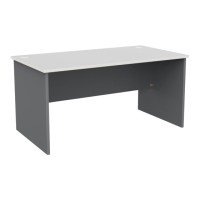
The Ergoplan Desk serves as a primary workstation, offering a spacious and stable surface for computing, writing, and other tasks. Its design incorporates a top panel, two side panels (left and right), and a modesty panel, creating a robust and aesthetically pleasing structure. The desk is intended for general office use, providing ample space for monitors, keyboards, mice, and other peripherals, as well as documents and personal items. The inclusion of cable ports (pre-installed in 1500mm and 1800mm models) facilitates organized cable management, helping to maintain a clutter-free workspace. The desk's construction is designed to be sturdy and durable, supporting the weight of typical office equipment and resisting daily wear and tear.

Important Technical Specifications:

The desk components include:

  • Top Panel (A): 1 unit
  • Left Side Panel (X): 1 unit
  • Right Side Panel (Z): 1 unit
  • Modesty Panel (D): 1 unit

Hardware components for assembly:

  • 6x35 Cam Bolt (c1): 10 units
  • 8x30 Dowel Pin (d1): 10 units
  • Cam Sticker (c2): 10 units
  • Bracket (b1): 4 units
  • 3.5x15 Screw (s1): 16 units

The assembly process primarily involves connecting these panels using cam bolts, dowel pins, brackets, and screws. The cam bolts and dowel pins provide structural integrity, while the brackets and screws reinforce the connections. The cam stickers are used to cover the exposed cams for a cleaner finish.

Usage Features:

The Ergoplan Desk is designed for ease of use and adaptability. Key usage features include:

  • Spacious Work Surface: The large top panel provides an expansive area for various tasks, accommodating multiple monitors, laptops, and other essential items without feeling cramped.
  • Integrated Cable Management: Pre-installed cable ports in the 1500mm and 1800mm models allow users to route power cords, data cables, and other wires neatly, reducing clutter and improving the aesthetic of the workspace.
  • Modesty Panel: The modesty panel (D) provides privacy and conceals cables and legs beneath the desk, contributing to a more professional and organized appearance.
  • Sturdy Construction: The combination of side panels and a modesty panel ensures a stable and robust structure, minimizing wobble and providing a reliable surface for work.
  • Versatile Design: The desk's clean and simple design makes it suitable for a wide range of office decors, from modern to traditional.

Maintenance Features:

Proper maintenance is crucial for extending the lifespan of the Ergoplan Desk and ensuring its continued functionality and appearance. The manual highlights several important safety and maintenance guidelines:

  • Safe Handling: Always carry the product safely to the assembly location to prevent damage to the desk or injury to persons. It is recommended that this product be assembled by 2 people due to its size and weight.
  • Assembly Surface: To prevent scratches or damage during assembly, the product should be assembled on a soft surface such as a blanket, carpet, or packaging material.
  • Environmental Considerations:
    • Avoid placing the furniture in direct sunlight, near air-conditioning inlets, or heating radiators, as extreme temperatures and direct exposure can cause material degradation or discoloration.
    • Do not place high-temperature or frozen objects directly on the furniture surface, as this can cause damage, stains, or warping.
  • Cleaning: While specific cleaning instructions are not detailed in this excerpt, general furniture care practices would apply:
    • Wipe surfaces with a soft, damp cloth.
    • Avoid abrasive cleaners or harsh chemicals that could damage the finish.
    • Promptly clean up spills to prevent staining or moisture damage.
  • Structural Integrity: Regularly check the tightness of all cam bolts, screws, and other fasteners to ensure the desk remains stable and secure. Loose connections can lead to instability and potential damage.
  • Retention of Manual: Retain the operation manual for future reference and pass it on to any future owner, as it contains important information regarding safety, use, installation, and maintenance.
  • Continuous Improvement: The manufacturer notes that due to continuous product improvement, assembly instructions may not always be in complete accordance with the product, implying that minor variations might occur, but the core assembly principles remain the same.

Safety Warnings:

The manual emphasizes critical safety warnings: "WARNING: FAILURE TO COMPLY WITH OR OBSERVE ALL ASSEMBLY, SAFETY AND OPERATION INSTRUCTIONS REGARDING THE USE OF THIS PRODUCT MAY RESULT IN SERIOUS BODILY INJURY." This underscores the importance of following all instructions carefully.

  • Safe Usage: The product must be used in a safe manner. Inappropriate use may cause damage to the product and/or cause bodily harm to the user or persons nearby.
  • Placement: Place the product a safe distance from window frames, radiators, furniture, etc., to ensure that persons cannot become trapped and to prevent damage from environmental factors.

Overall, the Ergoplan Desk 1500/1800 is designed as a practical, durable, and user-friendly workstation, with clear instructions provided to ensure a safe and efficient assembly and long-term use.

Knight 1500 Specifications

General IconGeneral
BrandKnight
Model1500
CategoryIndoor Furnishing
LanguageEnglish

Related product manuals