
 Need help?
Do you have a question about the Knightsbridge IP663G and is the answer not in the manual?
Read instructions carefully and retain for future reference and maintenance.
Ensure mains supply is off before installation/maintenance. Product must be installed to IEE Wiring Regulations.
Remove fixing screws, use back box as template, mark holes, and fix securely. Refit screw caps.
Connect supply cable to terminals, ensuring correct polarity and gland tightening.
Connect load cable to terminals, ensuring correct polarity and gland tightening.
Each switch is individually fused; check and replace fuses of the same rating if a circuit stops working.
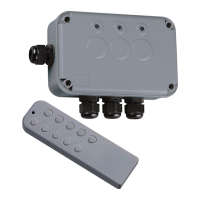
Insert battery into handset and test buttons to confirm operation of power controller channels.
 General
| Brand | Knightsbridge |
|---|---|
| Model | IP663G |
| Category | Remote Control |
| Language | English |

 To Next Page