October | 2017
Page | 14
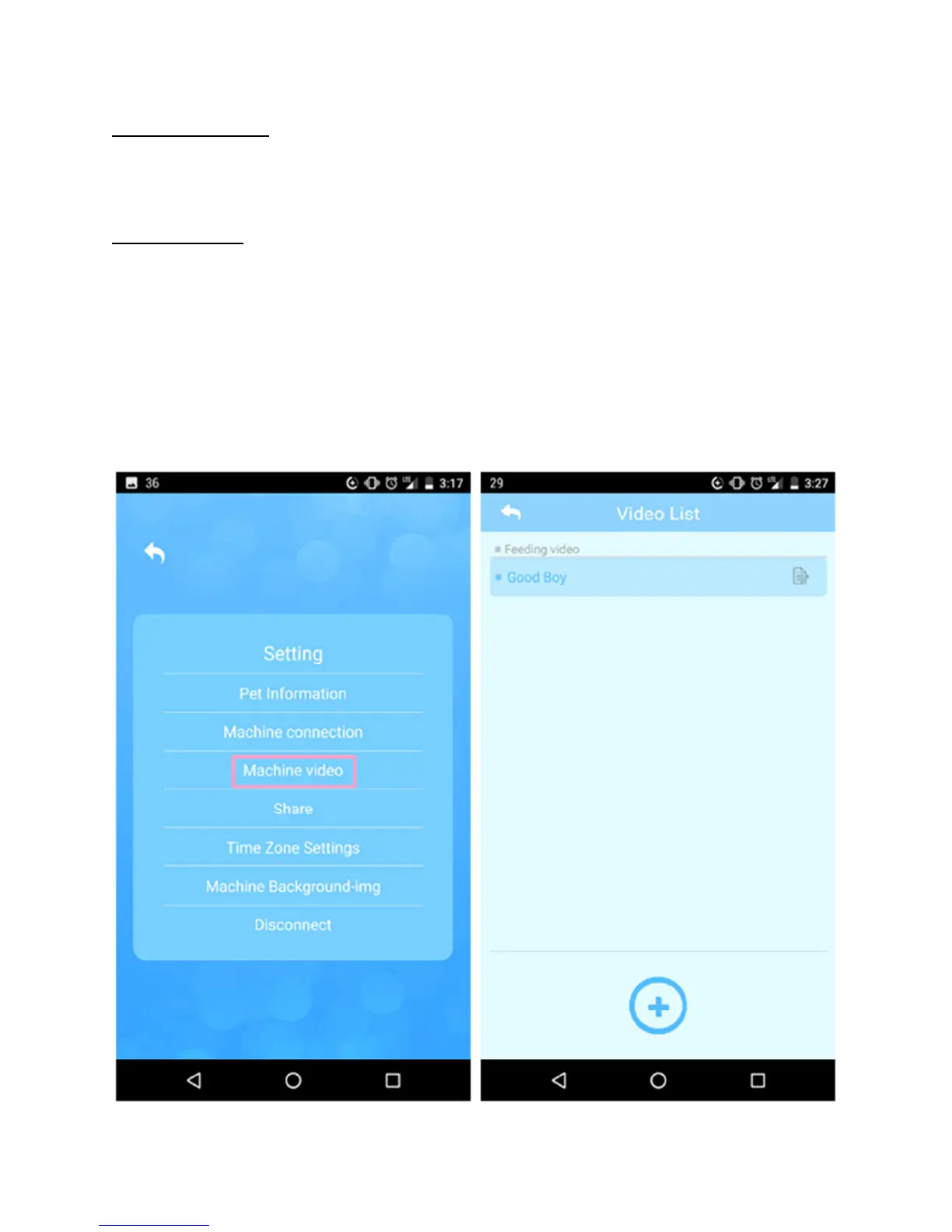
Recording Videos – Tap “Setting” on the main menu screen and then select
“Machine Video”. This brings up the “Video List”. Just tap the circle/+ icon at the
bottom to start recording a new 10-second video.
Playing Videos
• Play Any Time – Go to the “Interaction” screen and select “Play”.
• Play During Feedings – Tap “Setting” on the main menu screen and then
select “Machine Video”. This brings up the “Video List”. Just tap the edit
icon on the right of any video in order to make it the default feeding video.
o Please Note – From the “Video List” screen you can rename all of
your videos.


 To Next Page
 Loading...