October | 2017
Page | 16
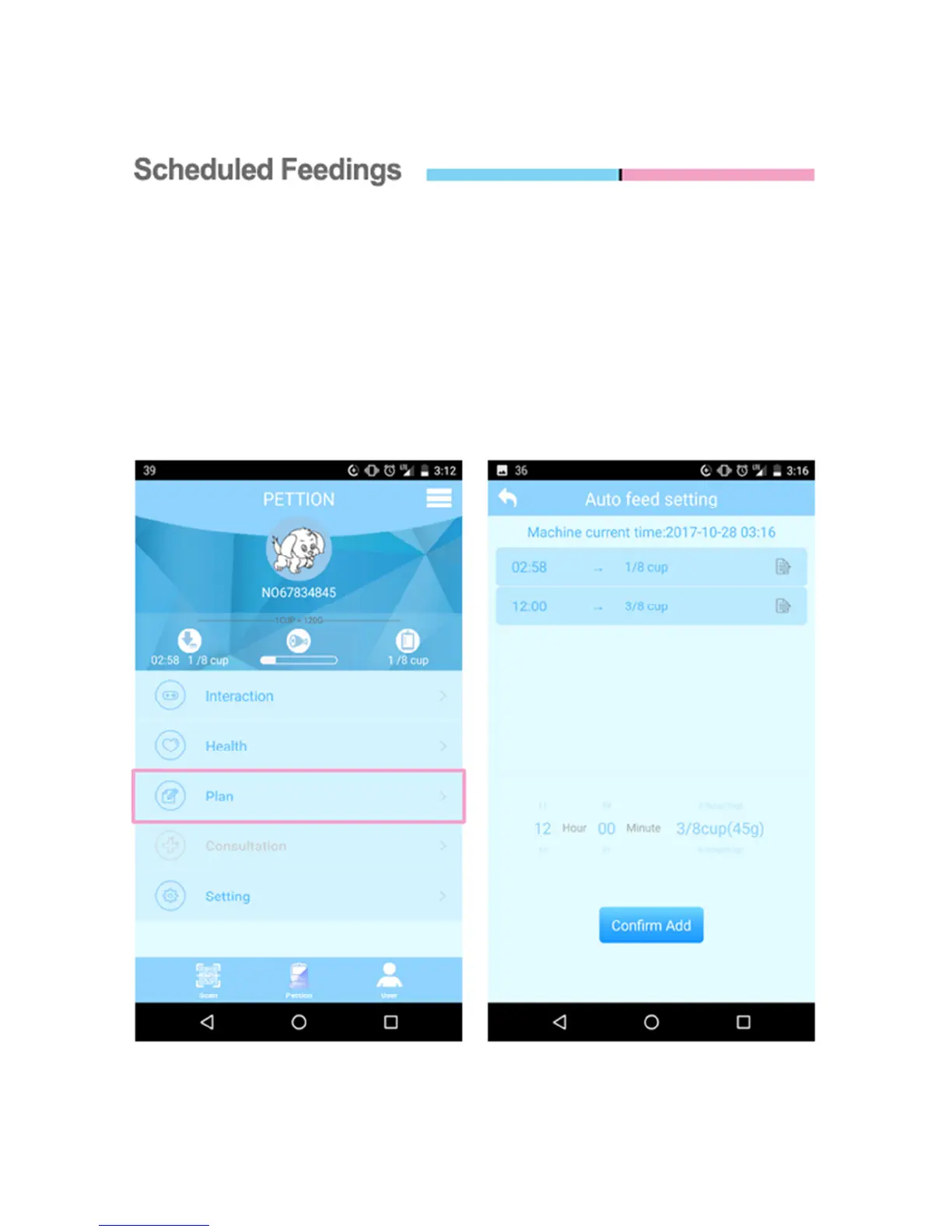
On the Pettion app’s main menu, select “Plan”. This will take you to the “Auto
Feed Setting” screen. From here you can setup multiple feedings for your pet.
Select the amount of food the Knox Pet Feeder should dispense for your pet, and
the time it should do it. All of your scheduled feedings can be edited at any time,
no matter where you are!


 To Next Page